
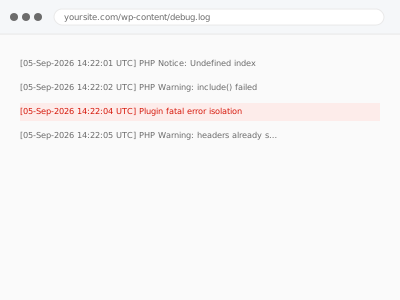
A fatal error means PHP hit something it can’t recover from — a function that doesn’t exist, a class conflict, a memory exhaustion — and when it’s caused by a plugin, the error message sometimes names the file, and sometimes just shows a blank white screen with nothing to go on at all.
Before you buy, one thing worth checking first
If your WordPress version is reasonably current, a fatal error like this usually triggers WordPress’s own built-in Recovery Mode, which emails the site administrator a special link.
That link shows you which specific plugin or theme caused the error and lets you temporarily disable just that one, without touching anything else. Check your admin email, including spam, before doing anything manually — WordPress may have already done this specific diagnostic step for you.
If you don’t see that email and the error has been present for a while, it’s worth checking whether email delivery from the site works at all, since the same underlying delivery problem can hide more than one useful notification.
Recovery Mode also only helps once the error has actually happened at least once with someone watching for it — if the site has been silently down and nobody’s checked email since, the notification may simply be sitting unread rather than never having been sent.
Plugin fatal error isolation
A fatal error is showing, sometimes naming a plugin, sometimes just a blank screen. We isolate exactly which plugin is responsible and resolve the underlying cause.
- Full backup taken before we start
- If we can’t fix it, you get your money back
- We never ask for your own password
This or something else?
| A fatal error message naming or hinting at a specific plugin | This fix covers it |
| A Recovery Mode email already received, pointing at a plugin | This fix covers it, faster with that information |
| Blank page appeared right after activating one specific new plugin | Blank page after plugin activation |
| The error appeared after a plugin update, not ongoing use | Plugin update failure resolution |
| No fatal error, just something behaving oddly with no crash | Plugin conflict diagnosis & resolution |
What you are seeing
- A fatal error message, sometimes naming a file or function, sometimes not
- A blank white screen with no visible error text at all
- The error appearing consistently, on every page load, rather than intermittently
- Multiple plugins active, with no obvious single trigger for which one is responsible
- The site completely inaccessible, front end and admin both affected
Common causes
- A plugin calling a function or class that another required plugin or PHP version doesn’t provide
- A PHP version incompatibility the plugin wasn’t built to handle
- Two plugins declaring the same function or class name, causing a fatal collision
- A plugin file corrupted or partially uploaded during a previous update attempt
- A resource limit — memory, execution time — exhausted by one specific plugin’s process
What we do
- Check for a WordPress Recovery Mode email or session already identifying the cause
- If none exists, isolate the responsible plugin through controlled, reversible testing
- Confirm the exact function, file, or conflict responsible for the fatal error
- Resolve the fatal error — a compatibility fix, a corrected file, or a configuration change
- Restore full site access and confirm the plugin’s own features still work
- Check for related errors that might resurface under different conditions
What is included
- The specific plugin and cause of the fatal error identified
- Site access restored with the plugin’s functionality preserved where possible
- A note on the exact cause, in case it helps with the plugin’s own support
- The pre-fix backup, kept for 30 days
Not included
- Fixing a genuine bug in the plugin’s own code, beyond working around it
- A PHP version upgrade, if that’s what’s actually required
- Ongoing monitoring for future fatal errors
- Rebuilding functionality if the plugin genuinely can’t be salvaged
Questions about this fix
What is Recovery Mode and why haven't I seen it before?
It's a built-in WordPress feature since version 5.2 that detects a fatal error and emails the site admin a link to safely investigate and disable the responsible plugin or theme — if you've never seen it, either your version predates it or the email went somewhere you haven't checked.
If I already used Recovery Mode to disable the plugin, do I still need this?
That gets you a working site again, but the plugin stays off until the underlying cause is actually fixed — this is what gets it back to working order rather than leaving it disabled indefinitely.
Can a fatal error be intermittent rather than constant?
Less commonly, but yes, if it only triggers under specific conditions — a particular page, a certain amount of data, a specific user action — which takes a bit more work to reproduce reliably before it can be isolated.
Will this tell me if it's actually a hosting problem rather than the plugin?
Yes — if the cause turns out to be a resource limit your hosting plan sets rather than the plugin itself, we'll say so plainly rather than keep looking at the plugin's code.
Is a fatal error the same as a security compromise?
Not usually — most fatal errors are compatibility or resource issues, not evidence of a hack. If something about the pattern looks unusual, we'll flag it, but the two are generally unrelated.
Related fixes
If this is the second time this year
A bad update breaking the site is a symptom of updates not being tested first. Care plans run every update on a staging clone before it reaches your live site, which is the actual fix for this happening again.
Your access, your rules
Create a separate admin account for us and delete it when we are done. For anything else, we get in touch and agree a method — never a form field on this site, never by reply to an email.
We back up first, always
Before anything is touched we take a full backup and keep it for 30 days. If a fix goes wrong, we put the site back exactly as it was.
If it is not what you bought
If the problem turns out smaller than what you ordered, we refund the difference. If it is bigger, we stop and send a quote before doing any extra work.
If we cannot fix it
You get back what we received. Diagnosis is on us — you only pay when the problem is actually solved. The payment processor takes its fee before the money reaches us, so we never hold it and it is not ours to return. That is true here as everywhere else.
If it comes back
Reply within seven days of delivery and we put it back on the bench at no cost. The fix is not finished until it holds.
What we are responsible for
If something goes wrong with a fix, our responsibility is limited to what you paid for it. We take a full backup first so mistakes can be undone, and we tell you before doing anything outside what you bought.