
It’s common to end up running two plugins that both handle the same job — two SEO plugins, two form builders, two caching tools — often because one was added to solve a specific problem without realising an existing plugin already covered it, and each one adds its own database overhead, admin complexity, and occasional direct conflict with the other. The overlap is rarely total either, which is exactly what makes consolidating tricky to do casually — one plugin usually does part of the job slightly better, or has one specific feature the other lacks, and untangling that properly takes more care than simply deactivating whichever one looks newer.
Before you buy, one quick look
Read-only. Go to Plugins → Installed Plugins and scan the descriptions for pairs that sound like they do the same category of job — SEO, forms, caching, security, image optimisation are common areas where overlap creeps in.
Naming which pair you suspect, even if you’re not certain both are genuinely redundant, gives us a concrete starting point rather than a full open-ended audit.
If you remember roughly when each plugin was added, that timeline is genuinely useful too, since it often explains why the overlap happened in the first place and hints at which one has more of your actual configuration built into it. That context alone often makes the eventual decision far more straightforward than it first appears. It’s rarely as close a call once the full picture is actually laid out. Most cases resolve clearly one way or the other.
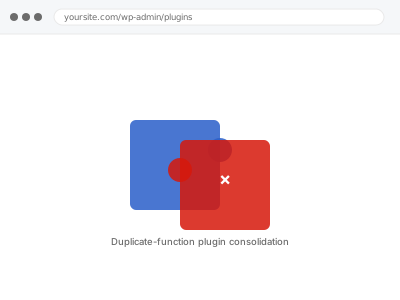
Duplicate-function plugin consolidation
Two or more of your active plugins do overlapping jobs. We identify the real overlap and consolidate down to one, without losing functionality you use.
- Full backup taken before we start
- If we can’t fix it, you get your money back
- We never ask for your own password
What we need from you
- Which plugin pair you’d like reviewed, if you already suspect one
- Any specific feature from either plugin you’re relying on and want preserved
- Whether you have a preference for which of the two to keep, or want our recommendation
This or something else?
| Two active plugins genuinely overlap in function and you want to consolidate | This fix covers it |
| You have inactive plugins you simply want removed, no overlap involved | Deactivated plugin cleanup & removal |
| You’re not sure which of your plugins overlap and want a full review | Plugin audit & rationale report, a different service |
| The two plugins are actively conflicting and breaking something right now | A different, urgent conflict-resolution fix |
| You want database bloat from already-removed plugins cleaned up | Orphaned plugin tables & options removal |
What we do
- Confirm the genuine functional overlap between the plugins in question
- Identify any feature used from either plugin that the other doesn’t replicate
- Recommend which plugin to keep, with reasoning, or confirm your preference
- Migrate settings and configuration from the retiring plugin where possible
- Deactivate and remove the redundant plugin cleanly
- Confirm the site retains full functionality with only the kept plugin active, and document what changed for future reference
What is included
- Confirmed overlap analysis between the specified plugins
- Settings migration from the retiring plugin where feasible
- Clean removal of the redundant plugin, files and database entries, documented in a short written note for future reference
- The pre-fix backup, kept for 30 days
Not included
- A full audit of every plugin on your site for overlap, which is a separate service
- Rebuilding functionality that only the removed plugin ever provided
- Resolving an active conflict causing breakage right now, which is more urgent
- Choosing which overlapping plugin to keep when the overlap is only partial — that’s a workflow call, not a technical one
Questions about this fix
What if both plugins have a feature I actually use that the other lacks?
We flag that specifically before consolidating, since the goal is removing genuine redundancy, not losing functionality you depend on — sometimes the honest answer is keeping both.
Will my settings carry over to the plugin I keep?
Where the two plugins store comparable settings, yes, though some manual reconfiguration is sometimes unavoidable depending on how different their setups are.
How do you decide which plugin to keep if I don't have a preference?
We look at which is more actively maintained, better supported, and better matched to how you're actually using it, and explain our reasoning rather than picking arbitrarily.
Could removing one of these break something else I'm not expecting?
That's exactly what we check before removing anything — if a hidden dependency exists, we'll tell you rather than proceed and find out afterward.
Is this the same as the general plugin audit service?
No — that's a broader review of your whole plugin list; this is a focused consolidation of one specific overlapping pair you've already identified.
Related fixes
If this is the second time this year
A bad update breaking the site is a symptom of updates not being tested first. Care plans run every update on a staging clone before it reaches your live site, which is the actual fix for this happening again.
Your access, your rules
Create a separate admin account for us and delete it when we are done. For anything else, we get in touch and agree a method — never a form field on this site, never by reply to an email.
We back up first, always
Before anything is touched we take a full backup and keep it for 30 days. If a fix goes wrong, we put the site back exactly as it was.
If it is not what you bought
If the problem turns out smaller than what you ordered, we refund the difference. If it is bigger, we stop and send a quote before doing any extra work.
If we cannot fix it
You get back what we received. Diagnosis is on us — you only pay when the problem is actually solved. The payment processor takes its fee before the money reaches us, so we never hold it and it is not ours to return. That is true here as everywhere else.
If it comes back
Reply within seven days of delivery and we put it back on the bench at no cost. The fix is not finished until it holds.
What we are responsible for
If something goes wrong with a fix, our responsibility is limited to what you paid for it. We take a full backup first so mistakes can be undone, and we tell you before doing anything outside what you bought.