
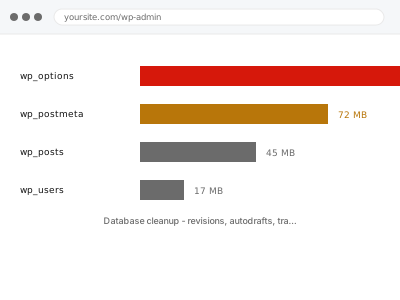
WordPress keeps a full copy of a post every time you save it as a revision, keeps every abandoned auto-draft indefinitely, and stores plugin transients that are supposed to expire but often don’t get cleared properly. None of this is visible in your content, but every one of those rows sits in the same database tables WordPress queries on every single page load, which is why a site can slow down over the years without a single new plugin being installed.
Before you buy, one quick look
Read-only. In wp-admin go to Tools → Site Health → Info → Database, and look at the total size relative to how much actual content you have.
For a site with a few hundred posts, several hundred megabytes or more is a reasonable signal that old revisions, drafts and transients are worth clearing, though the exact number varies by site and by how media-heavy your content is.
This gives a rough sense of scale, not a diagnosis of exactly what’s bloated — a heavily media-referencing site legitimately has a larger database than a text-only blog, so compare against what makes sense for your own content rather than a fixed number you found online. If you’re unsure how to read it, that’s exactly what we clarify as the first step, before touching anything in the database itself, so you’re not left guessing whether a number is actually a problem.
Database cleanup - revisions, autodrafts, transients
Years of post revisions, abandoned drafts and expired transients have bloated your database. We clear it safely and set limits so it doesn't build back up.
- Full backup taken before we start
- If we can’t fix it, you get your money back
- We never ask for your own password
This or something else?
| Database grown large with old revisions, drafts, or transients suspected | This fix covers it |
| wp_options table specifically bloated with autoloaded data | wp_options autoload bloat reduction |
| Action Scheduler or logging tables specifically the problem | Log & Action Scheduler table truncation |
| You want a report on size before committing to a cleanup | Database size audit & reduction report |
| Site slow generally with no specific database symptom | Slow site diagnostic report |
What you are seeing
- The database size shown in Site Health growing steadily larger than the content justifies
- Backups taking longer than they used to, or occasionally timing out
- The admin, particularly post and page lists, feeling sluggish
- A host warning about database size or resource usage
- No obvious new content or plugins to explain the growth
Common causes
- Post revisions accumulating indefinitely with no limit ever set
- Auto-drafts from posts started and never finished piling up over years
- Expired transients that were never actually cleared by the plugin that created them
- Spam or pending comments never emptied from the moderation queue
- Old plugin data left behind from features no longer in use
What we do
- Audit the database to identify what’s actually taking up the space
- Back up the full database before deleting anything
- Clear excess revisions, keeping a sensible limit rather than removing history entirely
- Remove abandoned auto-drafts and expired transients
- Set a revision limit going forward so this doesn’t silently reaccumulate
- Re-measure the database size to confirm a real, measured reduction
What is included
- Revisions, auto-drafts and expired transients cleared
- A sensible revision limit configured going forward
- Before-and-after database size measurement
- The pre-cleanup backup, kept for 30 days
Not included
- Table optimisation or defragmentation, which is a separate, related fix
- Cleaning up custom plugin tables outside WordPress’s own core tables
- Reducing media library size, which is a different kind of bloat
- Ongoing scheduled cleanup, unless set up as part of this
Questions about this fix
Will I lose the ability to revert to an old version of a post?
Only beyond whatever limit we set, which we agree with you first — most sites keep the last several revisions per post rather than every single one ever made, which balances usefulness against database size.
Are transients safe to delete?
Expired ones, yes — that's what they're designed for, a temporary cache that regenerates itself when needed. We only clear transients that have actually expired, not active ones still doing their job.
Will this fix my slow site completely?
It addresses database bloat specifically, which is one common contributor to slowness. If front-end assets or server configuration are also contributing, those need their own separate fix.
How often should this be done?
Ideally it shouldn't need doing again if we set a sensible revision limit and confirm scheduled cleanup tasks are actually running — this is meant to fix the underlying habit, not just clean up once.
My database is small already. Is there any point?
Probably not much — we'd tell you that rather than run a cleanup with little to actually clean, which is exactly what the Site Health check above is for before you buy.
Related fixes
If this is the second time this year
A bad update breaking the site is a symptom of updates not being tested first. Care plans run every update on a staging clone before it reaches your live site, which is the actual fix for this happening again.
Your access, your rules
Create a separate admin account for us and delete it when we are done. For anything else, we get in touch and agree a method — never a form field on this site, never by reply to an email.
We back up first, always
Before anything is touched we take a full backup and keep it for 30 days. If a fix goes wrong, we put the site back exactly as it was.
If it is not what you bought
If the problem turns out smaller than what you ordered, we refund the difference. If it is bigger, we stop and send a quote before doing any extra work.
If we cannot fix it
You get back what we received. Diagnosis is on us — you only pay when the problem is actually solved. The payment processor takes its fee before the money reaches us, so we never hold it and it is not ours to return. That is true here as everywhere else.
If it comes back
Reply within seven days of delivery and we put it back on the bench at no cost. The fix is not finished until it holds.
What we are responsible for
If something goes wrong with a fix, our responsibility is limited to what you paid for it. We take a full backup first so mistakes can be undone, and we tell you before doing anything outside what you bought.