
WordPress and WooCommerce both store session data as user meta or transients tied to a visitor, meant to expire once the session ends — and when that expiry doesn’t happen cleanly, the table holding it accumulates one row after another, for visitors who left months ago and are never coming back to claim it.
Before you buy, one quick comparison
Read-only. Check roughly how many registered users or customer accounts your site actually has — WooCommerce → Customers, or Users in wp-admin — then compare that to what you’d expect the user meta table to hold.
If your host or a database tool shows the user meta table carrying many times more rows than your actual user count would explain, that gap is very likely expired session data that was never cleared.
The comparison matters more than the raw number, since a busy store with thousands of daily guest visitors will always carry more session data than its registered account count alone suggests — the question is whether that gap keeps growing indefinitely or has simply become disproportionate over time relative to what your site actually needs to keep.
It’s also worth noting that this table is queried on nearly every request that touches a logged-in user or a customer session, which is part of why a bloated version of it costs more than its raw size alone would suggest, even before the database itself feels generally large.
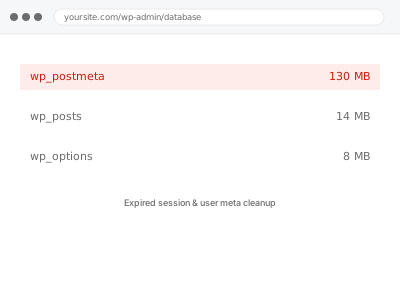
Expired session & user meta cleanup
Your user meta or sessions table has far more rows than your actual user count explains. We clear the expired data and fix why it wasn't expiring on its own.
- Full backup taken before we start
- If we can’t fix it, you get your money back
- We never ask for your own password
This or something else?
| User meta or sessions table disproportionately large compared to actual user count | This fix covers it |
| General database size concern, not specifically sessions or user meta | Database size audit & reduction report |
| WooCommerce-specific session and cart data specifically | This fix covers it too |
| Site slow with no specific table identified | Slow site diagnostic report |
| Users genuinely unable to stay logged in, a functional not a volume problem | Not this fix; a login diagnosis instead |
What you are seeing
- A user meta or sessions table far larger than your actual registered user count would suggest
- Database size flagged as large with sessions or user meta specifically implicated
- Slower queries on anything that touches user data, including login and account pages
- No corresponding growth in actual customer or user accounts to explain the table size
- The gap between real users and stored session rows widening over time
Common causes
- Session expiry configured incorrectly or not running as scheduled
- Guest checkout sessions never cleaned up after the visitor leaves without completing an order
- A plugin storing per-visit data as user meta instead of a proper temporary table
- High traffic from non-returning visitors, each generating a session row that outlives its usefulness
- A caching or security plugin creating session-like entries that were never designed to expire
What we do
- Measure how much of the relevant table is genuinely expired session or meta data
- Confirm active sessions and real user data are correctly distinguished before removing anything
- Clear expired session and orphaned user meta data
- Fix or configure session expiry so it actually runs on schedule going forward
- Identify any specific plugin contributing disproportionately and address its configuration
- Re-measure the table to confirm a real, sustained reduction
What is included
- Expired session and orphaned user meta data cleared
- Session expiry corrected so cleanup happens automatically going forward
- The specific source of excess data identified where one dominates
- The pre-cleanup backup, kept for 30 days
Not included
- Fixing a login or authentication problem unrelated to data volume
- General database cleanup beyond sessions and user meta specifically
- Changing how long real, active sessions are allowed to last
- Ongoing monitoring of table growth
Questions about this fix
Will this log out my actual customers or team?
No — active, genuine sessions are identified and left untouched. Only expired data with no active session behind it is cleared.
Why doesn't WordPress clean this up automatically?
It's supposed to, via a scheduled task, but that task depends on the same cron mechanism that can silently stop running for other reasons — if cron is unreliable, session cleanup is one of the quieter casualties.
Does guest checkout make this worse than accounts-only checkout?
Often yes, since every guest checkout attempt, completed or not, can generate its own session data with no account behind it to associate it with, making cleanup and identification slightly more involved.
Could this be a caching plugin's fault rather than WordPress itself?
Yes, some caching and security plugins create their own session-like storage that behaves differently from WordPress's native session handling — we check for that specifically rather than assume it's all one source.
What if my host doesn't show me the session table directly?
Then we check it for you as part of the diagnosis — the comparison above is a helpful signal if you can see it yourself, not a requirement before ordering, since most standard hosting control panels don't expose table-level detail at all.
Related fixes
If this is the second time this year
A bad update breaking the site is a symptom of updates not being tested first. Care plans run every update on a staging clone before it reaches your live site, which is the actual fix for this happening again.
Your access, your rules
Create a separate admin account for us and delete it when we are done. For anything else, we get in touch and agree a method — never a form field on this site, never by reply to an email.
We back up first, always
Before anything is touched we take a full backup and keep it for 30 days. If a fix goes wrong, we put the site back exactly as it was.
If it is not what you bought
If the problem turns out smaller than what you ordered, we refund the difference. If it is bigger, we stop and send a quote before doing any extra work.
If we cannot fix it
You get back what we received. Diagnosis is on us — you only pay when the problem is actually solved. The payment processor takes its fee before the money reaches us, so we never hold it and it is not ours to return. That is true here as everywhere else.
If it comes back
Reply within seven days of delivery and we put it back on the bench at no cost. The fix is not finished until it holds.
What we are responsible for
If something goes wrong with a fix, our responsibility is limited to what you paid for it. We take a full backup first so mistakes can be undone, and we tell you before doing anything outside what you bought.