
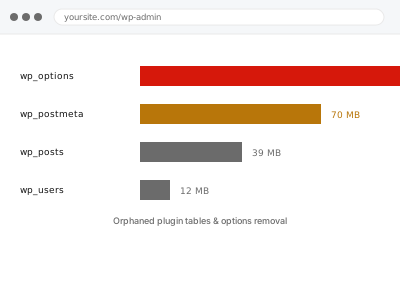
A well-behaved plugin cleans up its own database tables and settings when properly uninstalled, but many don’t — either by design, to preserve data in case you reinstall, or simply because the developer never built that cleanup in — which means a plugin removed months or years ago can still have tables and option rows sitting in your database, contributing nothing except size. None of it is dangerous exactly, but it does accumulate the same way any unaddressed clutter does — a little at a time, easy to ignore in isolation, until a site with a long history has genuinely substantial dead weight sitting quietly in tables nobody has looked at in years.
Why a table’s name isn’t proof it’s dead
A database table’s name rarely reveals whether some remaining code path still quietly depends on it, which is why confirming a table is genuinely orphaned means inspecting the database directly rather than guessing from its name.
What’s worth knowing beforehand is roughly how many plugins you’ve installed and later removed over the site’s history, since that number is a reasonable proxy for how much orphaned data is realistically there to find. A site that’s changed hands between several different site owners or developers over the years tends to carry more of this than one that’s had a single, consistent steward throughout, simply because institutional memory of what was tried and abandoned gets lost along the way. None of that history is a problem to explain to us in detail — a rough sense of it is genuinely enough to work with. Sites with a long, winding history of different maintainers tend to yield the most surprising finds during this kind of review, simply because nobody currently involved has full visibility into every decision made along the way. We do the actual investigation ourselves regardless of what background you can offer.
Orphaned plugin tables & options removal
Plugins you've fully removed can still leave tables and options behind in your database. We find and remove what's genuinely orphaned.
- Full backup taken before we start
- If we can’t fix it, you get your money back
- We never ask for your own password
This or something else?
| You want database tables and options from already-removed plugins cleaned up | This fix covers it |
| You have plugins still installed but inactive that you want removed | Deactivated plugin cleanup & removal, a different service |
| Media files, not plugin data, are the orphaned content in question | Orphaned media cleanup & thumbnail regeneration, a different service |
| You want to know which of your current plugins are worth keeping | Plugin audit & rationale report, a different service |
| Your database is large but you’re not sure plugin residue is the cause | A broader database-size audit, a different service |
What we do
- Compare your database’s tables and options against your currently installed plugin list
- Identify tables and option entries with no corresponding active plugin
- Confirm each candidate is genuinely orphaned, not quietly still referenced elsewhere
- Remove confirmed orphaned data, keeping a full record of what was removed
- Verify the site functions identically after removal
- Report exactly what was found and removed, the space recovered, and any tables deliberately left untouched due to unclear origin
What is included
- A full comparison of database tables and options against active plugins
- Removal of confirmed orphaned data, nothing still-referenced touched
- Verification that site function is unaffected afterward
- A written report of what was removed, the space recovered, and anything left untouched due to unclear origin
Not included
- Removing tables or options genuinely still in use by an active plugin
- Cleaning up currently active but genuinely unused plugins, which is a separate service
- A broader database performance audit that goes beyond this specific cleanup
- Identifying tables left by a plugin removed after this cleanup is already done — that’s the next time this fix applies, not a standing service
Questions about this fix
How do you know a table is safe to remove rather than still needed?
We cross-check against your active plugin list and look for any code path still referencing it, and anything genuinely ambiguous gets flagged to you rather than removed outright.
Does this reduce the size of my backups?
Often yes, since orphaned tables and options get backed up along with everything else — removing genuine dead weight tends to show up as a real, if usually modest, reduction in backup size.
What if I reinstall one of the removed plugins later?
It would need to rebuild its data and settings from scratch, the same as a genuinely fresh installation, since the orphaned data this fix removes is specifically what was left behind after the plugin was already gone.
Is this the same as the deactivated plugin cleanup service?
No — that removes plugins still present but inactive; this specifically targets database residue left behind by plugins already fully removed.
How much space does this typically recover?
It varies enormously depending on the plugin and how long it's been gone, so we give you a concrete figure once the comparison is actually done, rather than a general estimate.
Related fixes
If this is the second time this year
A bad update breaking the site is a symptom of updates not being tested first. Care plans run every update on a staging clone before it reaches your live site, which is the actual fix for this happening again.
Your access, your rules
Create a separate admin account for us and delete it when we are done. For anything else, we get in touch and agree a method — never a form field on this site, never by reply to an email.
We back up first, always
Before anything is touched we take a full backup and keep it for 30 days. If a fix goes wrong, we put the site back exactly as it was.
If it is not what you bought
If the problem turns out smaller than what you ordered, we refund the difference. If it is bigger, we stop and send a quote before doing any extra work.
If we cannot fix it
You get back what we received. Diagnosis is on us — you only pay when the problem is actually solved. The payment processor takes its fee before the money reaches us, so we never hold it and it is not ours to return. That is true here as everywhere else.
If it comes back
Reply within seven days of delivery and we put it back on the bench at no cost. The fix is not finished until it holds.
What we are responsible for
If something goes wrong with a fix, our responsibility is limited to what you paid for it. We take a full backup first so mistakes can be undone, and we tell you before doing anything outside what you bought.