
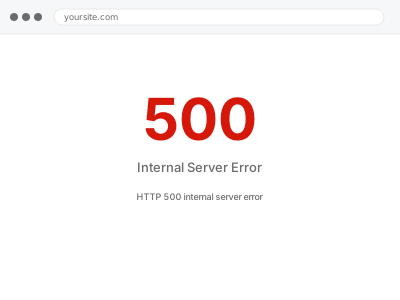
An HTTP 500 is the server saying something went wrong without saying what. Unlike a blank page, the failure happened early enough that the web server itself reported it — usually a broken .htaccess rule, a PHP process hitting a limit, a corrupted core file, or a fatal error thrown before WordPress could suppress it. The real message is in the server log, not the browser.
Before you buy, one quick look
This is read-only. You are not changing anything.
Log into your hosting control panel and find the error log — in cPanel it is Errors or Metrics → Errors, on managed hosts it is usually under Logs. Look at the most recent entries.
You see a line naming a specific file — copy it into your order notes. It tells us where to start and often saves an hour.
The log is empty or you cannot find it — that is normal on many hosts, and it is part of what we set up. Buy the fix and we will handle it.
HTTP 500 internal server error
Your server returns a 500 error instead of the page. We read the server logs, find what is actually failing, fix it, and confirm every template responds correctly.
- Full backup taken before we start
- If we can’t fix it, you get your money back
- We never ask for your own password
This or something else?
| Browser shows 500 on some or all pages | This fix covers it |
| Completely blank page, no error at all | White screen of death |
| 502 or 504 with a long pause first | Gateway timeout diagnosis |
| 500 only on wp-admin, front end fine | This fix covers it |
| 500 started the moment SSL was installed | Too many redirects after SSL change |
What you are seeing
- The browser shows a 500 error page rather than your site
- It may affect every URL, or only the admin, or only one section
- Sometimes it is intermittent — some page loads work, others do not
- Your host may have emailed you about resource usage around the same time
Common causes
- A corrupted or conflicting rule in .htaccess, often after a permalink or plugin change
- A PHP fatal error thrown before WordPress could catch and hide it
- Memory or execution time limits reached during a heavy request
- File permissions that the server refuses to execute
- A core file damaged during an interrupted update
What we do
- Take a full backup before touching anything
- Read the server error log and identify the actual failing request
- Test .htaccess and server configuration in isolation, with the original preserved
- Check core file integrity and repair anything that does not match
- Correct limits or permissions where those are the cause
- Load-test every template and confirm the log stays clean
What is included
- A site returning correct responses on every template type
- A short incident note naming the exact cause and what we changed
- Error logging left configured so the next problem is visible immediately
- The pre-fix backup, kept for 30 days
- A free 9-layer scan with anything else we found
Not included
- Server or infrastructure changes on a host we do not have access to
- Malware removal or hacked-site recovery — that is a separate service
- Moving you to a different host, which we quote separately
- Custom development, design changes or content work
Questions about this fix
My host says it is a problem with my site, not their server. Is that true?
Usually, but not always. A 500 can come from a WordPress-level fatal error or from a server limit the host controls. We read the log and find out which. If it turns out to be genuinely on their side, we write the support ticket for you with the evidence attached.
It only happens sometimes. Can you still find it?
Yes, and intermittent is often easier than it looks. It usually points at a resource limit reached under load rather than a broken file, and that shows in the logs with a timestamp we can correlate against traffic.
The 500 is only on wp-admin. Is that a different problem?
Same fix. Admin-only failures usually mean a plugin loading in the admin context, or a memory limit that only the heavier admin pages reach. The diagnosis is the same, and the fix is included.
Will you need to change my .htaccess?
Possibly, and if so we keep a copy of the original and put it back if it is not the cause. Nothing is overwritten permanently without the fix being verified first.
What if the log points at a plugin I need?
We fix it rather than remove it wherever we can — a version rollback, a settings change, or a compatibility patch. If the plugin is genuinely broken and abandoned, we say so and suggest a replacement rather than leaving you stuck.
Related fixes
If this is the second time this year
A bad update breaking the site is a symptom of updates not being tested first. Care plans run every update on a staging clone before it reaches your live site, which is the actual fix for this happening again.
Your access, your rules
Create a separate admin account for us and delete it when we are done. For anything else, we get in touch and agree a method — never a form field on this site, never by reply to an email.
We back up first, always
Before anything is touched we take a full backup and keep it for 30 days. If a fix goes wrong, we put the site back exactly as it was.
If it is not what you bought
If the problem turns out smaller than what you ordered, we refund the difference. If it is bigger, we stop and send a quote before doing any extra work.
If we cannot fix it
You get back what we received. Diagnosis is on us — you only pay when the problem is actually solved. The payment processor takes its fee before the money reaches us, so we never hold it and it is not ours to return. That is true here as everywhere else.
If it comes back
Reply within seven days of delivery and we put it back on the bench at no cost. The fix is not finished until it holds.
What we are responsible for
If something goes wrong with a fix, our responsibility is limited to what you paid for it. We take a full backup first so mistakes can be undone, and we tell you before doing anything outside what you bought.