
Duplicate posts happen more often than most site owners realise — an import run twice, a migration that copied content before an interrupted first attempt was cleaned up, or a plugin that creates a new post instead of updating an existing one when it should. WordPress has no built-in way to flag these; they just sit there as separate, identical-looking entries.
Why this needs a direct database check
Scanning hundreds or thousands of posts by eye for duplicates isn’t realistic, and WordPress’s own admin screens have no feature for it.
Genuine duplicates have to be identified by comparing content, titles and metadata directly against each other, which is a database-level task rather than something visible from browsing your post list, however carefully.
It’s worth knowing roughly when the duplication likely started — after a specific import, a migration, a plugin update — even if you can’t point to a single duplicate yourself, since that context narrows where we look first considerably rather than starting a blind, full-catalogue comparison from scratch.
It’s also worth knowing that duplication doesn’t always mean two identical copies sitting side by side — sometimes it’s one post with a near-complete duplicate carrying slightly different metadata, which still counts and still needs the same careful comparison to identify correctly.
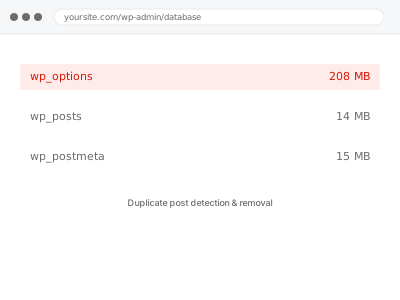
Duplicate post detection & removal
You suspect duplicate posts or products from an import or migration, but there's no way to spot them by browsing. We compare content directly and remove confirmed duplicates.
- Full backup taken before we start
- If we can’t fix it, you get your money back
- We never ask for your own password
This or something else?
| Suspected duplicate posts or products after an import or migration | This fix covers it |
| A single specific duplicate you’ve already found and want removed | This fix covers it, at a smaller scope |
| Products specifically duplicated after a bulk import | This fix covers it, same underlying issue |
| General database bloat unrelated to duplicate content | Database cleanup – revisions, autodrafts, transients |
| Content that looks similar but is intentionally distinct | Not a duplicate; nothing to fix here |
What you are seeing
- The same post, page, or product appearing more than once in your content list
- A higher post or product count than you expect for what you’ve actually published
- Duplicates appearing after a specific import, migration, or plugin action
- SEO tools flagging duplicate content that traces back to genuinely identical posts
- Search results or archives showing the same item twice
Common causes
- An import run more than once without checking for existing matching content first
- A migration interrupted partway and restarted without clearing the partial copy
- A plugin creating new entries instead of updating existing ones on sync
- Content restored from a backup alongside content that was never actually lost
- A sync between two systems each treating the same item as new
What we do
- Identify genuine duplicates by comparing content, titles and key metadata directly
- Determine which copy is the original or more complete version to keep
- Check for anything referencing the duplicate — links, categories, comments — before removing it
- Remove confirmed duplicates, keeping the correct version intact
- Redirect or update any references that pointed at the removed copy
- Report exactly what was found and removed, with counts
What is included
- Duplicate content identified through direct comparison, not guesswork
- Confirmed duplicates removed, correct version preserved
- References to removed duplicates checked and redirected where needed
- The pre-removal backup, kept for 30 days
Not included
- Removing content that’s merely similar but not genuinely duplicated
- Fixing the underlying import or sync process that caused the duplication
- SEO remediation beyond redirecting removed duplicate URLs
- Ongoing duplicate detection as new content is added
Questions about this fix
How can you tell a duplicate from two genuinely similar posts?
By comparing content directly rather than just titles — two posts with the same title but different content aren't duplicates, and two with different titles but identical content usually are. We check the substance, not just the label.
Will removing duplicates break any links pointing to them?
We check for that specifically and redirect where needed, so a link or bookmark pointing at the removed copy lands somewhere useful rather than a dead page.
Could this be caused by something that's still actively running?
Yes, and we check for that — if an import or sync process is still creating duplicates on a schedule, removing today's copies without addressing that just means doing this again soon.
Will this affect my SEO?
Usually positively — duplicate content can dilute search relevance for the genuine version, so consolidating to one correct copy with proper redirects tends to help rather than hurt.
How many duplicates is normal to find?
It varies enormously depending on how content got onto the site — a handful after a small migration is common, while hundreds usually points to a specific repeated process worth understanding, not just clearing.
Related fixes
If this is the second time this year
A bad update breaking the site is a symptom of updates not being tested first. Care plans run every update on a staging clone before it reaches your live site, which is the actual fix for this happening again.
Your access, your rules
Create a separate admin account for us and delete it when we are done. For anything else, we get in touch and agree a method — never a form field on this site, never by reply to an email.
We back up first, always
Before anything is touched we take a full backup and keep it for 30 days. If a fix goes wrong, we put the site back exactly as it was.
If it is not what you bought
If the problem turns out smaller than what you ordered, we refund the difference. If it is bigger, we stop and send a quote before doing any extra work.
If we cannot fix it
You get back what we received. Diagnosis is on us — you only pay when the problem is actually solved. The payment processor takes its fee before the money reaches us, so we never hold it and it is not ours to return. That is true here as everywhere else.
If it comes back
Reply within seven days of delivery and we put it back on the bench at no cost. The fix is not finished until it holds.
What we are responsible for
If something goes wrong with a fix, our responsibility is limited to what you paid for it. We take a full backup first so mistakes can be undone, and we tell you before doing anything outside what you bought.