
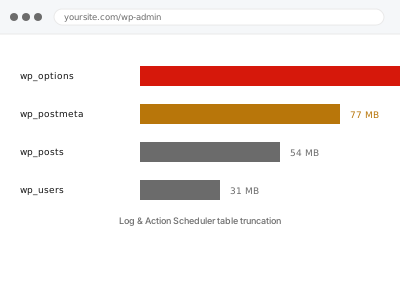
Action Scheduler runs background tasks for WooCommerce and a number of other plugins, and logs every single one it ever runs — by default, forever. A store processing daily orders, syncing stock, or sending scheduled emails can accumulate hundreds of thousands of completed action records within a year or two, and every one of them sits in a table WordPress has to scan.
Before you buy, one quick check
Read-only, if you use WooCommerce or a plugin built on Action Scheduler. Go to WooCommerce → Status → Scheduled Actions and look at how many actions are marked “Complete”.
Tens of thousands is common on an active site and not necessarily a problem on its own; hundreds of thousands, especially alongside a general slowdown, is a strong signal this fix applies.
If you don’t have that screen because you’re not running WooCommerce or a compatible plugin, this fix likely doesn’t apply to you — Action Scheduler is specific to a subset of plugins, not a core WordPress feature every site has, and a site without it simply has a different profile of database bloat worth checking instead, most likely covered by the general database cleanup fix rather than this specific one, since the underlying tables involved are entirely different from what Action Scheduler itself creates and manages day to day.
Log & Action Scheduler table truncation
Action Scheduler has logged hundreds of thousands of completed background tasks, and WordPress has to scan through them. We clear the backlog and set retention so it stays clear.
- Full backup taken before we start
- If we can’t fix it, you get your money back
- We never ask for your own password
This or something else?
| Scheduled Actions screen showing a very high completed count | This fix covers it |
| General database size large across many unrelated tables | Database cleanup – revisions, autodrafts, transients |
| Specific scheduled actions failing to run at all, not just piling up | WP-Cron not firing |
| No WooCommerce or Action Scheduler-dependent plugin installed | Database cleanup – revisions, autodrafts, transients |
| wp_options table specifically the concern | wp_options autoload bloat reduction |
What you are seeing
- The Scheduled Actions screen showing an extremely large number of completed entries
- Site or admin slowness that correlates with when this table grew large
- Backups taking longer, since this table is often one of the largest in the database
- No obvious front-end symptom, since this table doesn’t affect what visitors see directly
- The count climbing steadily with normal store operation, not from any specific event
Common causes
- Action Scheduler’s default retention period never being enforced or scheduled to run
- A high-volume store generating many actions per order across several plugins
- A cleanup task that’s supposed to prune old records failing silently
- Multiple plugins all relying on Action Scheduler, multiplying the volume
- The table never having been addressed since the site went live
What we do
- Measure the current size of the Action Scheduler and related log tables
- Confirm which completed actions are safe to remove versus anything still relevant
- Truncate old completed and failed action records in a safe, batched way
- Configure retention settings so completed actions are pruned automatically going forward
- Confirm scheduled tasks that depend on Action Scheduler still run correctly afterwards
- Re-measure table size to confirm a real, measured reduction
What is included
- Old completed and failed action records safely cleared
- Automatic retention configured so this doesn’t silently reaccumulate
- Confirmation that scheduled tasks still run correctly afterwards
- The pre-fix backup, kept for 30 days
Not included
- Fixing scheduled tasks that are failing to run, which is diagnosed separately
- General database cleanup beyond these specific tables
- Removing plugins that rely on Action Scheduler
- Ongoing monitoring of table growth
Questions about this fix
Will this delete orders or store data?
No — Action Scheduler logs the background tasks that process things like emails and stock sync, not the orders or stock data themselves, which live in entirely separate tables untouched by this fix.
Why does WordPress let this grow so large by default?
Retention has to be actively configured or scheduled to run, and on many sites it simply never was — this isn't unusual, it's closer to the norm on stores that have been running a few years.
Will truncating this table cause any scheduled email or sync to be missed?
No, we only remove records for tasks that have already completed or permanently failed, never anything pending or scheduled to run in future.
How large is too large?
There's no fixed number, but a table running into the hundreds of thousands of rows on a store with a modest order volume is disproportionate, and worth checking regardless of whether you've noticed a slowdown yet.
Will this happen again?
Not if retention is configured properly as part of this fix — the goal is to fix the ongoing habit of never pruning, not just clear the backlog once and leave the same setting in place.
Related fixes
If this is the second time this year
A bad update breaking the site is a symptom of updates not being tested first. Care plans run every update on a staging clone before it reaches your live site, which is the actual fix for this happening again.
Your access, your rules
Create a separate admin account for us and delete it when we are done. For anything else, we get in touch and agree a method — never a form field on this site, never by reply to an email.
We back up first, always
Before anything is touched we take a full backup and keep it for 30 days. If a fix goes wrong, we put the site back exactly as it was.
If it is not what you bought
If the problem turns out smaller than what you ordered, we refund the difference. If it is bigger, we stop and send a quote before doing any extra work.
If we cannot fix it
You get back what we received. Diagnosis is on us — you only pay when the problem is actually solved. The payment processor takes its fee before the money reaches us, so we never hold it and it is not ours to return. That is true here as everywhere else.
If it comes back
Reply within seven days of delivery and we put it back on the bench at no cost. The fix is not finished until it holds.
What we are responsible for
If something goes wrong with a fix, our responsibility is limited to what you paid for it. We take a full backup first so mistakes can be undone, and we tell you before doing anything outside what you bought.