
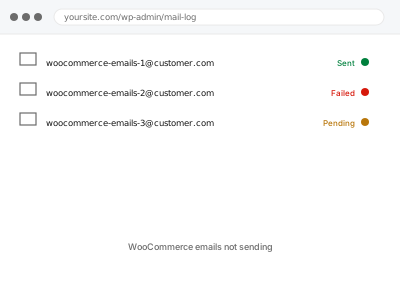
WooCommerce emails fail at one of three points: WordPress never sends them, the server sends but the recipient’s provider rejects them, or they arrive and land in spam. Each has a different fix, and the symptom — nothing arriving — is identical. Establishing which point is failing is the whole job.
Before you buy, one quick test
Request a WordPress password reset for your own account.
Reset email arrives — site email works generally, so the problem is specific to WooCommerce notifications. That is usually settings or a template.
Reset email does not arrive either — nothing is being delivered from the site at all. That is a deliverability problem, and it affects everything.
Two minutes, and it halves the diagnosis.
WooCommerce emails not sending
Order confirmations, receipts and admin notifications are not arriving. We find where they are being lost and get transactional mail delivering reliably.
- Full backup taken before we start
- If we can’t fix it, you get your money back
- We never ask for your own password
This or something else?
| No emails at all from the site | This fix covers it |
| Some emails arrive, others do not | This fix covers it |
| Emails arrive but land in spam | This fix covers it |
| Contact form specifically failing | Contact form not sending |
| Emails arrive very late | WP-Cron not firing |
What you are seeing
- Customers not receiving order confirmations or receipts
- You not receiving new order notifications
- Emails arriving in spam rather than the inbox
- Some email types working while others do not
- It may have worked before and stopped with no visible change
Common causes
- The site sending through PHP mail, which most providers now reject or filter
- No SPF or DKIM records, so mail cannot be authenticated
- A from-address on a domain the server is not authorised to send for
- Specific WooCommerce notifications disabled in settings
- Scheduled tasks failing, so queued mail never sends
What we do
- Take a full backup before touching anything
- Establish whether the failure is at sending, delivery, or filtering
- Check WooCommerce notification settings and recipients
- Configure authenticated sending where the site is using PHP mail
- Verify SPF and DKIM alignment for the sending domain
- Send real test emails to multiple providers and confirm inbox placement
What is included
- Transactional email arriving reliably, tested across providers
- Authenticated sending configured rather than raw PHP mail
- An email log installed so future failures are visible immediately
- A note on what was failing and where
Not included
- Full domain-wide deliverability work, if the problem extends beyond this site
- Marketing or newsletter deliverability, which is a separate service
- Buying a transactional email service on your behalf
- Design changes to email templates
Questions about this fix
Why do emails suddenly stop with no change on my side?
Because the change was at the receiving end. Providers have progressively tightened authentication requirements, and mail sent through PHP with no SPF or DKIM increasingly gets rejected. What worked last year quietly stops.
Do I need to pay for an email service?
Not always. Some hosts provide authenticated SMTP that is perfectly adequate for order volumes. We use what you have if it is good enough, and only recommend a paid service when the volume or the domain reputation genuinely needs one.
Emails go to spam rather than vanishing. Same fix?
Same diagnosis, and usually the same root cause. Unauthenticated mail that is not outright rejected gets filtered instead. Fixing authentication normally fixes placement at the same time.
Will you set up DNS records for me?
We tell you exactly which records to add and can add them if you give us registrar access. Many people prefer to add them themselves, and the instructions are written so that is straightforward.
Are customer emails and admin notification emails affected the same way?
Not always — they can use different templates or even different sending logic depending on your setup, so one type failing doesn't guarantee the other is too. We check both rather than assume.
Related fixes
If this is the second time this year
A bad update breaking the site is a symptom of updates not being tested first. Care plans run every update on a staging clone before it reaches your live site, which is the actual fix for this happening again.
Your access, your rules
Create a separate admin account for us and delete it when we are done. For anything else, we get in touch and agree a method — never a form field on this site, never by reply to an email.
We back up first, always
Before anything is touched we take a full backup and keep it for 30 days. If a fix goes wrong, we put the site back exactly as it was.
If it is not what you bought
If the problem turns out smaller than what you ordered, we refund the difference. If it is bigger, we stop and send a quote before doing any extra work.
If we cannot fix it
You get back what we received. Diagnosis is on us — you only pay when the problem is actually solved. The payment processor takes its fee before the money reaches us, so we never hold it and it is not ours to return. That is true here as everywhere else.
If it comes back
Reply within seven days of delivery and we put it back on the bench at no cost. The fix is not finished until it holds.
What we are responsible for
If something goes wrong with a fix, our responsibility is limited to what you paid for it. We take a full backup first so mistakes can be undone, and we tell you before doing anything outside what you bought.