
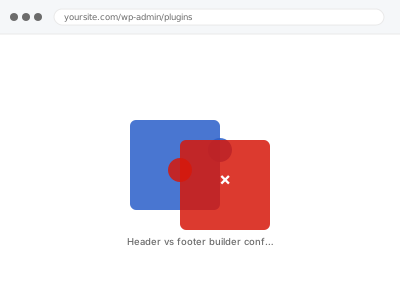
Many modern themes ship their own header and footer builder, and a page builder plugin often includes one too — install both without realising it, and you end up with two systems each trying to control the same header or footer, producing duplicated elements, a header that won’t save changes, or one that displays completely differently to how it’s actually configured. It’s an easy setup to end up in without ever deliberately choosing it, since many themes now enable their builder by default and a plugin’s version can arrive the same way.
Before you buy, one quick check
Read-only. Look at your theme’s own customiser or settings for a header/footer builder feature, and separately check whether your page builder plugin has its own header/footer building feature enabled.
Having both active and both configured is the classic setup for exactly this conflict, and confirming it plainly tells us where to start.
It’s worth noting which one you edited most recently too, since that’s often the one whose changes aren’t actually taking effect — a useful clue about which system currently has the upper hand.
Header/footer builder conflict resolution
Your theme's own header/footer builder and a page builder plugin's version are both active and fighting for control. We establish which one should run and fix the conflict.
- Full backup taken before we start
- If we can’t fix it, you get your money back
- We never ask for your own password
This or something else?
| Two separate header/footer building tools both active and configured | This fix covers it |
| A single header/footer builder behaving oddly, no second tool involved | A different, narrower display-fault diagnosis |
| The header or footer disappeared entirely rather than duplicating | A more specific missing-element diagnosis |
| General page builder conflict unrelated to header/footer specifically | Plugin conflict diagnosis & resolution |
| Mobile-specific header or footer display issue | Menu not displaying or breaking on mobile, if menu-related |
What you are seeing
- A duplicated header or footer, with elements appearing twice
- Changes made in one builder not reflecting on the live site
- The header or footer looking different from what either builder’s settings actually show
- The problem appearing after installing a page builder plugin alongside an existing theme feature
- Inconsistent behaviour between different pages, depending on which builder’s version is being served
Common causes
- A theme’s native header/footer builder and a plugin’s header/footer feature both enabled simultaneously
- Template hierarchy conflicts, where WordPress can’t determine which builder’s template takes priority
- Cached versions of one builder’s output persisting after switching to the other
- A theme update re-enabling its own header builder after it had been deliberately disabled
- Global settings in one tool overriding page-specific settings in the other
What we do
- Identify which header/footer systems are active and which is actually meant to be in control
- Disable the redundant system cleanly, without losing content already built in the intended one
- Clear caches that might be serving stale output from the disabled system
- Rebuild any content that only existed in the system being retired, in the correct one
- Test header and footer display across page types and devices
- Confirm only one system is now responsible, avoiding future conflicts
What is included
- The conflicting systems identified and one clearly established as authoritative
- Content preserved or rebuilt in the correct system
- Testing across page types and devices to confirm consistent display
- The pre-fix backup, kept for 30 days
Not included
- Designing a new header or footer from scratch, beyond restoring working functionality
- Choosing which system should be authoritative, if you have no preference — we’ll ask
- Fixing bugs specific to either tool’s own code, which is that vendor’s responsibility
- Ongoing conflicts introduced by future theme or plugin updates
Questions about this fix
Which builder should I keep, the theme's or the plugin's?
There's no universal right answer — it depends on which you've invested more design work in and which you're more comfortable maintaining. We ask before assuming rather than picking for you.
Will I lose my current header or footer design either way?
We rebuild it in whichever system you keep before disabling the other, so the goal is preserving what you have, not starting from scratch.
Could updating my theme cause this to come back?
Yes, if a future update re-enables its own header builder by default — we can note this specifically so it's easy to check for after future updates.
Is this specific to certain builder combinations?
The mechanism is general to any theme-plus-plugin header/footer overlap, though certain popular combinations do show up more often simply because they're more widely used.
Can both systems coexist if I only use one for the header and the other for the footer?
Sometimes, if configured carefully to avoid overlap, though it adds ongoing complexity — we can set that up if you specifically want it rather than full consolidation.
Related fixes
If this is the second time this year
A bad update breaking the site is a symptom of updates not being tested first. Care plans run every update on a staging clone before it reaches your live site, which is the actual fix for this happening again.
Your access, your rules
Create a separate admin account for us and delete it when we are done. For anything else, we get in touch and agree a method — never a form field on this site, never by reply to an email.
We back up first, always
Before anything is touched we take a full backup and keep it for 30 days. If a fix goes wrong, we put the site back exactly as it was.
If it is not what you bought
If the problem turns out smaller than what you ordered, we refund the difference. If it is bigger, we stop and send a quote before doing any extra work.
If we cannot fix it
You get back what we received. Diagnosis is on us — you only pay when the problem is actually solved. The payment processor takes its fee before the money reaches us, so we never hold it and it is not ours to return. That is true here as everywhere else.
If it comes back
Reply within seven days of delivery and we put it back on the bench at no cost. The fix is not finished until it holds.
What we are responsible for
If something goes wrong with a fix, our responsibility is limited to what you paid for it. We take a full backup first so mistakes can be undone, and we tell you before doing anything outside what you bought.