
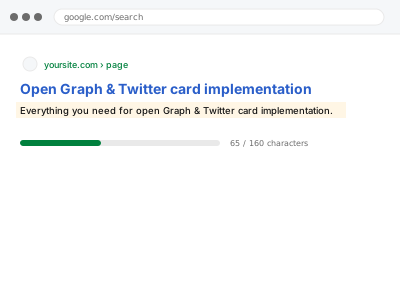
Open Graph and Twitter Card tags control how your pages appear when shared on social platforms — which image, title, and description show up in the preview — and without them, a shared link often displays an unpredictable, sometimes unflattering default instead of the preview you’d actually want.
Open Graph & Twitter card implementation
Open Graph and Twitter Card tags so a shared link previews correctly instead of guessing.
- Full backup taken before we start
- If we can’t fix it, you get your money back
- We never ask for your own password
What we need from you
- Confirmation of a default image to use when a page doesn’t have a specific one set
- Access to theme or template files for implementation
- Confirmation of whether titles and descriptions should mirror your existing SEO meta tags or differ for social sharing specifically
This or something else?
| You want Open Graph and Twitter Card tags implemented so shared links preview correctly | This fix covers it |
| You want standard meta titles and descriptions handled, a related but separate field set | Bulk meta title & description import from supplied file, if you already have the wording |
| Your existing Open Graph tags are present but showing the wrong preview | Worth describing the specific issue — likely a targeted correction rather than a fresh implementation |
| You want Product schema for rich shopping results, not social sharing previews | Product & Offer schema for WooCommerce |
What we do
- Implement Open Graph and Twitter Card tags across your page templates
- Set a sensible default image and text for pages without a specific one configured
- Confirm dynamic pages (like products or posts) pull their own accurate title and image
- Test the preview using Facebook’s and Twitter’s own debugging tools
- Verify no conflict with an existing plugin already generating these tags
- Document the configuration for future reference
What is included
- Open Graph and Twitter Card tags implemented across templates
- A sensible fallback image and text for pages without specific settings
- Verified previews using platform debugging tools
- A check for conflicts with any existing plugin
Not included
- Standard SEO meta title and description implementation, a separate, related fix if not already in place
- Designing new social preview images, unless you supply what should be used
- Guaranteeing exactly how every platform renders the preview, since platforms occasionally change their own display behaviour
- Ongoing updates as you add new page types
Questions about this fix
Why does my link sometimes show a weird or unrelated image when shared?
Without Open Graph tags telling it what to use, a social platform often falls back to guessing from whatever images happen to be on the page, which can produce an unpredictable or unflattering result.
Will this use the same title and description as my regular SEO tags?
It can, or we can configure them to differ slightly if you want wording specifically tailored to how a link reads when shared socially — worth telling us your preference either way.
How do I check if this is actually working correctly?
Facebook and Twitter both provide free tools where you can paste a URL and see exactly how it will preview, which is what we use to verify the implementation ourselves.
Does this affect my actual SEO rankings?
No, Open Graph and Twitter Card tags control social sharing previews specifically, not search engine ranking factors — they're about presentation when shared, not search visibility.
What if I already have a plugin that's supposed to handle this?
We check what it's currently doing first — if it's working correctly, we wouldn't duplicate it; if it's incomplete or misconfigured, we'd address the specific gap rather than replacing a working setup unnecessarily.
Related fixes
If this is the second time this year
A bad update breaking the site is a symptom of updates not being tested first. Care plans run every update on a staging clone before it reaches your live site, which is the actual fix for this happening again.
Your access, your rules
Create a separate admin account for us and delete it when we are done. For anything else, we get in touch and agree a method — never a form field on this site, never by reply to an email.
We back up first, always
Before anything is touched we take a full backup and keep it for 30 days. If a fix goes wrong, we put the site back exactly as it was.
If it is not what you bought
If the problem turns out smaller than what you ordered, we refund the difference. If it is bigger, we stop and send a quote before doing any extra work.
If we cannot fix it
You get back what we received. Diagnosis is on us — you only pay when the problem is actually solved. The payment processor takes its fee before the money reaches us, so we never hold it and it is not ours to return. That is true here as everywhere else.
If it comes back
Reply within seven days of delivery and we put it back on the bench at no cost. The fix is not finished until it holds.
What we are responsible for
If something goes wrong with a fix, our responsibility is limited to what you paid for it. We take a full backup first so mistakes can be undone, and we tell you before doing anything outside what you bought.