
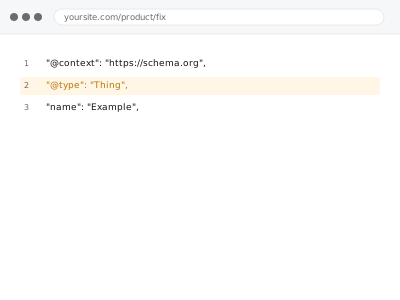
Structured data that’s present but technically malformed — a missing required field, a value in the wrong format, invalid JSON syntax — often gets ignored entirely by search engines and AI crawlers rather than partially accepted, which means an error you can’t see visually can quietly disqualify the schema from being used at all.
Run the page through Google’s Rich Results Test yourself first
Paste your page URL into Google’s free Rich Results Test tool and look at what it reports as an error versus a warning. Errors typically mean the schema won’t be used at all; warnings mean it’s accepted but incomplete — that distinction tells us how urgent this actually is before we start.
Schema validation error fixes
Schema present but failing validation, fixed field by field against the actual spec.
- Full backup taken before we start
- If we can’t fix it, you get your money back
- We never ask for your own password
This or something else?
| Your schema is present but showing validation errors | This fix covers it |
| You want schema implemented for the first time, not an existing error fixed | See the specific schema type products below — Breadcrumb, Product, Organization, and others |
| Two different sources are conflicting, not a single source with an error | Duplicate schema conflict resolution |
| A page builder is specifically the cause of otherwise-valid JSON-LD becoming broken | JSON-LD broken by page builder – repair |
What you are seeing
- Google’s Rich Results Test or Search Console flagging a validation error
- Rich snippets not appearing in search results despite schema being present
- The error possibly affecting only some pages or a specific schema type
- A warning versus an outright error, with different practical implications
Common causes
- A required field missing from the schema output for its type
- A value in the wrong format (a date, a price, a URL) that doesn’t match what the schema type expects
- Malformed JSON syntax from a manual edit or a plugin bug
- A schema type used incorrectly for the actual content it’s describing
- An update to a plugin or theme that introduced a regression in previously valid schema
What we do
- Run the affected pages through Google’s Rich Results Test and the Schema.org validator
- Identify the exact field or syntax causing each error
- Correct the schema to be valid against its type’s requirements
- Verify the corrected schema uses only information already present and accurate on the page
- Re-test to confirm the error clears
- Check other pages using the same template for the same error
What is included
- Validation errors identified and corrected for the affected schema
- Verification the corrected schema uses only existing, accurate page content
- Re-tested confirmation the error clears
- A check for the same error across other pages using the same template
Not included
- Implementing a new schema type not previously present
- Guaranteeing rich snippets actually appear in search results, which is Google’s own decision even with valid schema
- Ongoing monitoring for future validation errors
- Content changes to the page itself, beyond what the schema correction requires
Questions about this fix
Why would schema that used to work suddenly show an error?
A plugin or theme update is a common cause — something in how the schema is generated can change subtly enough to introduce an error without anything about your actual content changing.
Does a validation error mean my page won't show up in search results at all?
No — an invalid schema is generally just ignored, meaning your page still appears in normal search results; you simply don't get whatever rich snippet or enhanced display the schema would have enabled.
Will fixing this guarantee rich snippets appear for my page?
No — valid schema makes a page eligible for rich results, but Google decides independently whether and when to actually display them, based on factors beyond the schema's validity alone.
Is this the same fix as resolving a schema conflict between two plugins?
Related but different — a validation error is usually a single source producing malformed output; a conflict is two sources producing contradictory but individually valid output, which needs a different resolution.
How do I check myself whether my schema currently has errors?
Google's free Rich Results Test tool checks any public page directly, and it's exactly what we use ourselves as the first step of this diagnosis.
Related fixes
If this is the second time this year
A bad update breaking the site is a symptom of updates not being tested first. Care plans run every update on a staging clone before it reaches your live site, which is the actual fix for this happening again.
Your access, your rules
Create a separate admin account for us and delete it when we are done. For anything else, we get in touch and agree a method — never a form field on this site, never by reply to an email.
We back up first, always
Before anything is touched we take a full backup and keep it for 30 days. If a fix goes wrong, we put the site back exactly as it was.
If it is not what you bought
If the problem turns out smaller than what you ordered, we refund the difference. If it is bigger, we stop and send a quote before doing any extra work.
If we cannot fix it
You get back what we received. Diagnosis is on us — you only pay when the problem is actually solved. The payment processor takes its fee before the money reaches us, so we never hold it and it is not ours to return. That is true here as everywhere else.
If it comes back
Reply within seven days of delivery and we put it back on the bench at no cost. The fix is not finished until it holds.
What we are responsible for
If something goes wrong with a fix, our responsibility is limited to what you paid for it. We take a full backup first so mistakes can be undone, and we tell you before doing anything outside what you bought.