
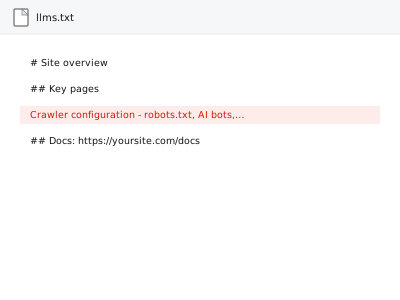
Your robots.txt file tells every crawler, from Googlebot to the newer AI crawlers reading your site for assistants like ChatGPT or Perplexity, which parts of your site they’re allowed to access, and llms.txt is a newer, complementary file offering AI crawlers a structured summary of what your site actually contains. Getting both right is about permissions and clarity, not persuasion.
Crawler configuration - robots.txt, AI bots, llms.txt
robots.txt and llms.txt configured for both search and AI crawlers — permissions, not persuasion.
- Full backup taken before we start
- If we can’t fix it, you get your money back
- We never ask for your own password
What we need from you
- Confirmation of which crawlers, if any, you specifically want to allow or block
- Any content you know should stay out of AI training or crawling specifically, versus general search indexing
- FTP or file access to publish the resulting files
This or something else?
| You want your robots.txt and llms.txt configured to properly control search and AI crawler access | This fix covers it |
| You want the actual content of llms.txt written and structured in detail, beyond basic setup | llms.txt authoring & deployment, the more involved version |
| You want to know which keywords or topics to prioritise for AI visibility | Outside what this fix does — that’s a strategic question, not a crawler configuration one |
| Your robots.txt already exists but has an error or is blocking something it shouldn’t | robots.txt audit & rewrite |
What we do
- Review current robots.txt rules and what they currently allow or block
- Configure rules for standard search crawlers and known AI crawlers based on your stated preferences
- Set up a baseline llms.txt file structure, if not already present
- Verify the files are correctly formatted and placed at the right location
- Test that intended access and restrictions actually behave as configured
- Document what was configured and why
What is included
- A correctly configured robots.txt covering standard and AI crawlers
- A baseline llms.txt file structure in place
- Verified crawler access matching your stated preferences
- A written note on the configuration
Not included
- Deciding which content or topics should be prioritised for AI or search visibility — a strategic question outside this fix’s scope
- Detailed llms.txt content authoring beyond a baseline structure, available as a separate, more involved fix
- Guaranteeing how any specific AI assistant chooses to use or represent your content
- Ongoing updates as your site’s content changes significantly
Questions about this fix
Will this make ChatGPT or other AI assistants recommend my business?
No — this controls what AI crawlers are permitted to access and gives them an accurate, structured summary if they do; it doesn't influence whether or how an assistant chooses to mention or recommend you, which is a separate question entirely outside a crawler file's control.
Can I block AI crawlers entirely if I don't want my content used?
Yes, that's a legitimate, available choice, and we can configure robots.txt accordingly — worth discussing the trade-off, since blocking AI crawlers also means your content won't surface in AI-assisted answers at all.
Is llms.txt something Google uses too, or just AI assistants?
It's a newer convention specifically aimed at AI crawlers and assistants, distinct from the signals Google's traditional search crawler relies on, though a well-configured robots.txt still matters for both.
Do I need to redo this if I add major new content sections later?
The crawler permission rules themselves don't necessarily need frequent changes, but a more detailed llms.txt describing your site's content would benefit from an update if your site changes substantially.
What happens if I get robots.txt wrong — could it block search engines entirely?
Yes, a misconfigured robots.txt is a real and common way to accidentally block legitimate crawlers site-wide, which is exactly why we test the configured rules rather than just writing and publishing them untested.
Related fixes
If this is the second time this year
A bad update breaking the site is a symptom of updates not being tested first. Care plans run every update on a staging clone before it reaches your live site, which is the actual fix for this happening again.
Your access, your rules
Create a separate admin account for us and delete it when we are done. For anything else, we get in touch and agree a method — never a form field on this site, never by reply to an email.
We back up first, always
Before anything is touched we take a full backup and keep it for 30 days. If a fix goes wrong, we put the site back exactly as it was.
If it is not what you bought
If the problem turns out smaller than what you ordered, we refund the difference. If it is bigger, we stop and send a quote before doing any extra work.
If we cannot fix it
You get back what we received. Diagnosis is on us — you only pay when the problem is actually solved. The payment processor takes its fee before the money reaches us, so we never hold it and it is not ours to return. That is true here as everywhere else.
If it comes back
Reply within seven days of delivery and we put it back on the bench at no cost. The fix is not finished until it holds.
What we are responsible for
If something goes wrong with a fix, our responsibility is limited to what you paid for it. We take a full backup first so mistakes can be undone, and we tell you before doing anything outside what you bought.