
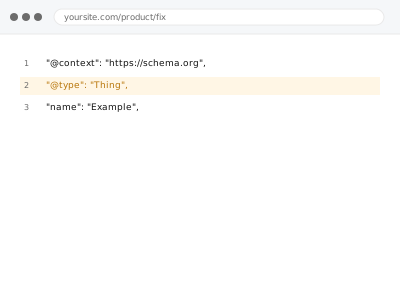
Breadcrumb schema tells search engines the navigational path to a page (Home > Category > Product), which can surface as a cleaner breadcrumb trail in search results instead of a raw URL, and Article schema marks up your actual published content — headline, author, publish date — using information already on the page, not anything invented for the purpose.
Breadcrumb & Article schema implementation
Breadcrumb and Article schema built from what's already on the page, not invented for the purpose.
- Full backup taken before we start
- If we can’t fix it, you get your money back
- We never ask for your own password
What we need from you
- Confirmation of which page types need breadcrumb schema, Article schema, or both
- Access to theme or template files where the markup will be implemented
- Confirmation that author and publish date information already exists and is accurate on relevant pages
This or something else?
| You want breadcrumb and/or article schema implemented for the first time | This fix covers it |
| Breadcrumb or article schema already exists but shows an error | Schema validation error fixes |
| You want Product or Offer schema specifically for WooCommerce items | Product & Offer schema for WooCommerce |
| You want a visible breadcrumb navigation trail, not just the underlying schema | Worth checking with Navigation, Search & UI Components — this fix covers the schema, not necessarily the visible trail |
What we do
- Confirm which page types and templates need the schema applied
- Implement breadcrumb schema reflecting your site’s actual navigational structure
- Implement Article schema using existing headline, author, and date information
- Verify the schema output against Google’s Rich Results Test
- Confirm no duplication with any existing schema source
- Check the implementation across a representative sample of affected pages
What is included
- Breadcrumb and/or Article schema implemented across specified page types
- Verified, valid output tested against Google’s Rich Results Test
- A check for duplication with any existing schema
- The pre-implementation backup, kept for 30 days
Not included
- Writing new author bios, headlines, or dates not already present on the page
- Product or Offer schema, a separate, related fix
- Guaranteeing breadcrumb rich results actually appear in search, which is Google’s own decision
- Visible, front-end breadcrumb navigation, if that’s a separate need from the schema itself
Questions about this fix
Will this create a visible breadcrumb trail on my pages?
Not necessarily on its own — this implements the structured data that search engines can use, which is a separate thing from a visible, front-end breadcrumb trail your visitors see, though many sites have both.
Do I need to provide new content for the Article schema to work?
No, this uses information already present on the page — headline, author, and publish date that already exist — rather than requiring anything new to be written.
What if my author information isn't accurate or complete?
We'd flag that rather than inventing something to fill the gap — accurate schema requires accurate underlying information, so an incomplete author field is worth addressing at the source first.
Will this guarantee my breadcrumbs show up in Google search results?
No — valid schema makes your page eligible for that display, but Google decides independently whether to actually show it, based on factors beyond the schema itself.
Is this relevant for a WooCommerce store, or just blog content?
Breadcrumb schema is relevant site-wide, including product pages; Article schema specifically fits blog posts and articles — for product-specific structured data, Product & Offer schema is the more relevant, separate fix.
Related fixes
If this is the second time this year
A bad update breaking the site is a symptom of updates not being tested first. Care plans run every update on a staging clone before it reaches your live site, which is the actual fix for this happening again.
Your access, your rules
Create a separate admin account for us and delete it when we are done. For anything else, we get in touch and agree a method — never a form field on this site, never by reply to an email.
We back up first, always
Before anything is touched we take a full backup and keep it for 30 days. If a fix goes wrong, we put the site back exactly as it was.
If it is not what you bought
If the problem turns out smaller than what you ordered, we refund the difference. If it is bigger, we stop and send a quote before doing any extra work.
If we cannot fix it
You get back what we received. Diagnosis is on us — you only pay when the problem is actually solved. The payment processor takes its fee before the money reaches us, so we never hold it and it is not ours to return. That is true here as everywhere else.
If it comes back
Reply within seven days of delivery and we put it back on the bench at no cost. The fix is not finished until it holds.
What we are responsible for
If something goes wrong with a fix, our responsibility is limited to what you paid for it. We take a full backup first so mistakes can be undone, and we tell you before doing anything outside what you bought.