
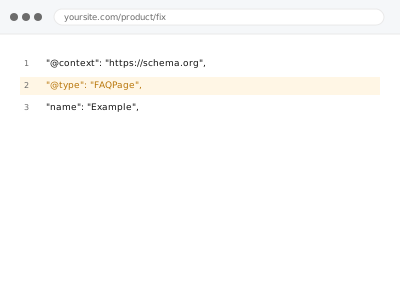
FAQ and HowTo schema mark up question-and-answer or step-by-step content that already exists on your page, which can enable an expandable rich result directly in search — using your existing, published wording, not new content written to fit the schema’s format.
FAQ & HowTo schema implementation
Existing FAQ or how-to content marked up as schema — not new content written to fit it.
- Full backup taken before we start
- If we can’t fix it, you get your money back
- We never ask for your own password
What we need from you
- Confirmation of which existing pages have genuine FAQ or step-by-step content suitable for this schema
- Access to the relevant templates or content for implementation
- Confirmation the existing content is current and accurate, since the schema will reflect it directly
This or something else?
| You have existing FAQ or how-to content and want it marked up with schema | This fix covers it |
| You want new FAQ or how-to content written from scratch | Outside this fix’s scope — that’s content creation, this is structured markup of what already exists |
| FAQ or HowTo schema exists but shows a validation error | Schema validation error fixes |
| You want schema for reviews specifically, not FAQs or instructions | Review & AggregateRating schema |
What we do
- Identify existing pages with genuine FAQ or step-by-step content
- Implement schema markup reflecting that existing content exactly
- Verify the schema output matches what’s actually visible on the page
- Test against Google’s Rich Results Test
- Confirm no duplication with existing schema from a plugin
- Check that content used remains accurate and current
What is included
- FAQ and/or HowTo schema implemented for existing, qualifying content
- Verified match between schema output and visible page content
- Tested output confirmed valid
- A check for duplication with existing schema
Not included
- Writing new FAQ or how-to content — this marks up what already exists, it doesn’t create it
- Guaranteeing the rich result actually appears in search, which is Google’s own decision
- Ongoing updates as the underlying content changes, unless separately arranged
- Content strategy on what FAQs or instructions to add
Questions about this fix
Can you write new FAQ content for pages that don't have any yet?
Not as part of this fix — this is specifically about marking up content that already exists and is accurate; writing new FAQ content is a separate, content-focused task.
Will this guarantee the expandable FAQ box shows up in my search results?
No — valid FAQ schema makes a page eligible, but Google decides independently whether to actually display that rich result, and eligibility can also change based on Google's own evolving policies for this feature.
What if my FAQ content changes after this is set up?
The schema is meant to mirror the current, visible content, so a significant content change should be reflected in both places to stay accurate — we can discuss keeping this in sync if your FAQs update frequently.
Does this work for a how-to blog post as well as a dedicated FAQ page?
Yes, HowTo schema is appropriate for genuine step-by-step content wherever it lives, whether that's a dedicated page or embedded within a blog post.
Is there a risk of using this schema type incorrectly?
Yes, which is why we only apply it to genuinely matching content — using FAQ or HowTo schema on content that isn't really structured that way can itself trigger a validation or quality issue.
Related fixes
If this is the second time this year
A bad update breaking the site is a symptom of updates not being tested first. Care plans run every update on a staging clone before it reaches your live site, which is the actual fix for this happening again.
Your access, your rules
Create a separate admin account for us and delete it when we are done. For anything else, we get in touch and agree a method — never a form field on this site, never by reply to an email.
We back up first, always
Before anything is touched we take a full backup and keep it for 30 days. If a fix goes wrong, we put the site back exactly as it was.
If it is not what you bought
If the problem turns out smaller than what you ordered, we refund the difference. If it is bigger, we stop and send a quote before doing any extra work.
If we cannot fix it
You get back what we received. Diagnosis is on us — you only pay when the problem is actually solved. The payment processor takes its fee before the money reaches us, so we never hold it and it is not ours to return. That is true here as everywhere else.
If it comes back
Reply within seven days of delivery and we put it back on the bench at no cost. The fix is not finished until it holds.
What we are responsible for
If something goes wrong with a fix, our responsibility is limited to what you paid for it. We take a full backup first so mistakes can be undone, and we tell you before doing anything outside what you bought.