
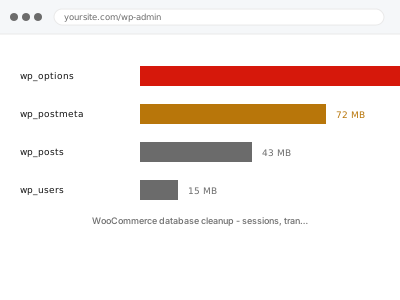
WooCommerce writes a lot of temporary data — a session for every visitor, transients for calculations, logs for every gateway call. Cleanup is supposed to happen automatically, and when scheduled tasks are not running it does not. Tables reach millions of rows, backups take hours, and queries slow down for reasons nothing in the admin explains.
Before you buy, one quick look
Read-only. In wp-admin go to Tools → Site Health → Info → Database and look at the total size.
For a store with a few thousand orders, anything much over 500 MB is worth investigating. Several gigabytes on a modest catalogue almost always means temporary data that was never cleared.
It is a rough signal rather than a diagnosis, but it tells you whether this is worth pursuing.
WooCommerce database cleanup - sessions, transients, logs
WooCommerce tables have grown with session, transient and log data that is no longer needed. We clear it safely and stop it building up again.
- Full backup taken before we start
- If we can’t fix it, you get your money back
- We never ask for your own password
This or something else?
| Database unexpectedly large | This fix covers it |
| Backups taking hours or failing | This fix covers it |
| Admin slow with no obvious cause | This fix covers it |
| Site slow but database is small | Core Web Vitals remediation |
| Scheduled tasks not running at all | WP-Cron not firing |
What you are seeing
- A database far larger than the catalogue and order count justify
- Backups taking much longer than they used to, or timing out
- The admin slowing down, particularly order and product screens
- Your host warning about database size
- Session or log tables with millions of rows
Common causes
- Scheduled cleanup tasks not running, so nothing is ever purged
- Gateway logging left at debug level in production
- Sessions never expiring, accumulating one row per visitor
- Expired transients that were never cleared
- Action Scheduler retaining completed tasks indefinitely
What we do
- Take a full backup before touching anything
- Measure each table and identify exactly where the size is
- Confirm what is genuinely disposable before deleting anything
- Clear expired sessions, transients and completed scheduled actions
- Reduce logging to appropriate levels and set retention
- Verify scheduled cleanup runs, so it does not rebuild
What is included
- A database reduced to a sensible size, with before and after figures
- Retention and logging configured so it stays that way
- Scheduled cleanup verified as actually running
- The pre-cleanup backup, kept for 30 days
Not included
- Deleting orders, customers or products — we never touch business data
- Full database performance optimisation, which is a separate service
- Fixing a plugin that generates excessive data by design — diagnosed, then quoted
- Design changes or content work
Questions about this fix
Is any of this actually needed?
Sessions expire, transients are cached values that regenerate, completed scheduled actions are history. None of it is business data. Orders, customers and products are never touched, and we say exactly what is being removed before removing it.
How much smaller will it get?
It varies enormously. A store where cleanup has never run can drop by 80 per cent or more; one that is mostly genuine order data barely changes. The before and after figures are in the note either way.
Will this make my site faster?
Sometimes noticeably, particularly in the admin. Smaller tables mean faster queries and much faster backups. If the site is slow for other reasons this will not fix those, and we say so rather than let you assume.
Why did it not clean itself up?
Almost always because scheduled tasks are not running. WooCommerce expects cron to work, and on cached or low-traffic sites it often does not. We check that as part of this, because otherwise it simply refills.
Will this affect my order history or customer accounts?
No — this clears sessions, transients and logs, none of which are your actual order or customer records. Those live in entirely separate tables that this doesn't touch.
Related fixes
If this is the second time this year
A bad update breaking the site is a symptom of updates not being tested first. Care plans run every update on a staging clone before it reaches your live site, which is the actual fix for this happening again.
Your access, your rules
Create a separate admin account for us and delete it when we are done. For anything else, we get in touch and agree a method — never a form field on this site, never by reply to an email.
We back up first, always
Before anything is touched we take a full backup and keep it for 30 days. If a fix goes wrong, we put the site back exactly as it was.
If it is not what you bought
If the problem turns out smaller than what you ordered, we refund the difference. If it is bigger, we stop and send a quote before doing any extra work.
If we cannot fix it
You get back what we received. Diagnosis is on us — you only pay when the problem is actually solved. The payment processor takes its fee before the money reaches us, so we never hold it and it is not ours to return. That is true here as everywhere else.
If it comes back
Reply within seven days of delivery and we put it back on the bench at no cost. The fix is not finished until it holds.
What we are responsible for
If something goes wrong with a fix, our responsibility is limited to what you paid for it. We take a full backup first so mistakes can be undone, and we tell you before doing anything outside what you bought.