
Manually creating dozens or hundreds of posts by copying and pasting from a spreadsheet is slow and genuinely error-prone, since formatting, categories, and featured images all have to be set individually for every single entry — this takes your structured file and imports it directly as properly formatted WordPress content, with fields mapped correctly the first time. The error-proneness compounds with volume too — a mistake made once while manually creating the tenth post is easy to catch, but the same mistake repeated identically across two hundred entries can go unnoticed until much later.
Your file’s structure matters most here
This works from a structured file — a spreadsheet with clear columns for title, content, category, and any other fields you need — rather than a loosely formatted document, so the more consistently your file is structured, the more smoothly the import goes.
If your source material isn’t yet in that kind of structured format, we can discuss what shape it needs to be in before starting.
It’s also worth thinking about whether any entries need unique handling, such as a specific category assignment that doesn’t follow the general pattern, so we can account for exceptions upfront. Flagging them early avoids a mismatch discovered only after the import is already complete. A brief note in the file itself is usually enough. Nothing elaborate is needed. A single sentence usually covers it.
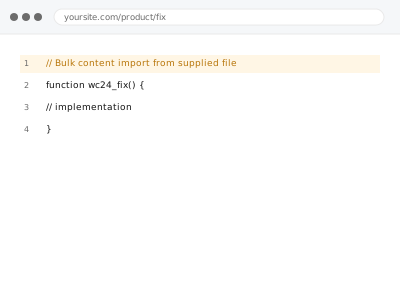
Bulk content import from supplied file
Content from a spreadsheet or structured file imported directly into WordPress as properly formatted posts or pages, not pasted in one by one.
- Full backup taken before we start
- If we can’t fix it, you get your money back
- We never ask for your own password
What we need from you
- The structured file itself, with columns clearly mapped to the fields you want populated
- Which post type the content should import as — posts, pages, or a custom type
- Any categories, tags, or featured images that should be assigned as part of the import
This or something else?
| You have content in a structured file ready to import as WordPress posts or pages | This fix covers it |
| You want alt text specifically applied in bulk, not full content imported | Bulk alt text import from supplied file, a different service |
| You have individual pieces of content ready to publish one at a time, not a bulk file | Publish-ready content upload & formatting – per piece, a different service |
| Content already exists on the site but in the wrong post type | Content migration between post types, a different service |
| Your source material isn’t yet organised into a structured file | Worth organising it first, or ask us for guidance on the format needed |
What we do
- Review your structured file for completeness and confirm field mapping
- Import content into the correct post type, applying categories and tags as specified
- Set featured images correctly where supplied or referenced in the file
- Spot-check a sample of imported entries for correct formatting and field mapping
- Flag any rows that failed to import cleanly, rather than skipping them silently
- Confirm the full import is complete and report on anything unresolved
What is included
- Import of your structured content file into the correct post type
- Categories, tags, and featured images applied as specified
- Spot-checking to confirm correct formatting and field mapping
- A written confirmation of what was imported, plus anything flagged
Not included
- Writing or editing the content itself, which is a separate, related service
- Restructuring genuinely unorganised source material into an importable format
- Ongoing import as you generate new content in future
- Applying alt text specifically, which is a separate, related service
Questions about this fix
What file formats can you actually import from?
A standard spreadsheet format such as CSV or Excel works well; other structured formats may also work, so let us know what you have and we'll confirm.
Will this create duplicate content if some entries already exist on the site?
We check for that as part of the import, flagging apparent duplicates rather than creating them silently, so you can decide how to handle each case.
What happens to rows that don't map cleanly to the required fields?
We flag them specifically rather than guess or force a poor fit, so you can correct the source file or clarify what was intended.
Can you import images referenced in my file, not just text content?
Yes, if the file references image files or URLs, we handle bringing those into the Media Library and attaching them correctly.
How long does a large import typically take?
It depends heavily on the volume and complexity of the content, so we give a specific estimate once we've reviewed your actual file.
Related fixes
If this is the second time this year
A bad update breaking the site is a symptom of updates not being tested first. Care plans run every update on a staging clone before it reaches your live site, which is the actual fix for this happening again.
Your access, your rules
Create a separate admin account for us and delete it when we are done. For anything else, we get in touch and agree a method — never a form field on this site, never by reply to an email.
We back up first, always
Before anything is touched we take a full backup and keep it for 30 days. If a fix goes wrong, we put the site back exactly as it was.
If it is not what you bought
If the problem turns out smaller than what you ordered, we refund the difference. If it is bigger, we stop and send a quote before doing any extra work.
If we cannot fix it
You get back what we received. Diagnosis is on us — you only pay when the problem is actually solved. The payment processor takes its fee before the money reaches us, so we never hold it and it is not ours to return. That is true here as everywhere else.
If it comes back
Reply within seven days of delivery and we put it back on the bench at no cost. The fix is not finished until it holds.
What we are responsible for
If something goes wrong with a fix, our responsibility is limited to what you paid for it. We take a full backup first so mistakes can be undone, and we tell you before doing anything outside what you bought.