
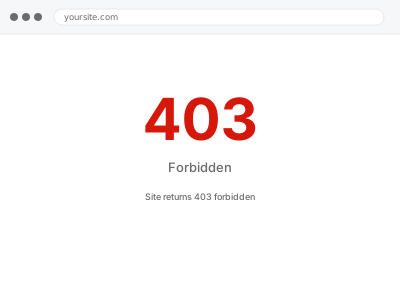
A 403 is the server refusing rather than failing. Something has decided the request is not allowed: file permissions, a security rule, a firewall, or a server directive. Because refusal is deliberate, the answer is never in the PHP error log — it is in whichever layer made the decision, which is what makes this hard to self-diagnose.
Before you buy, one quick check
Read-only.
Try the site on mobile data with wi-fi off, and in a private window. If it works there, your own IP is being blocked rather than the site being broken — usually by a security plugin or a firewall rule.
Also note whether it is the whole site or specific URLs. Whole-site is normally configuration; specific URLs is normally a security rule.
Site returns 403 forbidden
The server refuses to serve pages and returns 403. We find what is blocking the request — permissions, a security rule, or server config — and clear it.
- Full backup taken before we start
- If we can’t fix it, you get your money back
- We never ask for your own password
This or something else?
| 403 on the whole site | This fix covers it |
| 403 only for you, others fine | This fix covers it |
| 403 on wp-admin only | This fix covers it |
| 429 rather than 403 | Rate limiting diagnosis |
| Directory listing showing instead of the site | Configuration and environment fix |
What you are seeing
- A 403 forbidden page rather than an error or a blank screen
- It may affect everyone, or only certain IPs, or only certain URLs
- The admin may be blocked while the front end works
- It may have started after installing a security plugin
Common causes
- A security plugin or firewall rule blocking legitimate requests
- File or directory permissions the server refuses to serve
- A missing index file with directory listing disabled
- A server-level deny rule, often left from hardening
- A host-level firewall blocking a country or IP range
What we do
- Take a full backup before touching anything
- Establish which layer is refusing — WordPress, server, plugin, or host firewall
- Identify the specific rule or condition causing the refusal
- Correct permissions, configuration or rules as appropriate
- Keep the protection that is doing useful work while removing what is over-broad
- Verify access from multiple locations, not just one
What is included
- A site serving normally to legitimate visitors
- Security rules kept where they are doing real work
- A note naming what was blocking and why
- The pre-fix backup, kept for 30 days
Not included
- Removing protections wholesale to make a symptom disappear
- Host-level firewall changes we cannot access — we document and escalate instead
- Full security hardening, which is a separate service
- Design changes or content work
Questions about this fix
Only I am blocked. Why me?
Usually a security plugin that flagged your IP after failed logins, rapid admin activity, or a rule that treats your location as suspicious. Clearing it is quick, and we review the rule so it does not catch you again.
Should I just disable my security plugin?
No, and we will not do that as the fix. It is almost certainly blocking real attacks as well. The work is finding the specific rule that is too broad, not removing the protection entirely.
It is only wp-admin. Is that different?
Same diagnosis, and often an intentional rule — some hosts and hardening scripts restrict admin access by IP. If that was set up deliberately by someone else, we find it and tell you before changing anything.
Could this be my host?
It can be, particularly with country-level firewall rules. If the block is at their edge we cannot remove it, but we identify it precisely and write the ticket, which usually gets it resolved quickly.
Does a VPN or office network make this more likely?
Yes — corporate networks and VPNs often share one IP address across many users, so a rule triggered by one person's behaviour can end up blocking everyone else on that same connection.
Related fixes
If this is the second time this year
A bad update breaking the site is a symptom of updates not being tested first. Care plans run every update on a staging clone before it reaches your live site, which is the actual fix for this happening again.
Your access, your rules
Create a separate admin account for us and delete it when we are done. For anything else, we get in touch and agree a method — never a form field on this site, never by reply to an email.
We back up first, always
Before anything is touched we take a full backup and keep it for 30 days. If a fix goes wrong, we put the site back exactly as it was.
If it is not what you bought
If the problem turns out smaller than what you ordered, we refund the difference. If it is bigger, we stop and send a quote before doing any extra work.
If we cannot fix it
You get back what we received. Diagnosis is on us — you only pay when the problem is actually solved. The payment processor takes its fee before the money reaches us, so we never hold it and it is not ours to return. That is true here as everywhere else.
If it comes back
Reply within seven days of delivery and we put it back on the bench at no cost. The fix is not finished until it holds.
What we are responsible for
If something goes wrong with a fix, our responsibility is limited to what you paid for it. We take a full backup first so mistakes can be undone, and we tell you before doing anything outside what you bought.