
Email rendering is notoriously inconsistent across clients, since each one interprets HTML and CSS through its own, often years-old rendering engine, which means an order confirmation or newsletter that looks perfect in the one client you personally check can display with broken layout, missing images, or unreadable text in whichever client your actual customers happen to use. The stakes are higher for transactional emails specifically than for general marketing, since an order confirmation that renders as a jumbled mess doesn’t just look unprofessional, it can leave a customer genuinely unsure whether their order actually went through at all.
Why we test real inboxes, not a browser preview
How an email looks in your own inbox says very little about how it will look in someone else’s, since each major client interprets the same underlying HTML through its own distinct, often years-old rendering engine — the only way to know is sending it to real accounts on each one.
If you already know which email clients matter most for your customers, mentioning that helps us weight the testing accordingly.
It’s also worth checking roughly when your email templates were last updated, since older templates built before certain email clients changed their rendering behaviour are more likely to show issues that a genuinely recent template wouldn’t. A template that hasn’t been touched in a couple of years is worth treating with a bit more suspicion than one built or updated recently. Neither age nor recency guarantees anything on its own, but it’s a reasonable place to start looking. We confirm the real cause either way.
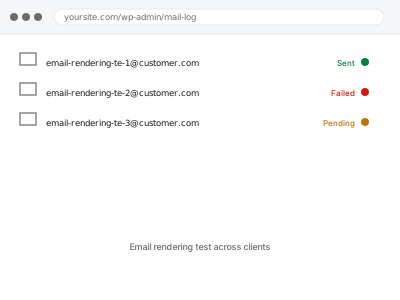
Email rendering test across clients
Your transactional and marketing emails tested across real email clients — Gmail, Outlook, Apple Mail — to catch rendering issues before customers do.
- Full backup taken before we start
- If we can’t fix it, you get your money back
- We never ask for your own password
This or something else?
| You want transactional or marketing emails tested across real email clients | This fix covers it |
| Emails have stopped arriving entirely, not a rendering concern | A different, delivery-focused diagnosis |
| You already know a specific email template looks broken in one client | A more targeted repair, not this broader test |
| You want forms tested end-to-end, not email rendering specifically | Form submission end-to-end testing, a different service |
| You want the underlying email delivery mechanism diagnosed, not appearance | A different, delivery-focused fix |
What we need from you
- Which emails are in scope — order confirmations, receipts, newsletters, or all of them
- Any email clients you know matter most for your customer base
- Whether you want issues fixed as found, or a full report before any changes
What we do
- Send each specified email to genuine test accounts across major email clients
- Check layout, images, and text rendering in each client individually
- Test both desktop and mobile versions of the clients that support both
- Document any rendering issue found, with the specific client and email involved
- Fix straightforward, low-risk template issues directly where the cause is clear
- Deliver a written report covering findings, fixes made, and anything needing a decision
What is included
- Testing across the major email clients your customers are likely to use
- Both desktop and mobile rendering checked where each client supports it
- Straightforward, low-risk template issues fixed directly
- A written report covering findings, fixes made, and anything needing a decision
Not included
- Redesigning your email templates beyond fixing confirmed rendering issues
- Diagnosing why emails aren’t arriving at all, which is a separate, delivery-focused fix
- Testing every email client that exists, which isn’t practically exhaustive
- Ongoing testing as you create new email templates in future
Questions about this fix
Why does an email look fine in my own inbox but not to customers?
Because you're likely only checking one client, while your customers use a mix of several, each with its own quirks in how it renders the exact same HTML and CSS.
Does this include mobile email apps, not just desktop clients?
Yes, mobile rendering is checked wherever the client supports it, since a growing share of email is read on a phone rather than a desktop client.
Will you fix every rendering issue you find?
Straightforward template issues, yes — anything requiring a larger redesign decision gets reported to you rather than changed without your input.
Is Outlook really that different from other email clients?
Notably so — Outlook uses a different underlying rendering engine than most other clients, which is exactly why it's a common source of otherwise-unexplained layout problems.
Does this cover automated WooCommerce emails specifically?
Yes, if those are part of what you want tested — order confirmations and receipts are exactly the kind of transactional email this service is built to check.
Related fixes
If this is the second time this year
A bad update breaking the site is a symptom of updates not being tested first. Care plans run every update on a staging clone before it reaches your live site, which is the actual fix for this happening again.
Your access, your rules
Create a separate admin account for us and delete it when we are done. For anything else, we get in touch and agree a method — never a form field on this site, never by reply to an email.
We back up first, always
Before anything is touched we take a full backup and keep it for 30 days. If a fix goes wrong, we put the site back exactly as it was.
If it is not what you bought
If the problem turns out smaller than what you ordered, we refund the difference. If it is bigger, we stop and send a quote before doing any extra work.
If we cannot fix it
You get back what we received. Diagnosis is on us — you only pay when the problem is actually solved. The payment processor takes its fee before the money reaches us, so we never hold it and it is not ours to return. That is true here as everywhere else.
If it comes back
Reply within seven days of delivery and we put it back on the bench at no cost. The fix is not finished until it holds.
What we are responsible for
If something goes wrong with a fix, our responsibility is limited to what you paid for it. We take a full backup first so mistakes can be undone, and we tell you before doing anything outside what you bought.