
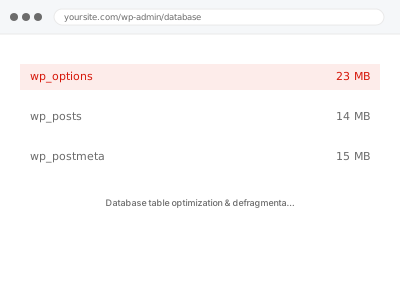
Every time a row is updated or deleted, the database doesn’t necessarily reclaim that space immediately — it can leave gaps, called overhead, scattered through the table’s physical storage. A table with a lot of overhead takes longer to scan than its actual row count would suggest, because the database is reading past empty space along with real data.
Before you buy, one quick look
Read-only, if your host gives you phpMyAdmin or a similar database tool. The table list shows an “Overhead” column in bytes next to each table.
A large number there, particularly on your biggest or most frequently updated tables, means this fix directly applies. This is a different signal from total database size — a database can be a reasonable overall size while still carrying a lot of overhead in a handful of heavily-updated tables, which is exactly the pattern this fix targets specifically.
If you don’t have phpMyAdmin access, this isn’t something you need to check yourself before buying — we can measure it directly as the first step, since it requires database-level access most hosting control panels don’t expose by default, and we can request the appropriate access ourselves rather than needing you to find and learn a tool you may never have used before just to answer this one specific question about the state of your own database.
Database table optimization & defragmentation
Your database tables are carrying significant overhead from years of updates and deletes. We optimise and defragment them safely, and measure the real reduction.
- Full backup taken before we start
- If we can’t fix it, you get your money back
- We never ask for your own password
This or something else?
| phpMyAdmin shows significant “Overhead” on one or more tables | This fix covers it |
| Overall database size large but overhead itself looks low | Database cleanup – revisions, autodrafts, transients |
| Specific slow queries identified, not general table health | Database index optimization for slow queries |
| No access to phpMyAdmin or similar tool to check | This fix covers it — we can check directly |
| Site slow with no specific database symptom | Slow site diagnostic report |
What you are seeing
- phpMyAdmin or a similar tool showing high overhead on specific tables
- Queries against frequently-updated tables (orders, postmeta) feeling slower than expected
- The database size not explaining the slowdown on its own
- A host flagging table fragmentation or recommending optimisation
- No recent content change to explain the slowdown, since fragmentation builds gradually
Common causes
- Frequent updates and deletes on tables like postmeta, options, or order data
- No routine table optimisation ever having been run since the site launched
- A high-traffic or high-order-volume site generating more row churn than a typical site
- MyISAM tables, which fragment differently and often more than InnoDB
- Large deletions, like a previous database cleanup, leaving significant unreclaimed space behind
What we do
- Identify which tables are carrying significant overhead
- Confirm the database engine each table uses, since the optimisation approach differs
- Run table optimisation to reclaim unused space and defragment storage
- Time this appropriately, since optimising large tables can briefly lock them
- Verify data integrity after optimisation, not just that the process completed
- Re-check overhead figures to confirm a real, measured reduction
What is included
- Tables with significant overhead identified and optimised
- Data integrity verified after the process
- Before-and-after overhead measurement
- The pre-fix backup, kept for 30 days
Not included
- Clearing the underlying data causing frequent updates, like excess revisions
- Query-level index optimisation, which is a separate, related fix
- Converting MyISAM tables to InnoDB, if that’s a larger change you’d want to approve separately
- Ongoing scheduled optimisation, unless set up as part of this
Questions about this fix
Is this safe to run on a live site?
Yes, with care — some tables can be briefly locked during optimisation, so we time this for low-traffic periods and take a full backup first, exactly as with any other database change.
Will I lose any data?
No — optimisation reclaims empty space and reorganises storage, it doesn't remove existing rows. Nothing about your actual content or orders changes as a result.
Why doesn't this happen automatically?
MySQL and MariaDB don't reclaim this space on their own by default; it requires an explicit optimisation command, which most sites never run unless someone specifically sets up a routine for it.
How is this different from the general database cleanup fix?
That fix removes unnecessary rows — old revisions, expired transients. This fix reclaims wasted physical space even from rows that are perfectly legitimate, which is a different, complementary problem.
Will this need doing again?
Periodically, yes, on a table that continues to see heavy updates — we can set this up as a routine task if ongoing overhead is likely to keep building on your specific site.
Related fixes
If this is the second time this year
A bad update breaking the site is a symptom of updates not being tested first. Care plans run every update on a staging clone before it reaches your live site, which is the actual fix for this happening again.
Your access, your rules
Create a separate admin account for us and delete it when we are done. For anything else, we get in touch and agree a method — never a form field on this site, never by reply to an email.
We back up first, always
Before anything is touched we take a full backup and keep it for 30 days. If a fix goes wrong, we put the site back exactly as it was.
If it is not what you bought
If the problem turns out smaller than what you ordered, we refund the difference. If it is bigger, we stop and send a quote before doing any extra work.
If we cannot fix it
You get back what we received. Diagnosis is on us — you only pay when the problem is actually solved. The payment processor takes its fee before the money reaches us, so we never hold it and it is not ours to return. That is true here as everywhere else.
If it comes back
Reply within seven days of delivery and we put it back on the bench at no cost. The fix is not finished until it holds.
What we are responsible for
If something goes wrong with a fix, our responsibility is limited to what you paid for it. We take a full backup first so mistakes can be undone, and we tell you before doing anything outside what you bought.