
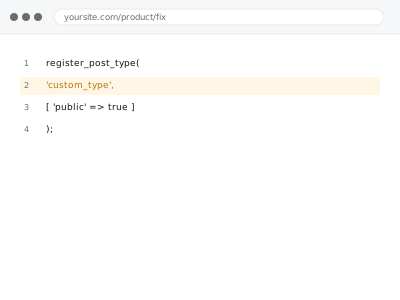
A custom post type that fails to register correctly — missing from the admin menu, its archive returning a 404, its permalinks not resolving — usually stems from a code error in the registration itself or a conflict with how the site’s permalink structure is currently configured.
Check whether the post type appears at all in wp-admin
Look for the custom post type’s menu item in your WordPress admin sidebar. If it’s completely absent, that points to a registration failure at the code level; if it appears but its front-end pages don’t work correctly, the issue is more likely permalink or template-related.
Custom post type registration errors
A custom post type missing from admin or 404ing on the front end, traced to the registration.
- Full backup taken before we start
- If we can’t fix it, you get your money back
- We never ask for your own password
This or something else?
| A custom post type isn’t registering, appearing in admin, or resolving correctly on the front end | This fix covers it |
| The post type registers fine but its archive template specifically has display errors | Post type archive template errors, a more targeted version |
| The issue is with a custom taxonomy, not the post type itself | Custom taxonomy registration & rewrite errors |
| You’re getting a slug conflict specifically, not a broader registration failure | Post type slug conflict resolution |
What you are seeing
- The custom post type missing entirely from the wp-admin menu
- The post type appearing in admin but its front-end URLs returning a 404
- A fatal error or warning referencing the post type’s registration code
- The issue possibly appearing only after a theme or plugin update
Common causes
- A syntax or logic error in the post type registration code itself
- Permalinks not flushed after registration, leaving rewrite rules stale
- A slug conflict with an existing post type, page, or taxonomy
- A plugin providing the post type being deactivated or updated in a way that broke its registration
- The registration code running at the wrong point in WordPress’s loading sequence, before it’s able to take effect correctly
What we do
- Review the registration code for errors or misconfiguration
- Check for slug conflicts with existing content types
- Flush and verify permalinks resolve correctly after any correction
- Correct the registration code or its conflict
- Verify the post type displays correctly in admin and its front-end archive and singular views work
- Check for the same issue affecting any related, dependent functionality
What is included
- The post type registration corrected
- Verified correct admin display and front-end resolution
- A check for related, dependent functionality
- The pre-fix backup, kept for 30 days
Not included
- Building a new custom post type from scratch, if that’s genuinely what’s needed instead of fixing an existing one
- Archive template display issues beyond registration itself, a separate, related fix
- Custom taxonomy issues, a separate, related fix
- Ongoing maintenance as the post type’s requirements evolve
Questions about this fix
Why would a post type stop working after a plugin update?
If the post type is registered by a plugin, an update to that plugin can change or break the registration code, sometimes without any other visible symptom until you specifically notice the post type is missing or malfunctioning.
Do I need to flush permalinks myself after this is fixed?
We handle this as part of the fix, since a fresh permalink flush is often necessary after correcting a registration issue for the new, correct rewrite rules to actually take effect.
Could this be caused by a conflict with another plugin, not just a code error?
Yes, a slug or functionality conflict with another plugin registering something similar is a real, distinct possibility we check for, separate from a straightforward code error in the registration itself.
Will fixing this affect existing content already created under this post type?
No, correcting the registration shouldn't affect existing content's data — it restores the post type's own correct function, and existing entries remain intact throughout.
How do I prevent this from happening again after a future update?
There's no absolute prevention for this kind of risk with custom code depending on a specific environment, though testing significant plugin or theme updates on staging first is a reasonable, general precaution.
Related fixes
If this is the second time this year
A bad update breaking the site is a symptom of updates not being tested first. Care plans run every update on a staging clone before it reaches your live site, which is the actual fix for this happening again.
Your access, your rules
Create a separate admin account for us and delete it when we are done. For anything else, we get in touch and agree a method — never a form field on this site, never by reply to an email.
We back up first, always
Before anything is touched we take a full backup and keep it for 30 days. If a fix goes wrong, we put the site back exactly as it was.
If it is not what you bought
If the problem turns out smaller than what you ordered, we refund the difference. If it is bigger, we stop and send a quote before doing any extra work.
If we cannot fix it
You get back what we received. Diagnosis is on us — you only pay when the problem is actually solved. The payment processor takes its fee before the money reaches us, so we never hold it and it is not ours to return. That is true here as everywhere else.
If it comes back
Reply within seven days of delivery and we put it back on the bench at no cost. The fix is not finished until it holds.
What we are responsible for
If something goes wrong with a fix, our responsibility is limited to what you paid for it. We take a full backup first so mistakes can be undone, and we tell you before doing anything outside what you bought.