
The Customizer’s Additional CSS box is convenient because it requires no file access and applies instantly, but that convenience comes with a specific tradeoff: it’s stored as theme modification data tied to whichever theme is currently active, which means switching themes, even temporarily to test something, silently discards every line of CSS sitting in that box. This particular failure mode is especially cruel because nothing warns you at the moment it happens — you switch themes to preview something, switch back, and only discover days or weeks later that your carefully accumulated customisations are simply gone, with no error and no obvious point to trace the loss back to.
Check how much CSS is actually sitting there
Go to Appearance → Customize → Additional CSS and see how much CSS has accumulated in that box, and roughly how long it’s been added to.
A substantial amount built up over months or years represents real, currently fragile work worth protecting properly, rather than something to keep relying on the Customizer box indefinitely.
It’s also worth thinking about whether you’ve ever previewed a different theme, even briefly, without actually activating it, since some setups can trigger this loss even during a preview rather than requiring a full theme switch to actually complete. It’s a genuinely counterintuitive risk, since a preview feels safely reversible right up until it isn’t. Most people reasonably assume nothing is committed until they click activate, which is exactly the assumption that occasionally turns out to be wrong. The Customizer box simply wasn’t designed with this specific fragility in mind, since its whole appeal is being quick and immediate, not durable. That tradeoff made sense for its intended purpose, just not for anything meant to last. Moving it fixes exactly that mismatch.
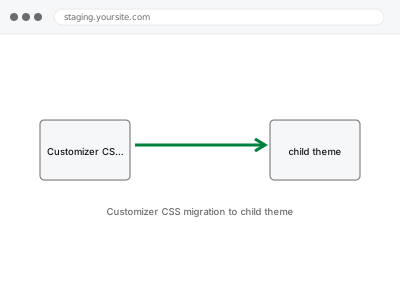
Customizer CSS migration to child theme
CSS entered into the Customizer's Additional CSS box will vanish if you ever switch themes. We move it into a proper, permanent child theme.
- Full backup taken before we start
- If we can’t fix it, you get your money back
- We never ask for your own password
This or something else?
| CSS is currently sitting in the Customizer’s Additional CSS box | This fix covers it |
| Customisations were made by directly editing the parent theme’s actual files | Hardcoded theme edits relocated to child theme, a related but distinct fix |
| You want the broader CSS cascade audited and consolidated, not just relocated | CSS cascade audit & consolidation, a different service |
| Inline styles applied directly to individual elements are the concern | Inline style override cleanup, a different service |
| A child theme already exists and is already active with this CSS in it | This fix likely doesn’t apply; worth confirming your current setup first |
What we do
- Extract the complete CSS currently stored in the Customizer’s Additional CSS box
- Create or configure a proper child theme structure for the site, if one doesn’t exist
- Move the CSS into the child theme’s own stylesheet correctly
- Verify every page renders identically before and after the move
- Switch the live site to the child theme once verified
- Confirm the Customizer box is now empty and no longer the source of truth
What is included
- A full child theme structure created or configured for your site
- All existing Customizer CSS relocated into it correctly
- Verification that appearance is unchanged before switching live
- The pre-fix backup, kept for 30 days
Not included
- Consolidating or cleaning up the CSS itself beyond relocating it as-is
- Relocating hardcoded edits made directly to parent theme files, which is a separate fix
- Redesigning any part of the site’s appearance during the move
- Ongoing protection against CSS being re-added to the Customizer box afterward
Questions about this fix
Is there any actual downside to moving this into a child theme?
None functionally — the only real change is where the CSS physically lives, which is a strict improvement in safety with no tradeoff to your site's appearance or behaviour. If anything, the only adjustment is remembering to edit the child theme's stylesheet going forward instead of reaching for the old Customizer box out of habit.
What if I want to keep adding new CSS through the Customizer afterward?
You can, though anything added there afterward carries the same original risk — the safest long-term habit is adding new CSS directly to the child theme's stylesheet instead.
Does this fix bad or messy CSS, or just move it?
Just moves it — cleaning up the CSS itself, if that's also needed, is a separate, related consolidation service.
Will I need to do this again if I switch themes later?
No, once it's in a proper child theme, a future theme switch would need its own new child theme, but the CSS itself is no longer vulnerable to being silently lost the way the Customizer box was.
How much CSS is too much to leave in the Customizer box?
There's no strict threshold, but any amount you'd be upset to lose is reason enough to move it somewhere permanent.
Related fixes
If this is the second time this year
A bad update breaking the site is a symptom of updates not being tested first. Care plans run every update on a staging clone before it reaches your live site, which is the actual fix for this happening again.
Your access, your rules
Create a separate admin account for us and delete it when we are done. For anything else, we get in touch and agree a method — never a form field on this site, never by reply to an email.
We back up first, always
Before anything is touched we take a full backup and keep it for 30 days. If a fix goes wrong, we put the site back exactly as it was.
If it is not what you bought
If the problem turns out smaller than what you ordered, we refund the difference. If it is bigger, we stop and send a quote before doing any extra work.
If we cannot fix it
You get back what we received. Diagnosis is on us — you only pay when the problem is actually solved. The payment processor takes its fee before the money reaches us, so we never hold it and it is not ours to return. That is true here as everywhere else.
If it comes back
Reply within seven days of delivery and we put it back on the bench at no cost. The fix is not finished until it holds.
What we are responsible for
If something goes wrong with a fix, our responsibility is limited to what you paid for it. We take a full backup first so mistakes can be undone, and we tell you before doing anything outside what you bought.