
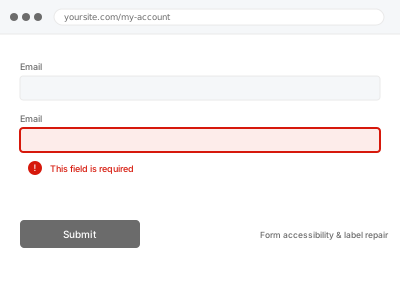
Beyond full WCAG compliance, a lot of forms have narrower, practical labelling problems — a label visually near a field but not actually connected to it in code, inconsistent required-field marking, or a form builder’s own quirk that breaks label association on save — which this fixes directly. For a comprehensive accessibility pass covering forms and everything else, that’s a separate, broader audit.
Check whether clicking a label actually focuses its intended field
Click directly on a field’s label text, not the input itself. If the field doesn’t receive focus or become selected as a result, that confirms the label isn’t properly, technically associated with its field — a quick, visible sign of the same underlying issue that affects screen reader users more seriously.
Form accessibility & label repair
Labels not actually connected to their fields — the practical fix, short of a full audit.
- Full backup taken before we start
- If we can’t fix it, you get your money back
- We never ask for your own password
This or something else?
| A form’s labels aren’t correctly associated with their fields, causing practical usability and accessibility issues | This fix covers it |
| You want a comprehensive WCAG accessibility audit covering your whole site, not just form labels | Accessibility audit report – WCAG 2.2 AA, in the Content & Updates bucket’s Accessibility Remediation category |
| You want form error announcements specifically fixed for screen readers, a related, more comprehensive fix | Form label & error announcement repair, in the same Accessibility Remediation category |
| The form has a functional bug unrelated to labelling | A different, diagnostic fix — describe the actual functional issue directly |
What you are seeing
- Clicking a label not focusing its intended field
- Labels visually positioned near a field but not connected in the underlying code
- Inconsistent marking of required fields across the form
- The issue possibly stemming from a specific form builder’s own default behaviour
Common causes
- A form builder generating visually positioned labels without the underlying code-level association
- A theme or page builder’s styling breaking label association during rendering
- Labels added via a method (an image, styled text) that isn’t a genuine, connected label element at all
- A plugin update changing how labels are generated, breaking previously correct association
- A templating error giving two different fields the same identifier, so only one of them actually receives its label’s connection
What we do
- Review label association across the affected form
- Correct labels to be properly, technically connected to their intended fields
- Verify required-field indication is consistent and clear
- Test that clicking each label correctly focuses its field
- Check across a representative sample of forms if the issue is template-wide
- Confirm visual appearance remains unchanged after the correction
What is included
- Form labels corrected to be properly associated with their fields
- Consistent required-field indication verified
- Tested confirmation labels correctly focus their fields on click
- The pre-fix backup, kept for 30 days
Not included
- A comprehensive WCAG accessibility audit beyond form labels specifically — a separate, broader fix
- Accessible error announcement for screen readers, a separate, related, more comprehensive fix
- Redesigning the form’s visual layout beyond label association
- Ongoing correction as new forms are added, unless using the same corrected template
Questions about this fix
Is this the same as the full accessibility remediation fix for forms?
No — this addresses the specific, practical labelling issue directly; the broader Accessibility Remediation fix covers form labels alongside accessible error announcement and other WCAG-specific considerations as part of a more comprehensive pass.
Why would clicking a label not focus its field?
This happens when a label is present visually but not connected in the underlying HTML through the correct association — a common result of certain form builders' default output, or styling that inadvertently breaks that connection during rendering.
Will visitors notice anything different about the form after this?
Sighted visitors clicking normally shouldn't notice a visual change at all — the correction happens at the code level connecting labels to fields, which is invisible unless you're specifically testing label-click behaviour or using assistive technology.
Does fixing this also fix screen reader announcements for errors?
Not automatically — that's a related but distinct concern, covered by the more comprehensive Form label & error announcement repair fix if that's also something you need addressed.
Is this worth fixing if my form otherwise works fine for most visitors?
Yes — beyond the accessibility benefit for screen reader and assistive technology users, properly associated labels also improve the practical experience for any visitor clicking around the form, which is a real, if smaller, benefit for everyone.
Related fixes
If this is the second time this year
A bad update breaking the site is a symptom of updates not being tested first. Care plans run every update on a staging clone before it reaches your live site, which is the actual fix for this happening again.
Your access, your rules
Create a separate admin account for us and delete it when we are done. For anything else, we get in touch and agree a method — never a form field on this site, never by reply to an email.
We back up first, always
Before anything is touched we take a full backup and keep it for 30 days. If a fix goes wrong, we put the site back exactly as it was.
If it is not what you bought
If the problem turns out smaller than what you ordered, we refund the difference. If it is bigger, we stop and send a quote before doing any extra work.
If we cannot fix it
You get back what we received. Diagnosis is on us — you only pay when the problem is actually solved. The payment processor takes its fee before the money reaches us, so we never hold it and it is not ours to return. That is true here as everywhere else.
If it comes back
Reply within seven days of delivery and we put it back on the bench at no cost. The fix is not finished until it holds.
What we are responsible for
If something goes wrong with a fix, our responsibility is limited to what you paid for it. We take a full backup first so mistakes can be undone, and we tell you before doing anything outside what you bought.