
Google Ads can’t optimise toward what it can’t measure — without a correctly implemented conversion tag reporting back which clicks actually led to a sale, form submission, or other valuable action, campaigns end up optimising for clicks alone, which is a much weaker signal than genuine results.
This measures Ads performance specifically, separate from GA4
Google Ads conversion tracking and GA4 are related but distinct — GA4 measures your site’s overall analytics, while this specifically tells Google Ads which of its own clicks led to value, which is what campaigns actually use for bidding and optimisation.
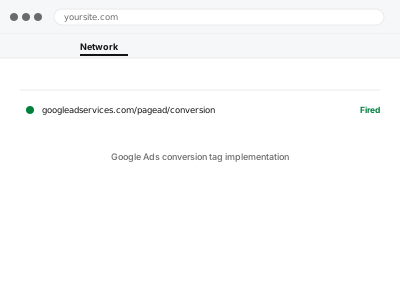
Google Ads conversion tag implementation
Google Ads conversion tracking implemented so campaigns can actually optimise toward what you value, not just clicks.
- Full backup taken before we start
- If we can’t fix it, you get your money back
- We never ask for your own password
What we need from you
- Access to your Google Ads account
- Confirmation of which actions on your site represent a genuine conversion for ad purposes
- Whether you already have GA4 conversions set up that could be imported, or need conversions built fresh in Ads
This or something else?
| You want Google Ads conversion tracking implemented for the first time | This fix covers it |
| You already have GA4 key events set up and want them visible in Google Ads | This fix covers it; we can import rather than duplicate |
| You want GA4 analytics generally, not Ads-specific conversion tracking | GA4 property setup & WordPress connection |
| You’re running Meta ads instead of Google | Meta Pixel / Conversions API setup, the equivalent for that platform |
What we do
- Confirm which actions should count as conversions for your ad campaigns
- Set up conversion actions in Google Ads matching those definitions
- Implement the conversion tag via Tag Manager or import existing GA4 key events
- Test each conversion trigger to confirm accurate firing
- Confirm conversions appear correctly in Google Ads reporting
- Verify attribution settings match how you actually want credit assigned across campaigns
What is included
- Conversion actions set up and firing correctly in Google Ads
- Verified reporting visible in your Ads account
- Attribution settings configured to your specified preference
- A written note on what’s tracked as a conversion and why
Not included
- Managing or optimising your actual ad campaigns
- GA4 setup itself, if not already in place
- Offline conversion imports, such as phone sales, a separate configuration
- Ongoing adjustment as your definition of a valuable conversion changes
Questions about this fix
Can Google Ads use my existing GA4 conversions instead of setting up new ones?
Often yes, GA4 key events marked appropriately can be imported into Google Ads directly, which avoids duplicating the same tracking twice.
Will this affect my current campaign performance or bids?
Setting up tracking itself doesn't change bids, but Google Ads' automated bidding strategies will start optimising toward these conversions once they're flowing, which is the actual point.
What if I have several actions that could count as a conversion?
That's common, and worth deciding deliberately rather than tracking everything as equally valuable — we can set up multiple conversion actions with different values if that reflects reality better.
How long until Google Ads has enough data to actually use this?
It varies with your traffic and conversion volume, but automated bidding strategies generally need a reasonable number of conversions before they optimise effectively, which is outside what setup alone can accelerate.
Does this work correctly with cross-domain checkout, like a separate payment page?
It needs to account for that specifically if it applies to you — worth mentioning cross-domain checkout when ordering so we configure tracking to actually capture the full journey.
Related fixes
If this is the second time this year
A bad update breaking the site is a symptom of updates not being tested first. Care plans run every update on a staging clone before it reaches your live site, which is the actual fix for this happening again.
Your access, your rules
Create a separate admin account for us and delete it when we are done. For anything else, we get in touch and agree a method — never a form field on this site, never by reply to an email.
We back up first, always
Before anything is touched we take a full backup and keep it for 30 days. If a fix goes wrong, we put the site back exactly as it was.
If it is not what you bought
If the problem turns out smaller than what you ordered, we refund the difference. If it is bigger, we stop and send a quote before doing any extra work.
If we cannot fix it
You get back what we received. Diagnosis is on us — you only pay when the problem is actually solved. The payment processor takes its fee before the money reaches us, so we never hold it and it is not ours to return. That is true here as everywhere else.
If it comes back
Reply within seven days of delivery and we put it back on the bench at no cost. The fix is not finished until it holds.
What we are responsible for
If something goes wrong with a fix, our responsibility is limited to what you paid for it. We take a full backup first so mistakes can be undone, and we tell you before doing anything outside what you bought.