
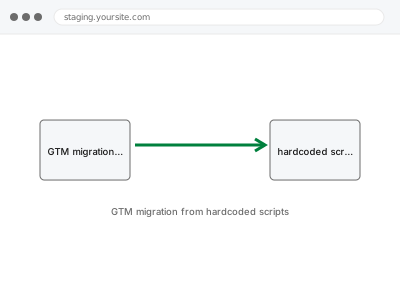
Tracking scripts hardcoded directly into theme files work, but every change afterward — a new pixel, an updated conversion tag — means editing code again, and risks getting lost the next time the theme updates; moving them into Tag Manager means future changes happen in one place without touching the site’s actual files.
What has to happen in the right order
Migrating means adding each script to GTM, confirming it fires identically to the hardcoded version, and only then removing the original — doing it in the wrong order, or removing the old code before confirming the new one works, risks a gap where nothing tracks at all.
GTM migration from hardcoded scripts
Hardcoded tracking scripts moved into Tag Manager, tested to match before the old code is touched.
- Full backup taken before we start
- If we can’t fix it, you get your money back
- We never ask for your own password
What we need from you
- Confirmation of every hardcoded tracking script currently in the theme or plugins
- Access to wherever those scripts live (theme files, a custom plugin)
- Whether you want GTM set up fresh as part of this, or already have a container
This or something else?
| You have hardcoded tracking scripts you want moved into Tag Manager | This fix covers it |
| You don’t have GTM set up at all yet | Google Tag Manager container setup, needed first or alongside |
| You just want duplicate tracking removed, not migrated to GTM | Duplicate / conflicting tracking code removal |
| You want server-side tagging specifically, not standard GTM | Server-side tagging endpoint configuration |
What we do
- Identify every hardcoded tracking script currently on the site
- Recreate each one as a tag in GTM with matching configuration
- Test each new tag in Preview mode against the original’s behaviour
- Confirm tags fire identically before touching the original code
- Remove the hardcoded scripts once GTM versions are confirmed working
- Verify no tracking gap occurred during the transition
What is included
- Every identified hardcoded script recreated correctly in GTM
- Verified matching behaviour before the original code is removed
- The original hardcoded scripts safely removed
- The pre-fix backup, kept for 30 days
Not included
- Setting up new tracking that didn’t exist before, beyond migrating what’s there
- Restructuring or organising an already-existing messy GTM container
- Fixing scripts that were already broken before this migration
- Ongoing tag management after the migration is complete
Questions about this fix
Is there a risk of losing tracking data during this switch?
There's a brief window if it's done carelessly, which is exactly why we confirm each new tag matches the old one's behaviour in Preview mode before removing anything.
Why would I want this if my current hardcoded tracking already works?
Mainly for future changes — adding or adjusting a tag in GTM doesn't need a code edit or developer involvement each time, unlike hardcoded scripts.
Will this change how my current tracking data looks in reports?
No — the goal is identical behaviour, just delivered through GTM instead of hardcoded code, so your reports should look the same before and after.
What happens to the old code — is it deleted or just disabled?
Removed cleanly once confirmed unnecessary, though we keep the pre-fix backup for 30 days if you ever need to see exactly what was there before.
Can this be done without any site downtime?
Yes — this is a code change, not something requiring the site to go offline, and we test thoroughly before removing anything from the live site.
Related fixes
If this is the second time this year
A bad update breaking the site is a symptom of updates not being tested first. Care plans run every update on a staging clone before it reaches your live site, which is the actual fix for this happening again.
Your access, your rules
Create a separate admin account for us and delete it when we are done. For anything else, we get in touch and agree a method — never a form field on this site, never by reply to an email.
We back up first, always
Before anything is touched we take a full backup and keep it for 30 days. If a fix goes wrong, we put the site back exactly as it was.
If it is not what you bought
If the problem turns out smaller than what you ordered, we refund the difference. If it is bigger, we stop and send a quote before doing any extra work.
If we cannot fix it
You get back what we received. Diagnosis is on us — you only pay when the problem is actually solved. The payment processor takes its fee before the money reaches us, so we never hold it and it is not ours to return. That is true here as everywhere else.
If it comes back
Reply within seven days of delivery and we put it back on the bench at no cost. The fix is not finished until it holds.
What we are responsible for
If something goes wrong with a fix, our responsibility is limited to what you paid for it. We take a full backup first so mistakes can be undone, and we tell you before doing anything outside what you bought.