
Visitors who navigate by keyboard alone — because of a motor impairment, or simply by preference — rely on a logical, visible tab order through interactive elements, and a site where focus jumps unpredictably, skips elements, or gets trapped somewhere with no way out is effectively unusable for them, regardless of how it looks to a mouse user.
Try navigating your own site using only the Tab key
Click into your browser’s address bar, then press Tab repeatedly to move through the page, using Enter or Space to activate whatever’s focused. Focus jumping somewhere unexpected, disappearing entirely, or getting stuck in one place without escape confirms a genuine problem worth fixing.
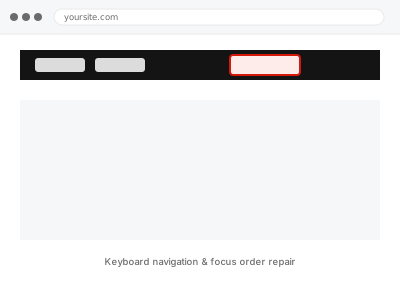
Keyboard navigation & focus order repair
Keyboard focus that jumps, skips, or gets trapped — traced and corrected in the underlying code.
- Full backup taken before we start
- If we can’t fix it, you get your money back
- We never ask for your own password
This or something else?
| Keyboard navigation jumps unpredictably, skips elements, or gets trapped somewhere on your site | This fix covers it |
| You want a broader accessibility audit first, not just keyboard navigation specifically | Accessibility audit report – WCAG 2.2 AA |
| The specific issue is that focus is present but visually invisible, not the order itself | Focus visible & outline restoration, a related but distinct fix |
| The issue is specifically within a form, not general page navigation | Form label & error announcement repair, if that’s more specifically the affected area |
What you are seeing
- Tab key navigation jumping to an unexpected or illogical next element
- Focus becoming trapped within a modal, menu, or widget with no way to escape via keyboard
- Some interactive elements being entirely unreachable by keyboard
- The tab order not matching the visual, logical reading order of the page
Common causes
- Custom JavaScript components (dropdowns, modals, sliders) built without proper keyboard event handling
- CSS positioning that visually reorders elements without updating their underlying tab order in the code
- A modal or popup that traps focus correctly on open but fails to release it correctly on close
- Interactive elements built with non-semantic HTML (a div acting as a button) that isn’t natively keyboard-focusable
- A slider or carousel auto-advancing and stealing focus away from wherever the keyboard user had actually navigated to
What we do
- Test the site’s full keyboard navigation path systematically
- Identify every point where focus behaves illogically, skips, or traps
- Correct the underlying code (proper tabindex, semantic elements, focus management in JavaScript)
- Verify the corrected tab order matches the logical, visual reading order
- Test modal and popup focus trapping and release behaviour specifically
- Confirm every interactive element is reachable and operable by keyboard alone
What is included
- Keyboard navigation and focus order corrected across identified issues
- Verified logical tab order matching visual page structure
- Modal and popup focus trapping tested and corrected
- The pre-fix backup, kept for 30 days
Not included
- A full accessibility audit beyond keyboard navigation specifically, a separate, broader fix
- Screen reader-specific compatibility issues, a separate, related fix
- Redesigning interactive components’ visual appearance, beyond keyboard operability
- Ongoing testing as new interactive components are added
Questions about this fix
Why would this matter if most visitors use a mouse?
A meaningful number of visitors navigate by keyboard alone, whether due to a motor impairment, a screen reader (which relies on keyboard navigation), or simple preference — and legally, keyboard operability is a specific, testable WCAG requirement regardless of how many visitors it affects.
How would a component built with a JavaScript library have this problem?
Many JavaScript UI libraries handle mouse interaction well by default but require deliberate, additional work to handle keyboard events correctly — a dropdown that opens on click doesn't automatically also open correctly via keyboard unless it's specifically built to.
Will fixing this change how the site looks or behaves for mouse users?
No, keyboard navigation fixes address the underlying code handling focus and interaction, which shouldn't change the visual appearance or mouse-based behaviour for other visitors.
What does it mean for focus to get 'trapped'?
It means once a visitor tabs into a certain area (a modal window, for instance), they can't tab back out of it using standard keyboard navigation, effectively locking them into that part of the page with no way to continue or escape.
Is this something an automated scanner would catch?
Automated tools catch some keyboard issues but not all — genuinely logical tab order and correct focus trapping behaviour often require actual manual keyboard testing to verify properly, which is why we test this directly rather than relying only on automated results.
Related fixes
If this is the second time this year
A bad update breaking the site is a symptom of updates not being tested first. Care plans run every update on a staging clone before it reaches your live site, which is the actual fix for this happening again.
Your access, your rules
Create a separate admin account for us and delete it when we are done. For anything else, we get in touch and agree a method — never a form field on this site, never by reply to an email.
We back up first, always
Before anything is touched we take a full backup and keep it for 30 days. If a fix goes wrong, we put the site back exactly as it was.
If it is not what you bought
If the problem turns out smaller than what you ordered, we refund the difference. If it is bigger, we stop and send a quote before doing any extra work.
If we cannot fix it
You get back what we received. Diagnosis is on us — you only pay when the problem is actually solved. The payment processor takes its fee before the money reaches us, so we never hold it and it is not ours to return. That is true here as everywhere else.
If it comes back
Reply within seven days of delivery and we put it back on the bench at no cost. The fix is not finished until it holds.
What we are responsible for
If something goes wrong with a fix, our responsibility is limited to what you paid for it. We take a full backup first so mistakes can be undone, and we tell you before doing anything outside what you bought.