
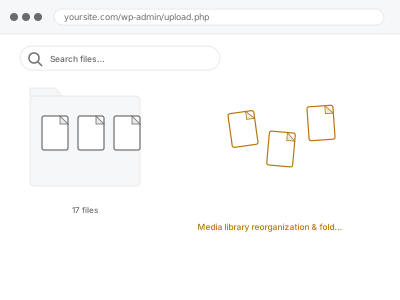
WordPress’s Media Library shows everything in one long, chronological list by default, with no native folder structure at all, which works fine for a small site but becomes genuinely unwieldy once you’re dealing with years of accumulated uploads and need to find one specific file among thousands of visually similar thumbnails. This becomes a genuine time cost over the life of a site — a few extra minutes searching each time someone needs a specific file, multiplied across every person who touches the media library, adds up to real, if easily overlooked, lost productivity.
Decide how you actually think about your files
Think about how you’d naturally want to organise files — by content type, by year, by project or campaign — since that structure is something we set up based on how you actually think about your own content, not a generic template.
If you’re not sure what structure would work best, we can suggest an approach based on how your site’s content is actually organised elsewhere.
It’s also worth thinking about whether multiple people regularly upload media, since a structure that makes intuitive sense to you personally may need to be a bit more explicit for others to follow consistently. A little more explicitness upfront tends to save confusion for everyone down the line. It costs almost nothing to set up that way from the start. The payoff comes later, when someone else needs to find something quickly. That moment is when the extra care upfront actually pays off. It’s a genuinely small investment for a lasting benefit.
Media library reorganization & folder setup
Your Media Library organised into a clear folder structure, so finding a specific file doesn't mean scrolling through years of unsorted uploads.
- Full backup taken before we start
- If we can’t fix it, you get your money back
- We never ask for your own password
What we need from you
- Your preferred organising principle — by type, date, project, or another logical grouping
- Whether you want existing media reorganised retroactively, or just new uploads going forward
- Any team members who’ll need to understand and use the new structure
This or something else?
| You want your Media Library organised into a clear, usable folder structure | This fix covers it |
| You want duplicate files identified and removed, not organised | Duplicate media detection & removal, a different service |
| Files with no current usage anywhere are the concern, not organisation | Orphaned media cleanup & thumbnail regeneration, a different service |
| Media Library search itself is broken, not just disorganised | Media library search & filter repair, a different fix |
| You have a relatively small library and mainly want future uploads organised | This fix covers it; a smaller scope is just as valid |
What we do
- Set up a folder or category structure suited to how you actually organise content
- Reorganise existing media into the new structure, where you’ve requested that
- Configure the system so future uploads can be easily sorted the same way
- Verify nothing currently referenced on the site is disrupted by the reorganisation
- Provide brief guidance on maintaining the structure going forward
- Confirm the library is now meaningfully easier to navigate and search
What is included
- A folder or category structure set up to match your preferred organisation
- Existing media reorganised into it, where requested
- Verification that nothing currently in use is disrupted
- Brief guidance on maintaining the structure going forward
Not included
- Removing duplicate or orphaned files, which are separate, related services
- Fixing a broken search or filter function, which is a separate fix
- Ongoing maintenance of the structure as new content is added
- Renaming files themselves, as distinct from organising them into folders
Questions about this fix
Will this work with a plugin, or is it a native WordPress feature?
WordPress doesn't natively support real folders, so this typically involves a suitable plugin configured to match your preferred structure, which we set up as part of this service.
Will reorganising existing media break anything currently on my site?
No — we verify nothing currently referenced is disrupted, since reorganisation changes how files are grouped for browsing, not their actual location or URL.
Do I need to reorganise everything, or can I just start fresh going forward?
Either approach is valid — some sites prefer starting clean going forward rather than tackling years of existing uploads, and that's a perfectly reasonable scope.
How do I decide the best way to organise my media?
We can suggest an approach based on how your site's content is already structured, though the final call on what makes sense for your workflow is genuinely yours.
Will my team need training to use the new structure?
We provide brief guidance, and the structure itself is designed to be intuitive, though a quick walkthrough with anyone who regularly uploads media is a sensible extra step.
Related fixes
If this is the second time this year
A bad update breaking the site is a symptom of updates not being tested first. Care plans run every update on a staging clone before it reaches your live site, which is the actual fix for this happening again.
Your access, your rules
Create a separate admin account for us and delete it when we are done. For anything else, we get in touch and agree a method — never a form field on this site, never by reply to an email.
We back up first, always
Before anything is touched we take a full backup and keep it for 30 days. If a fix goes wrong, we put the site back exactly as it was.
If it is not what you bought
If the problem turns out smaller than what you ordered, we refund the difference. If it is bigger, we stop and send a quote before doing any extra work.
If we cannot fix it
You get back what we received. Diagnosis is on us — you only pay when the problem is actually solved. The payment processor takes its fee before the money reaches us, so we never hold it and it is not ours to return. That is true here as everywhere else.
If it comes back
Reply within seven days of delivery and we put it back on the bench at no cost. The fix is not finished until it holds.
What we are responsible for
If something goes wrong with a fix, our responsibility is limited to what you paid for it. We take a full backup first so mistakes can be undone, and we tell you before doing anything outside what you bought.