
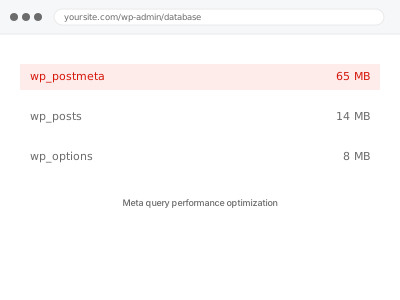
Queries filtering or sorting by custom field values (meta queries) can become genuinely slow as your content volume grows, since WordPress’s underlying meta table isn’t structured for efficient filtering by default — this optimises how those queries run, without changing what data they return.
Meta query performance optimization
Slow custom-field queries optimised — same results, just returned faster.
- Full backup taken before we start
- If we can’t fix it, you get your money back
- We never ask for your own password
What we need from you
- Access to identify the specific slow queries, or a description of which pages or features feel slow
- Database access sufficient to review and optimise query structure and indexing
- Confirmation of your hosting environment, since some optimisation approaches depend on server-level access
This or something else?
| Pages or features filtering or sorting by custom field values are running slowly | This fix covers it |
| You want a broader database cleanup, not specifically meta query performance | Database & Data Hygiene category fixes for a more general database health pass |
| The issue is a specific known query you want optimised, not a general performance concern | Still covered by this fix, treated as a targeted version of the same optimisation approach |
| Your whole site is generally slow, not specifically tied to meta queries | A broader Performance & Core Web Vitals diagnostic first, to confirm this is genuinely the bottleneck |
What we do
- Identify the specific slow queries filtering or sorting by custom field values
- Analyse query structure and current database indexing
- Optimise queries and add appropriate indexing where beneficial
- Consider restructuring data storage where a meta query approach is fundamentally inefficient for the use case
- Verify query performance improvement with real, representative data volume
- Confirm the optimisation doesn’t change what data the queries return, only how quickly
What is included
- Slow meta queries identified and optimised
- Appropriate database indexing added where beneficial
- Verified performance improvement with representative data
- Confirmation query results remain accurate and unchanged
Not included
- A broader database cleanup or maintenance pass, a separate, related fix
- Restructuring your entire data model, if the underlying custom field approach itself needs to be reconsidered — a larger, separate conversation
- Server-level hosting upgrades, if the bottleneck is genuinely hosting capacity rather than query efficiency
- Ongoing monitoring as your data volume continues to grow
Questions about this fix
Why are meta queries slower than regular WordPress queries?
WordPress's meta table structure (where custom field values are stored) isn't optimised for filtering the way core fields like post title or date are — as the table grows, queries filtering by meta values can require scanning far more data than a similarly-sized query using core fields.
Will this change what results my filtered or sorted pages show?
No, we verify results remain accurate and unchanged — this fix is specifically about how quickly the correct results are returned, not what those results actually are.
Is adding a database index always the right fix?
Not always — indexing helps in many cases but isn't universally the right approach for every kind of meta query, and can have its own trade-offs (like slightly slower writes); we'd apply it where it genuinely helps rather than as a blanket solution.
Could restructuring my data avoid this problem entirely?
In some cases, yes — if a particular piece of data is queried constantly by filter or sort, storing it in a more query-friendly way (like a custom table or a taxonomy) can be more efficient than a standard meta query, though that's a larger change worth discussing if the scale genuinely warrants it.
How much of a performance improvement can I realistically expect?
It depends heavily on your specific query patterns and data volume — we'd measure the actual improvement against your real data rather than promising a specific number upfront.
Related fixes
If this is the second time this year
A bad update breaking the site is a symptom of updates not being tested first. Care plans run every update on a staging clone before it reaches your live site, which is the actual fix for this happening again.
Your access, your rules
Create a separate admin account for us and delete it when we are done. For anything else, we get in touch and agree a method — never a form field on this site, never by reply to an email.
We back up first, always
Before anything is touched we take a full backup and keep it for 30 days. If a fix goes wrong, we put the site back exactly as it was.
If it is not what you bought
If the problem turns out smaller than what you ordered, we refund the difference. If it is bigger, we stop and send a quote before doing any extra work.
If we cannot fix it
You get back what we received. Diagnosis is on us — you only pay when the problem is actually solved. The payment processor takes its fee before the money reaches us, so we never hold it and it is not ours to return. That is true here as everywhere else.
If it comes back
Reply within seven days of delivery and we put it back on the bench at no cost. The fix is not finished until it holds.
What we are responsible for
If something goes wrong with a fix, our responsibility is limited to what you paid for it. We take a full backup first so mistakes can be undone, and we tell you before doing anything outside what you bought.