
Session recording and heatmap tools show you what GA4’s numbers can’t — where visitors actually move their cursor, where they get stuck, what they scroll past without engaging — and installing one is straightforward, but doing it without duplicating existing tracking or slowing the site down noticeably takes a bit more care than pasting in a script tag.
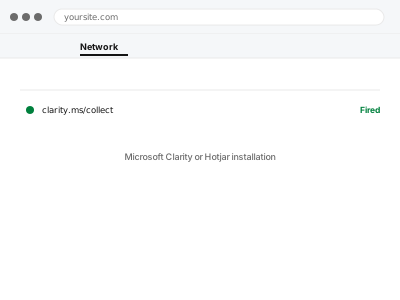
Microsoft Clarity or Hotjar installation
A session recording or heatmap tool installed cleanly, without duplicating tracking or slowing the site.
- Full backup taken before we start
- If we can’t fix it, you get your money back
- We never ask for your own password
What we need from you
- Which tool you’d like installed — Microsoft Clarity (free) or Hotjar
- Confirmation of any pages or sections you specifically want excluded, if any (a members area, for instance)
- Whether you already have an account with the chosen tool, or need one set up
This or something else?
| You want a session recording or heatmap tool installed for the first time | This fix covers it |
| You already have one installed and it’s not working correctly | A different, targeted diagnosis |
| You want this specifically routed through Google Tag Manager | This fix covers it; we can install via GTM if you use it |
| You’re looking for analytics numbers (visits, conversions), not visual recordings | GA4 property setup & WordPress connection instead |
What we do
- Set up an account with the chosen tool, if you don’t already have one
- Install the tracking script correctly, avoiding conflicts with existing tags
- Configure any page exclusions you’ve specified
- Confirm recordings or heatmaps are actually capturing data
- Check the installation isn’t measurably affecting page load performance
- Show you where to view your first recordings or heatmaps
What is included
- The chosen tool installed and confirmed capturing data
- Any specified page exclusions configured
- A performance check to confirm no meaningful slowdown
- A short guide to viewing your first results
Not included
- The tool’s own subscription cost, if choosing a paid Hotjar plan
- Interpreting recordings or heatmaps once they’re available
- Setting up both tools simultaneously, unless specifically requested
- Ongoing configuration as you refine what you want tracked
Questions about this fix
Which is better, Clarity or Hotjar?
Clarity is free with no meaningful limits and does most of what typical sites need; Hotjar's paid tiers add more advanced features some larger sites find worth paying for — we can advise based on what you're trying to learn.
Will this record sensitive information customers type, like passwords?
Both tools mask sensitive fields like password inputs by default, and we configure additional masking for anything else sensitive to your site specifically.
Does this slow my site down?
Both are built to be lightweight, and we specifically check page performance after installation to confirm there's no noticeable impact.
Can I see recordings of a specific visitor, like someone who complained about a bug?
Not by identifying an individual directly, since these tools don't tie recordings to personal identity by default — but filtering by behaviour (like an error occurring) can often surface a relevant session.
Is this GDPR compliant to just install?
Both tools offer privacy-conscious configurations, but whether your specific use is compliant depends on your consent setup too — worth pairing with proper cookie consent if you haven't already.
Related fixes
If this is the second time this year
A bad update breaking the site is a symptom of updates not being tested first. Care plans run every update on a staging clone before it reaches your live site, which is the actual fix for this happening again.
Your access, your rules
Create a separate admin account for us and delete it when we are done. For anything else, we get in touch and agree a method — never a form field on this site, never by reply to an email.
We back up first, always
Before anything is touched we take a full backup and keep it for 30 days. If a fix goes wrong, we put the site back exactly as it was.
If it is not what you bought
If the problem turns out smaller than what you ordered, we refund the difference. If it is bigger, we stop and send a quote before doing any extra work.
If we cannot fix it
You get back what we received. Diagnosis is on us — you only pay when the problem is actually solved. The payment processor takes its fee before the money reaches us, so we never hold it and it is not ours to return. That is true here as everywhere else.
If it comes back
Reply within seven days of delivery and we put it back on the bench at no cost. The fix is not finished until it holds.
What we are responsible for
If something goes wrong with a fix, our responsibility is limited to what you paid for it. We take a full backup first so mistakes can be undone, and we tell you before doing anything outside what you bought.