
Keeping plugin configuration consistent between a staging site and live, or between a development environment and production, means manually reproducing every setting change by hand unless something specifically exports and syncs that configuration, which is exactly the kind of tedious, error-prone task that quietly drifts out of sync the moment someone forgets a step. That drift tends to surface at the worst possible time too — you go to deploy something from staging to live, confident it’s been tested properly, only to discover the live environment’s plugin configuration never actually matched what you’d been testing against all along.
Not every setting should actually travel
Think about which specific plugins’ settings actually need to travel between environments, since not every plugin’s configuration is meaningful to sync — some settings are genuinely environment-specific and shouldn’t transfer at all.
Having a rough list ready, even incomplete, helps us scope this accurately from the start.
It’s also worth confirming which environment currently holds the settings you actually trust as correct, since that becomes the source of truth the sync works from. Getting that starting point right matters more than almost any other part of the process. Everything downstream depends on it being correct. Worth double-checking before proceeding. A wrong assumption here propagates through the entire sync. Better to confirm once than troubleshoot repeatedly afterward. A moment’s clarity here saves considerable back-and-forth later. It’s worth pausing on before we begin the actual export. A wrong assumption at this stage is the costliest one to make. Getting it right the first time avoids redoing the whole export.
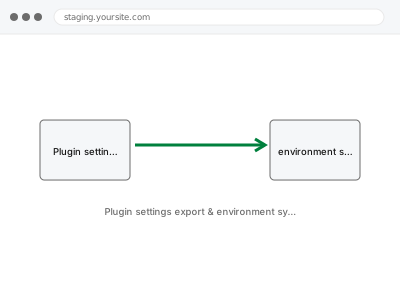
Plugin settings export & environment sync
Plugin settings exported from one environment and applied to another, so staging and live stay in sync without manually reconfiguring each one.
- Full backup taken before we start
- If we can’t fix it, you get your money back
- We never ask for your own password
What we need from you
- Which plugins’ settings need to be exported and synced between environments
- The specific environments involved — staging to live, or development to production
- Any settings you know should specifically not transfer, since they’re environment-specific
This or something else?
| You want plugin settings exported from one environment and applied to another | This fix covers it |
| You want a specific plugin scoped to load only on certain pages, not synced across environments | Selective plugin loading – scope to pages, a different service |
| You’re not sure which environment currently holds the correct, authoritative settings | Worth clarifying first; we can help establish that as part of scoping |
| You want a one-time export for backup purposes, not ongoing environment sync | This fix covers it; a one-time export is a valid, smaller scope too |
| Content, not plugin settings, needs to move between environments | A different, content-migration service |
What we do
- Identify which plugins’ settings are in scope and confirm the source of truth
- Export the relevant configuration from the source environment
- Apply it correctly to the destination environment, adjusting anything genuinely environment-specific
- Verify the destination environment’s plugins function correctly with the applied settings
- Document the process so it can be repeated consistently in future
- Confirm both environments are now aligned as intended
What is included
- Export and application of the specified plugin settings between environments
- Adjustment of genuinely environment-specific values where needed
- Verification that the destination environment functions correctly afterward
- Documentation of the process for repeatable future use
Not included
- Syncing content or database data beyond plugin configuration settings
- Ongoing, automated syncing without you initiating each transfer
- Resolving a plugin conflict discovered during the sync, which is a separate fix
- Scoping a plugin to load only on specific pages, which is a different service
Questions about this fix
Can this be set up to sync automatically going forward?
This specific service is a deliberate, one-time or as-needed transfer; a fully automated ongoing sync is a larger, separate piece of infrastructure work we can discuss if that's what you need.
What settings shouldn't transfer between environments?
Things like API keys tied to a specific environment, or caching settings tuned for one server's specific resources, often shouldn't transfer directly and need environment-specific values instead.
Will this work for any plugin, or only certain ones?
Most plugins store settings in a way that can be exported and applied, though some store configuration in less accessible ways that need a more manual approach.
What if staging and live have already drifted significantly apart?
We can still reconcile them, though a larger drift means more careful review of which environment's settings should actually win for each conflicting value.
Do I need technical access to both environments for this?
Yes, we'll need appropriate access to both the source and destination environments to perform the export and application correctly.
Related fixes
If this is the second time this year
A bad update breaking the site is a symptom of updates not being tested first. Care plans run every update on a staging clone before it reaches your live site, which is the actual fix for this happening again.
Your access, your rules
Create a separate admin account for us and delete it when we are done. For anything else, we get in touch and agree a method — never a form field on this site, never by reply to an email.
We back up first, always
Before anything is touched we take a full backup and keep it for 30 days. If a fix goes wrong, we put the site back exactly as it was.
If it is not what you bought
If the problem turns out smaller than what you ordered, we refund the difference. If it is bigger, we stop and send a quote before doing any extra work.
If we cannot fix it
You get back what we received. Diagnosis is on us — you only pay when the problem is actually solved. The payment processor takes its fee before the money reaches us, so we never hold it and it is not ours to return. That is true here as everywhere else.
If it comes back
Reply within seven days of delivery and we put it back on the bench at no cost. The fix is not finished until it holds.
What we are responsible for
If something goes wrong with a fix, our responsibility is limited to what you paid for it. We take a full backup first so mistakes can be undone, and we tell you before doing anything outside what you bought.