
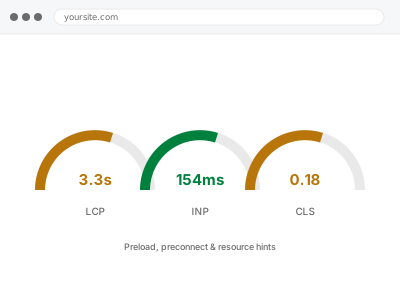
Resource hints tell the browser what it’s going to need before it’s formally requested — preconnect opens a connection to another server early, preload fetches a specific file ahead of when it’s discovered, and both are genuinely useful for the handful of resources that matter most on a page, and actively counterproductive if scattered across everything.
More hints isn’t better
Every preconnect and preload competes with the browser’s own natural prioritisation for early bandwidth and connection slots.
A page with a dozen preload tags doesn’t get a dozen things faster; it often gets the genuinely important ones slower, because they’re now competing with things that didn’t need to jump the queue in the first place.
This is one of the more counter-intuitive fixes in this bucket, since adding more of a good thing is usually the instinct, and here it’s precisely the opposite of what helps once you go past a small, deliberately chosen set.
Browsers also cap how many connections they’ll open at once, so a page full of preconnect hints doesn’t get more parallel capacity — it just spends that limited capacity on the wrong things, ahead of whatever the browser would otherwise have sensibly prioritised entirely on its own without any hints at all.
The right number tends to be small — often just one preconnect for a critical third-party origin and one preload for the true hero asset — which surprises people expecting a longer, more thorough-looking list of additions for their money — restraint here is genuinely the correct, deliberate outcome, not a sign that less thought or effort went into the page overall.
Third-party analytics and payment scripts are a common exception worth naming specifically: they’re frequently worth a preconnect even though they aren’t part of your own visible content, since the connection delay to reach them happens regardless of when the script itself actually runs.
Preload, preconnect & resource hints
You want the browser to fetch your most critical resources early, without scattering hints across everything and slowing the important ones down instead.
- Full backup taken before we start
- If we can’t fix it, you get your money back
- We never ask for your own password
What we need from you
- Confirmation of your most critical above-the-fold resources — hero image, main font, key script
- Any third-party domains your page connects to early (fonts, analytics, payment widgets)
- Whether you’ve previously added resource hints yourself, even informally
- Access to the theme or template files where these hints would be added
This or something else?
| No resource hints currently in place on key pages | This fix covers it |
| Resource hints already added but seemingly not helping, or making things worse | This fix covers it |
| Third-party connections (fonts, analytics) adding a visible early delay | This fix covers it |
| Render-blocking resources generally, not specifically about hints | Render-blocking CSS & JS resolution |
| Fonts specifically the concern | Font optimization & preloading |
What we do
- Identify the small number of resources genuinely critical to first render on each template
- Add preconnect for third-party domains contacted early in the page load
- Add preload only for the specific files that measurably benefit from it
- Remove or correct any existing hints that are competing with genuinely critical resources
- Test load timing to confirm hints are helping rather than crowding each other out
- Document what was added and why, so it isn’t duplicated or contradicted later
What is included
- Resource hints applied only where they provide a measurable benefit
- Existing hints reviewed and corrected if they were doing more harm than good
- Before-and-after load timing on the affected templates
- The pre-change backup, kept for 30 days
Not included
- General render-blocking resolution unrelated to resource hints specifically
- Font-specific optimisation, which is a separate, related fix
- Ongoing adjustment as third-party integrations change
- CDN or hosting-level configuration
Questions about this fix
Can adding too many resource hints actually slow a page down?
Yes, and it's a common mistake — each one claims early bandwidth and connection capacity that would otherwise go to the browser's own sensible prioritisation. A handful of well-chosen hints beats a page full of them.
What's the difference between preload and preconnect?
Preload fetches a specific file early; preconnect just opens a connection to a server early, without fetching anything yet. They solve different problems and are often used together for the same third-party resource.
I added preload tags myself and nothing changed. Why?
Often because the preloaded resource wasn't actually the bottleneck, or because too many were added and they're now competing with each other rather than helping. We measure rather than guess which resources are worth this treatment.
Does this help Core Web Vitals directly?
It can, particularly LCP, if the preloaded resource is your actual largest above-the-fold element. Applied to the wrong resource, it does little or nothing for the metric you're trying to improve.
Will this need revisiting if I change third-party tools later?
Yes — a new analytics tool or embedded widget introduces a new early connection that may be worth a preconnect, so this is worth a quick review whenever your third-party integrations change meaningfully.
Related fixes
If this is the second time this year
A bad update breaking the site is a symptom of updates not being tested first. Care plans run every update on a staging clone before it reaches your live site, which is the actual fix for this happening again.
Your access, your rules
Create a separate admin account for us and delete it when we are done. For anything else, we get in touch and agree a method — never a form field on this site, never by reply to an email.
We back up first, always
Before anything is touched we take a full backup and keep it for 30 days. If a fix goes wrong, we put the site back exactly as it was.
If it is not what you bought
If the problem turns out smaller than what you ordered, we refund the difference. If it is bigger, we stop and send a quote before doing any extra work.
If we cannot fix it
You get back what we received. Diagnosis is on us — you only pay when the problem is actually solved. The payment processor takes its fee before the money reaches us, so we never hold it and it is not ours to return. That is true here as everywhere else.
If it comes back
Reply within seven days of delivery and we put it back on the bench at no cost. The fix is not finished until it holds.
What we are responsible for
If something goes wrong with a fix, our responsibility is limited to what you paid for it. We take a full backup first so mistakes can be undone, and we tell you before doing anything outside what you bought.