
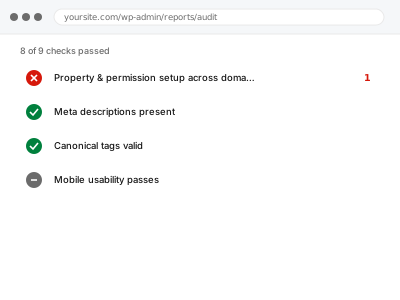
Search Console properties and their permissions need setting up correctly across every domain and subdomain you actually operate — a missing property means blind spots in your data, and a missing permission means someone who should have access doesn’t, or someone who shouldn’t still does.
Property & permission setup across domains
Search Console properties and permissions set up correctly across every domain you actually run.
- Full backup taken before we start
- If we can’t fix it, you get your money back
- We never ask for your own password
What we need from you
- A complete list of every domain and subdomain you operate that should be tracked
- Confirmation of who should have access, and at what permission level, for each property
- Google accounts for everyone who needs access
This or something else?
| You need Search Console properties and permissions set up correctly across multiple domains or subdomains | This fix covers it |
| You’re moving from one domain to another and need the change of address process handled | Change of address property migration |
| You already have properties set up but access itself isn’t the issue | A different, more specific fix — describe the actual problem to us directly |
| You want ongoing management of who has access as ownership changes over time | Outside this fix’s scope as a one-time setup — worth revisiting as your team changes |
What we do
- Confirm every domain and subdomain that should have a Search Console property
- Set up a domain-level property where appropriate, covering all subdomains and protocols in one view
- Verify ownership for each property using an appropriate method
- Configure permissions for each person who needs access, at the correct level
- Remove access for anyone who shouldn’t have it, where identified
- Document the final property and permission structure
What is included
- Search Console properties correctly set up across specified domains and subdomains
- Verified ownership for each property
- Permissions configured correctly for every specified user
- A written record of the final structure
Not included
- Ongoing management of access as your team changes over time
- Change of address migration between different domains, a separate, related fix
- Resolving data or reporting issues unrelated to property or permission setup
- Setting up properties for domains you don’t actually control or can’t verify
Questions about this fix
What's the difference between a domain property and a URL-prefix property?
A domain property covers all subdomains and both HTTP and HTTPS in a single view, which is generally the more complete option; a URL-prefix property is scoped more narrowly — we'd set up whichever, or both, genuinely fits your situation.
Why would I need separate properties for subdomains at all if I use a domain property?
With a domain property, you generally don't need separate ones for each subdomain, since it aggregates them — this is part of why we'd typically recommend it over managing several narrower properties individually.
What happens if someone who left the company still has access?
We'd identify and remove that access as part of this fix, which is exactly the kind of gap that accumulates unnoticed over time as a business changes without anyone specifically auditing Search Console access.
Can different people have different levels of access?
Yes, Search Console supports different permission levels (full access versus restricted access, for instance), and we'd configure each person according to what they actually need rather than defaulting everyone to the same level.
Do I need to redo this if I add a new subdomain later?
A new subdomain would need its own verification if you're not using a domain-level property that already covers it — worth flagging to us if you add a significant new subdomain later.
Related fixes
If this is the second time this year
A bad update breaking the site is a symptom of updates not being tested first. Care plans run every update on a staging clone before it reaches your live site, which is the actual fix for this happening again.
Your access, your rules
Create a separate admin account for us and delete it when we are done. For anything else, we get in touch and agree a method — never a form field on this site, never by reply to an email.
We back up first, always
Before anything is touched we take a full backup and keep it for 30 days. If a fix goes wrong, we put the site back exactly as it was.
If it is not what you bought
If the problem turns out smaller than what you ordered, we refund the difference. If it is bigger, we stop and send a quote before doing any extra work.
If we cannot fix it
You get back what we received. Diagnosis is on us — you only pay when the problem is actually solved. The payment processor takes its fee before the money reaches us, so we never hold it and it is not ours to return. That is true here as everywhere else.
If it comes back
Reply within seven days of delivery and we put it back on the bench at no cost. The fix is not finished until it holds.
What we are responsible for
If something goes wrong with a fix, our responsibility is limited to what you paid for it. We take a full backup first so mistakes can be undone, and we tell you before doing anything outside what you bought.