
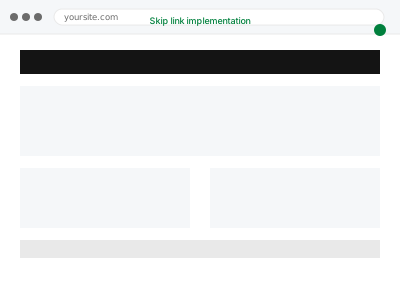
A skip link lets a keyboard or screen reader user jump directly to a page’s main content, bypassing repetitive navigation menus that would otherwise need to be tabbed through on every single page — a small, standard feature that makes a real, cumulative difference for anyone navigating without a mouse.
Skip link implementation
A skip-to-content link, so keyboard users aren't stuck tabbing through the same menu every page.
- Full backup taken before we start
- If we can’t fix it, you get your money back
- We never ask for your own password
What we need from you
- Access to the site’s header template for implementation
- Confirmation of what should be the skip destination (main content area, or a specific section)
- Confirmation of any existing skip link that might already be partially implemented
This or something else?
| Your site doesn’t have a working skip-to-content link for keyboard users | This fix covers it |
| You have a skip link but it’s not functioning correctly | Still covered by this fix, treated as a repair rather than a fresh implementation |
| You want broader keyboard navigation issues fixed, not just this specific feature | Keyboard navigation & focus order repair, the broader version |
| You want the visible focus indicator restored, a related but distinct fix | Focus visible & outline restoration |
What we do
- Implement a skip link appearing at the very start of keyboard/screen reader navigation
- Ensure it becomes visible when focused, even if hidden by default for sighted mouse users
- Link it correctly to jump to the main content area
- Verify it functions correctly using keyboard-only navigation
- Test that it doesn’t disrupt the page’s visual design for sighted users
- Check it works consistently across page templates
What is included
- A functioning skip-to-content link implemented sitewide
- Verified visibility when focused via keyboard
- Confirmed correct jump-to destination
- Testing across page templates for consistency
Not included
- Broader keyboard navigation fixes beyond this specific feature, a separate, related fix
- Visible focus indicator restoration, a separate, related fix
- Redesigning the page’s visual layout
- Ongoing maintenance as templates change significantly
Questions about this fix
Will this skip link be visible to regular, sighted visitors browsing normally?
Typically not by default — it's commonly hidden until a keyboard user tabs to it, at which point it becomes visible, which is standard, expected behaviour for this feature rather than something unusual.
Is one skip link enough, or do I need several for different sections?
A single skip-to-main-content link covers the most common, high-impact need; additional skip points for other repetitive sections can be added if your specific layout would genuinely benefit from them.
Why does this matter if my navigation menu isn't very long?
Even a modest navigation menu means repeating the same tab stops on every single page for a keyboard user — a skip link removes that repetition regardless of how long the menu actually is.
Will this work the same way across all my page templates?
We verify and implement it consistently across your different templates, since a skip link that works on some pages but not others would be an incomplete, inconsistent fix.
Is this something most accessible sites have?
Yes, it's a standard, widely expected feature and a specific, testable item in accessibility audits and legal complaints, making it a common and worthwhile baseline fix.
Related fixes
If this is the second time this year
A bad update breaking the site is a symptom of updates not being tested first. Care plans run every update on a staging clone before it reaches your live site, which is the actual fix for this happening again.
Your access, your rules
Create a separate admin account for us and delete it when we are done. For anything else, we get in touch and agree a method — never a form field on this site, never by reply to an email.
We back up first, always
Before anything is touched we take a full backup and keep it for 30 days. If a fix goes wrong, we put the site back exactly as it was.
If it is not what you bought
If the problem turns out smaller than what you ordered, we refund the difference. If it is bigger, we stop and send a quote before doing any extra work.
If we cannot fix it
You get back what we received. Diagnosis is on us — you only pay when the problem is actually solved. The payment processor takes its fee before the money reaches us, so we never hold it and it is not ours to return. That is true here as everywhere else.
If it comes back
Reply within seven days of delivery and we put it back on the bench at no cost. The fix is not finished until it holds.
What we are responsible for
If something goes wrong with a fix, our responsibility is limited to what you paid for it. We take a full backup first so mistakes can be undone, and we tell you before doing anything outside what you bought.