
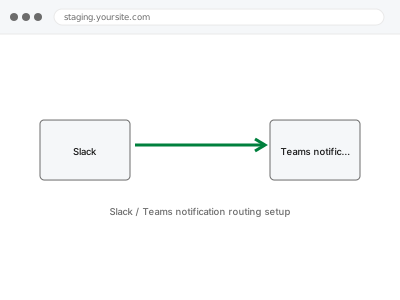
We configure notifications from your site — new orders, form submissions, error alerts — to route into the right Slack channel or Teams space, so your team sees what matters where they’re already working rather than needing to separately check email or the dashboard.
Slack / Teams notification routing setup
Site events routed into the right Slack channel or Teams space, not a flood into one place.
- Full backup taken before we start
- If we can’t fix it, you get your money back
- We never ask for your own password
What we need from you
- Access to your Slack workspace or Teams tenant to set up the integration
- Confirmation of which events should notify, and to which specific channel or space each should go
- Confirmation of any formatting or filtering preference, if you don’t want every single event notifying
This or something else?
| You want site events routed as notifications into Slack or Teams channels | This fix covers it |
| You want a live chat or helpdesk widget on your site instead, a different kind of integration | Live chat / helpdesk widget integration |
| You want error tracking specifically routed, a related but more specific concern | Error tracking (Sentry) integration, which can also route into Slack or Teams as part of its own setup |
| You want general email notification routing, not Slack or Teams specifically | Form notification routing configuration, in the Forms & Integrations category |
What we do
- Confirm which events should trigger a notification, and their destination channel or space
- Set up the integration between your site and Slack or Teams
- Configure formatting and filtering per your specified preferences
- Test each configured event with a real trigger
- Verify notifications arrive correctly formatted in the intended destination
- Document the configuration for future reference
What is included
- Site events routed correctly to specified Slack or Teams destinations
- Formatting and filtering configured per your preferences
- Tested confirmation with real trigger events
- A written note on the configuration
Not included
- Setting up your Slack workspace or Teams tenant itself, if you don’t already have one
- Live chat or helpdesk widget integration, a separate, related fix
- Broader error tracking setup beyond routing its alerts, a separate, related fix if not already in place
- Ongoing adjustment as your team’s channel structure changes
Questions about this fix
Can different types of events go to different channels?
Yes, if you specify which event should route where (new orders to a sales channel, errors to a technical channel, for instance), we'd configure that routing accordingly.
Will this flood our channel with too many notifications?
We can configure filtering so only genuinely significant events notify, rather than every minor site activity — worth telling us your tolerance so we can tune this appropriately.
Does this work the same way for Slack and Microsoft Teams?
The underlying goal is the same, though the specific technical setup differs between the two platforms — we'd configure whichever you use, or both if you need coverage across both.
Can I change which channel receives notifications later myself?
Depending on how it's configured, this is sometimes something you can adjust yourself afterward — we can document how, or handle changes as a small, separate update.
Will this affect performance on my site?
Notification routing typically runs as a lightweight background process and shouldn't cause any noticeable impact on your site's performance for visitors.
Related fixes
If this is the second time this year
A bad update breaking the site is a symptom of updates not being tested first. Care plans run every update on a staging clone before it reaches your live site, which is the actual fix for this happening again.
Your access, your rules
Create a separate admin account for us and delete it when we are done. For anything else, we get in touch and agree a method — never a form field on this site, never by reply to an email.
We back up first, always
Before anything is touched we take a full backup and keep it for 30 days. If a fix goes wrong, we put the site back exactly as it was.
If it is not what you bought
If the problem turns out smaller than what you ordered, we refund the difference. If it is bigger, we stop and send a quote before doing any extra work.
If we cannot fix it
You get back what we received. Diagnosis is on us — you only pay when the problem is actually solved. The payment processor takes its fee before the money reaches us, so we never hold it and it is not ours to return. That is true here as everywhere else.
If it comes back
Reply within seven days of delivery and we put it back on the bench at no cost. The fix is not finished until it holds.
What we are responsible for
If something goes wrong with a fix, our responsibility is limited to what you paid for it. We take a full backup first so mistakes can be undone, and we tell you before doing anything outside what you bought.