
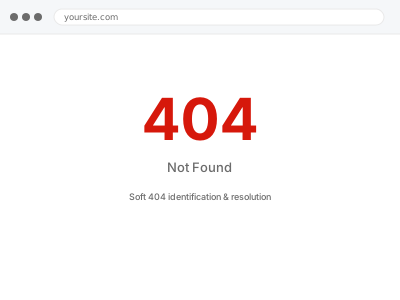
A soft 404 is a page that returns a normal “success” response to search engines while actually showing an empty, broken, or “not found”-style message to visitors — which confuses crawlers into treating a genuinely broken page as valid content, sometimes leaving it indexed and appearing in search results as if it were a real, working page.
Check whether a suspect page’s server response actually matches what it shows
Open a page you suspect is a soft 404 and check its HTTP response using your browser’s developer tools (the Network tab shows the status code). A page displaying “not found” or empty content while returning a 200 status confirms this specifically, rather than a correctly configured, genuine 404.
Soft 404 identification & resolution
A page reporting success while showing nothing — the status code corrected to match reality.
- Full backup taken before we start
- If we can’t fix it, you get your money back
- We never ask for your own password
This or something else?
| Search Console is flagging soft 404 errors, or you suspect a page returns success while showing broken content | This fix covers it |
| The page correctly returns a proper 404 status but you want it redirected somewhere useful | 404 mapping & redirect implementation, a different, related fix |
| You want broader indexation issues checked, not just soft 404s specifically | Indexation audit & remediation report |
| The page shows an actual error to visitors and returns the correct error status too | Not a soft 404 — worth describing the actual issue directly instead |
What you are seeing
- Search Console flagging specific URLs as soft 404 errors
- Pages showing empty, broken, or “not found”-style content while technically returning a success response
- These pages possibly still appearing in search results despite being effectively broken
- The issue possibly stemming from a specific plugin, template, or content type
Common causes
- A deleted product or post’s page still returning a 200 status instead of a proper 404
- A page template rendering an empty state without also setting the correct HTTP status code
- A search or filter results page showing “no results” while still returning success
- A misconfigured redirect resulting in a technically successful but practically empty destination page
- A caching layer serving a cached success response for a page that would otherwise correctly return a 404 if generated fresh
What we do
- Identify every page flagged or suspected as a soft 404
- Determine the correct handling for each — a proper 404, a redirect, or restoring the missing content
- Implement the correct HTTP status code where a genuine 404 or redirect is appropriate
- Verify the corrected response matches what the page actually shows
- Test using Search Console’s URL Inspection tool
- Monitor for the soft 404 flags clearing over time
What is included
- Soft 404 pages identified and corrected with the appropriate HTTP response
- Verified alignment between what a page shows and what it reports
- Testing via Search Console’s URL Inspection tool
- The pre-fix backup, kept for 30 days
Not included
- Restoring content that’s genuinely and intentionally been removed
- 404 mapping and redirect implementation for pages that are correctly returning proper 404s already, a separate, related fix
- A broader indexation audit beyond soft 404s specifically
- Ongoing monitoring for new soft 404s as content is added or removed
Questions about this fix
Why does this matter if visitors and search engines both eventually see the page is basically empty?
The specific problem is the mismatch — a crawler treats a 200 status as "this is valid content worth indexing," so an effectively empty page reporting success can end up ranked or shown in results in a way a properly coded 404 wouldn't.
How would I know if I have soft 404s without checking Search Console?
Search Console's coverage report specifically flags these, which is usually the fastest way to discover them — they're not something you'd typically notice just browsing your own site normally.
Is this the same thing as a broken link?
Related but different — a broken link points to something that doesn't exist; a soft 404 is about a page that does technically load but returns the wrong status code for what it's actually showing.
Should every deleted page redirect somewhere, or is a proper 404 sometimes correct?
A proper 404 is entirely correct when content is genuinely gone with no relevant replacement — redirecting everything indiscriminately to your homepage, for instance, is its own bad practice, not automatically better than an honest 404.
Will fixing this improve my search rankings?
It removes a technical inconsistency that can confuse how search engines evaluate the affected pages, which is a reasonable, if modest, contributor to overall site quality rather than a dramatic ranking factor on its own.
Related fixes
If this is the second time this year
A bad update breaking the site is a symptom of updates not being tested first. Care plans run every update on a staging clone before it reaches your live site, which is the actual fix for this happening again.
Your access, your rules
Create a separate admin account for us and delete it when we are done. For anything else, we get in touch and agree a method — never a form field on this site, never by reply to an email.
We back up first, always
Before anything is touched we take a full backup and keep it for 30 days. If a fix goes wrong, we put the site back exactly as it was.
If it is not what you bought
If the problem turns out smaller than what you ordered, we refund the difference. If it is bigger, we stop and send a quote before doing any extra work.
If we cannot fix it
You get back what we received. Diagnosis is on us — you only pay when the problem is actually solved. The payment processor takes its fee before the money reaches us, so we never hold it and it is not ours to return. That is true here as everywhere else.
If it comes back
Reply within seven days of delivery and we put it back on the bench at no cost. The fix is not finished until it holds.
What we are responsible for
If something goes wrong with a fix, our responsibility is limited to what you paid for it. We take a full backup first so mistakes can be undone, and we tell you before doing anything outside what you bought.