
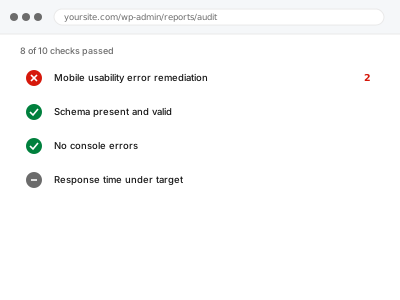
Google evaluates mobile usability separately from desktop, and specific errors — text too small to read without zooming, clickable elements placed too close together, content wider than the screen — can affect how your pages are treated in search, particularly given how much search traffic now comes from mobile devices in the first place.
Check Search Console’s Mobile Usability report for specific flagged errors
In Search Console, look under the Mobile Usability report for specific, named issues rather than a general “problems found” summary. Each listed error type points at a distinct, fixable cause, which is more useful than trying to spot mobile issues by eye across every page.
Mobile usability error remediation
Specific, named mobile usability errors from Search Console, fixed one by one.
- Full backup taken before we start
- If we can’t fix it, you get your money back
- We never ask for your own password
This or something else?
| Search Console is flagging specific mobile usability errors | This fix covers it |
| You want a broader Core Web Vitals report, not specifically mobile usability errors | Core Web Vitals report from Search Console data |
| The issue is your site generally not looking right on mobile, beyond what Search Console specifically flags | A broader responsive design fix, worth describing the visual issue directly |
| You suspect JavaScript-hidden content, not a mobile display issue specifically | Server-side rendering check for JS-hidden content |
What you are seeing
- Search Console’s Mobile Usability report listing specific, named errors
- Text or elements appearing too small or too close together on mobile devices when tested manually
- Content extending beyond the mobile viewport width
- The errors possibly concentrated on specific templates or page types
Common causes
- A theme or template not properly implementing a responsive viewport
- Interactive elements (buttons, links) placed too closely together for reliable mobile tapping
- Text sized in a way that renders too small on mobile without an explicit, appropriate mobile font size
- Fixed-width elements (like an embedded table or image) forcing horizontal scrolling on mobile
- A plugin or widget adding content that doesn’t adapt correctly to mobile viewports
What we do
- Review each specific error type flagged in Search Console
- Identify the exact template or element causing each issue
- Correct the underlying responsive design or sizing issue
- Verify the fix across a range of actual mobile device sizes, not just one
- Re-test using Search Console’s Mobile-Friendly Test tool
- Confirm errors clear in Search Console’s own reporting over time
What is included
- Specific mobile usability errors identified and corrected
- Verified fixes tested across a range of mobile device sizes
- Testing via Google’s Mobile-Friendly Test tool
- The pre-fix backup, kept for 30 days
Not included
- A full mobile redesign, if the underlying issue is more extensive than specific, correctable errors
- Core Web Vitals or page speed issues, a separate, related report and fix
- Fixing an unrelated visual issue not specifically flagged as a mobile usability error
- Ongoing monitoring as new content or templates are added
Questions about this fix
How much does mobile usability actually matter for my search rankings?
Given how much search traffic comes from mobile devices, Google places real weight on mobile experience, and unresolved usability errors can meaningfully affect how your pages are evaluated, particularly relative to competitors without the same issues.
Why would this only show up in Search Console and not when I look at my site on my own phone?
Search Console tests against a broader range of conditions and device sizes than a single manual check on your own phone, and an issue might only manifest at a specific viewport width you didn't happen to test.
Will fixing these errors change how my site looks on desktop?
No, mobile usability fixes specifically target how content renders on smaller viewports — a properly implemented fix shouldn't affect your desktop appearance at all.
Is this related to Core Web Vitals, or a completely separate thing?
Related but distinct — Core Web Vitals measures loading performance and visual stability; mobile usability specifically checks whether content is genuinely usable at mobile sizes, which is a different, if complementary, concern.
How long does it take for Search Console to reflect that errors have been fixed?
Google needs to re-crawl and re-evaluate the affected pages, which can take some time after a fix is deployed — the underlying fix takes effect immediately, but the reporting itself lags behind actual re-crawling.
Related fixes
If this is the second time this year
A bad update breaking the site is a symptom of updates not being tested first. Care plans run every update on a staging clone before it reaches your live site, which is the actual fix for this happening again.
Your access, your rules
Create a separate admin account for us and delete it when we are done. For anything else, we get in touch and agree a method — never a form field on this site, never by reply to an email.
We back up first, always
Before anything is touched we take a full backup and keep it for 30 days. If a fix goes wrong, we put the site back exactly as it was.
If it is not what you bought
If the problem turns out smaller than what you ordered, we refund the difference. If it is bigger, we stop and send a quote before doing any extra work.
If we cannot fix it
You get back what we received. Diagnosis is on us — you only pay when the problem is actually solved. The payment processor takes its fee before the money reaches us, so we never hold it and it is not ours to return. That is true here as everywhere else.
If it comes back
Reply within seven days of delivery and we put it back on the bench at no cost. The fix is not finished until it holds.
What we are responsible for
If something goes wrong with a fix, our responsibility is limited to what you paid for it. We take a full backup first so mistakes can be undone, and we tell you before doing anything outside what you bought.