
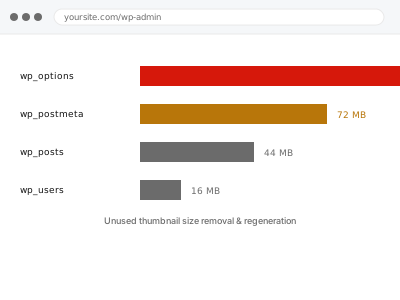
Every image upload generates a full set of thumbnail sizes based on what’s currently registered, and as themes and plugins change over a site’s lifetime, some of those registered sizes stop being used anywhere while WordPress keeps dutifully generating them for every single new upload, quietly multiplying wasted storage with each image added. This compounds in a way that’s easy to underestimate — a single unnecessary thumbnail size might be a modest amount of extra storage per image, but multiplied across every photo you’ve ever uploaded and every one you’ll upload going forward, it becomes a genuinely meaningful, ongoing cost that never stops accumulating on its own.
Count the image sizes generated per upload
Upload a test image and check your Media Library’s file details, or the uploads folder directly if you have access, to see how many separate thumbnail sizes were actually generated for it. Delete the test image once you’ve counted — it’s only there for the count.
A surprisingly high number, especially compared to how many distinct image display styles your current theme actually uses, is a reasonable sign there’s real cleanup value here.
It’s also worth thinking about how many different themes your site has used over its lifetime, since each one likely registered its own set of sizes, some of which may no longer be read by anything currently active. The more themes in that history, the more likely this has accumulated unnoticed. None of it shows up anywhere unless someone specifically goes looking. That invisibility is exactly why it tends to persist indefinitely. Nothing about normal day-to-day site use would ever surface it on its own. It takes a deliberate look at the uploads folder to notice at all. Most site owners simply never have reason to check. It sits quietly outside the normal course of managing a site. Nobody stumbles onto it by accident. A deliberate check is genuinely the only way it gets noticed.
Unused thumbnail size removal & regeneration
WordPress generates thumbnail sizes your theme no longer uses, wasting storage on every image. We remove the unused sizes and regenerate cleanly.
- Full backup taken before we start
- If we can’t fix it, you get your money back
- We never ask for your own password
This or something else?
| Unused thumbnail sizes are being generated for every image, wasting storage | This fix covers it |
| Existing images are distorted or the wrong proportions, not simply excess sizes | Image dimension & aspect ratio correction, a different fix |
| You want duplicate image files removed, not unused thumbnail sizes | Duplicate media detection & removal, a different service |
| You want files with no current usage anywhere identified, not just extra sizes | Orphaned media cleanup & thumbnail regeneration, a different service |
| You’re not sure how many thumbnail sizes your site currently generates | This fix covers it; we confirm that as the first step |
What we do
- Identify every thumbnail size currently registered by your theme and active plugins
- Determine which sizes are genuinely still used somewhere and which are not
- Deregister unused sizes so future uploads stop generating them unnecessarily
- Remove existing unused thumbnail files already sitting in storage
- Verify all currently-used image displays continue to render correctly
- Report the storage space recovered and confirm nothing in use was affected
What is included
- Identification and deregistration of genuinely unused thumbnail sizes
- Removal of existing unused thumbnail files from storage
- Verification that currently-used image displays are unaffected
- A written report of the storage space recovered
Not included
- Correcting images that display with the wrong aspect ratio or distortion
- Removing duplicate image files, which is a separate, related service
- Cleaning up media files with no usage anywhere, which is a separate service
- Ongoing adjustment as your theme or plugins change registered sizes in future
Questions about this fix
Will deregistering a size delete images I'm currently using at that size?
No — we only remove thumbnail sizes confirmed to have no current usage; anything actively displayed anywhere keeps its corresponding thumbnail intact.
How much storage does this typically recover?
It varies with how many images you have and how many unused sizes have accumulated, but on an image-heavy site with a long history, it's often meaningfully significant.
Will this affect images I upload after the cleanup?
Yes, in a good way — future uploads will only generate the sizes genuinely still needed, rather than continuing to waste storage on sizes nothing uses.
Does this affect my site's appearance at all?
No — the entire point is removing genuinely unused sizes while leaving every currently-displayed image exactly as it appears now.
Why does WordPress generate sizes nobody uses in the first place?
Themes and plugins register sizes for their own purposes, and switching themes or plugins over time leaves old registrations behind unless something specifically cleans them up, which WordPress doesn't do automatically.
Related fixes
If this is the second time this year
A bad update breaking the site is a symptom of updates not being tested first. Care plans run every update on a staging clone before it reaches your live site, which is the actual fix for this happening again.
Your access, your rules
Create a separate admin account for us and delete it when we are done. For anything else, we get in touch and agree a method — never a form field on this site, never by reply to an email.
We back up first, always
Before anything is touched we take a full backup and keep it for 30 days. If a fix goes wrong, we put the site back exactly as it was.
If it is not what you bought
If the problem turns out smaller than what you ordered, we refund the difference. If it is bigger, we stop and send a quote before doing any extra work.
If we cannot fix it
You get back what we received. Diagnosis is on us — you only pay when the problem is actually solved. The payment processor takes its fee before the money reaches us, so we never hold it and it is not ours to return. That is true here as everywhere else.
If it comes back
Reply within seven days of delivery and we put it back on the bench at no cost. The fix is not finished until it holds.
What we are responsible for
If something goes wrong with a fix, our responsibility is limited to what you paid for it. We take a full backup first so mistakes can be undone, and we tell you before doing anything outside what you bought.