
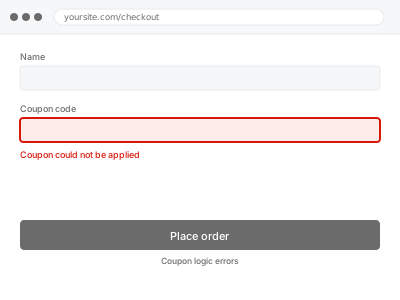
Coupon rules stack, and WooCommerce applies all of them at once. A coupon with a minimum spend, a product restriction, an exclusion and a usage limit has four conditions that must all pass — and the message a customer sees rarely says which one failed. Most coupon problems are a restriction nobody remembered setting.
Before you buy, one quick look
Read-only. Open the coupon in the admin and go through all three tabs — General, Usage restriction and Usage limits.
Look particularly at minimum spend, excluded products, excluded sale items, and allowed emails. Those four cause most refusals, and one of them is often set from a campaign long finished.
If everything looks right and it still fails, that is the case this fix is built for.
Coupon logic errors
Coupons apply when they should not, or refuse to apply when they should. We work through the restriction logic and make them behave as intended.
- Full backup taken before we start
- If we can’t fix it, you get your money back
- We never ask for your own password
This or something else?
| Coupon refuses to apply | This fix covers it |
| Coupon applies when it should not | This fix covers it |
| Discount amount is wrong | This fix covers it |
| Multiple coupons stacking wrongly | This fix covers it |
| Coupon field missing entirely | Guest checkout and account configuration |
What you are seeing
- A coupon rejected with a generic error message
- A discount applying to products it should exclude
- The wrong amount discounted
- Coupons working for some customers and not others
- Coupons stacking when they were meant to be exclusive
Common causes
- A minimum or maximum spend that the cart does not meet
- Excluded products or categories broader than intended
- Exclude sale items ticked, silently blocking most of the catalogue
- Usage limits already reached, per coupon or per customer
- Individual use only interacting badly with automatic discounts
What we do
- Take a full backup before touching anything
- Reproduce the failure with a cart that should qualify
- Work through every restriction to find which one is blocking
- Correct the rules to match what you actually intend
- Check interactions with other coupons and automatic discounts
- Test qualifying and non-qualifying carts to confirm both behave
What is included
- Coupons behaving as intended, tested both ways
- A note explaining which restriction was causing it
- Interactions with other discounts checked
- The pre-fix backup, kept for 30 days
Not included
- Designing your promotional strategy or advising on discount levels
- Building custom discount logic beyond what WooCommerce supports
- Bulk coupon generation, which we quote separately
- Design changes or content work
Questions about this fix
The error just says the coupon is invalid. Which rule failed?
WooCommerce deliberately does not say, to avoid revealing your rules to customers probing them. We test against each restriction in turn to find it, which is exactly why this is worth paying for rather than guessing.
It works for me but not for a customer.
Usually a per-customer usage limit, an allowed-emails restriction, or the customer's cart genuinely not qualifying. All three look identical from the outside and are quick to distinguish from the inside.
Can I have coupons that stack sometimes?
Yes, within limits. Individual use only makes a coupon exclusive, and the interaction between that and automatic discounts is where most stacking problems come from. We configure it to match your intent.
Excluding sale items blocks nearly everything. Is that normal?
It is a common trap. If most of your catalogue has a sale price set — even an old one nobody removed — that single tick makes the coupon nearly useless. It is one of the first things we check.
Can a coupon fail because of the customer's account, not the coupon itself?
Yes — a per-customer usage limit or an email restriction on the coupon can reject a specific person while it works for everyone else, which looks identical to a broken coupon from the outside.
Related fixes
If this is the second time this year
A bad update breaking the site is a symptom of updates not being tested first. Care plans run every update on a staging clone before it reaches your live site, which is the actual fix for this happening again.
Your access, your rules
Create a separate admin account for us and delete it when we are done. For anything else, we get in touch and agree a method — never a form field on this site, never by reply to an email.
We back up first, always
Before anything is touched we take a full backup and keep it for 30 days. If a fix goes wrong, we put the site back exactly as it was.
If it is not what you bought
If the problem turns out smaller than what you ordered, we refund the difference. If it is bigger, we stop and send a quote before doing any extra work.
If we cannot fix it
You get back what we received. Diagnosis is on us — you only pay when the problem is actually solved. The payment processor takes its fee before the money reaches us, so we never hold it and it is not ours to return. That is true here as everywhere else.
If it comes back
Reply within seven days of delivery and we put it back on the bench at no cost. The fix is not finished until it holds.
What we are responsible for
If something goes wrong with a fix, our responsibility is limited to what you paid for it. We take a full backup first so mistakes can be undone, and we tell you before doing anything outside what you bought.