
When appointment confirmation or reminder emails stop sending — to you, to the customer, or both — the booking itself is usually still recorded correctly, which means this is specifically an email delivery problem layered on top of an otherwise working booking system, not a booking system failure itself.
Confirm the booking itself saved correctly before assuming it’s a notification issue
Check your admin booking list for the specific appointment in question. If it’s there correctly, the booking system itself is working, and the problem is specifically in the notification step that should follow — a genuinely different, more contained kind of issue.
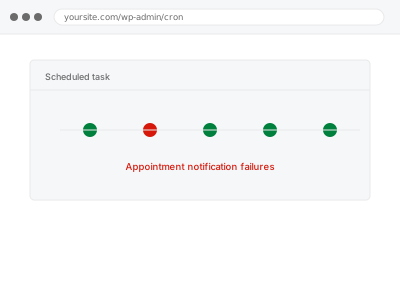
Appointment notification failures
Bookings saving correctly but confirmations not sending — the notification step, not the booking.
- Full backup taken before we start
- If we can’t fix it, you get your money back
- We never ask for your own password
This or something else?
| Bookings are being recorded correctly but confirmation or reminder emails aren’t sending | This fix covers it |
| Bookings themselves aren’t saving correctly, not just notifications | Booking calendar availability errors, or a different diagnostic fix depending on the exact symptom |
| Notifications send but land in spam | Worth checking Email & Deliverability category fixes, a related but distinct concern |
| You want notification routing reconfigured, not a failure diagnosed | Form notification routing configuration, in the Content & Updates bucket, if that’s more precisely your need |
What you are seeing
- Confirmed bookings with no corresponding confirmation email sent
- Reminder emails not arriving ahead of the scheduled appointment
- The issue possibly affecting only the customer notification, or only the internal one, not both
- No error visible in the booking process itself
Common causes
- A notification trigger not correctly configured to fire after a successful booking
- An email template referencing a field that’s empty or incorrectly formatted, causing silent failure
- A conflict between the booking plugin’s notification system and your site’s broader email configuration
- A scheduled reminder relying on a cron job that isn’t running correctly
- A spam filter or security plugin blocking this specific notification’s sender address or content pattern while other site email sends normally
What we do
- Confirm the booking itself is recording correctly
- Identify exactly which notification (confirmation, reminder, internal) is failing
- Check the trigger, template, and underlying email sending mechanism
- Correct the identified cause
- Test with a real booking to confirm notifications now send correctly
- Verify both customer and internal notifications work as intended
What is included
- The specific notification failure identified and corrected
- Verified working notifications with a real test booking
- Confirmation of both customer and internal notification paths
- The pre-fix backup, kept for 30 days
Not included
- Fixing an underlying booking recording issue, if that turns out to be the actual, separate problem
- Broader email deliverability issues (landing in spam), a separate, related fix
- Reconfiguring notification routing or recipients as a preference change, a separate, related fix
- Ongoing monitoring for future notification failures
Questions about this fix
How do I know if this is a notification issue versus a booking issue?
Checking whether the booking itself appears correctly in your admin list is the fastest way to tell — if it's there, the booking system worked, and the problem is specifically in the notification step that follows.
Could this affect just the reminder emails but not the initial confirmation?
Yes, since these are often triggered by different mechanisms (an immediate trigger versus a scheduled one) — one can fail while the other works perfectly fine.
Will this fix email deliverability issues too, like landing in spam?
No, that's a separate, related concern about how mail servers evaluate your outgoing email — this fix addresses whether the notification is actually being triggered and sent at all.
What if only some customers report not receiving confirmations?
Worth checking if there's a pattern (a specific email provider, a specific booking type) — an inconsistent rather than universal failure often points to a different, more specific cause than a fully broken trigger.
Is a cron job really involved in something like appointment reminders?
Yes, if reminders are meant to send ahead of the actual appointment time rather than immediately, that typically relies on a scheduled task checking for upcoming appointments, which needs to be running correctly for reminders to go out on time.
Related fixes
If this is the second time this year
A bad update breaking the site is a symptom of updates not being tested first. Care plans run every update on a staging clone before it reaches your live site, which is the actual fix for this happening again.
Your access, your rules
Create a separate admin account for us and delete it when we are done. For anything else, we get in touch and agree a method — never a form field on this site, never by reply to an email.
We back up first, always
Before anything is touched we take a full backup and keep it for 30 days. If a fix goes wrong, we put the site back exactly as it was.
If it is not what you bought
If the problem turns out smaller than what you ordered, we refund the difference. If it is bigger, we stop and send a quote before doing any extra work.
If we cannot fix it
You get back what we received. Diagnosis is on us — you only pay when the problem is actually solved. The payment processor takes its fee before the money reaches us, so we never hold it and it is not ours to return. That is true here as everywhere else.
If it comes back
Reply within seven days of delivery and we put it back on the bench at no cost. The fix is not finished until it holds.
What we are responsible for
If something goes wrong with a fix, our responsibility is limited to what you paid for it. We take a full backup first so mistakes can be undone, and we tell you before doing anything outside what you bought.