
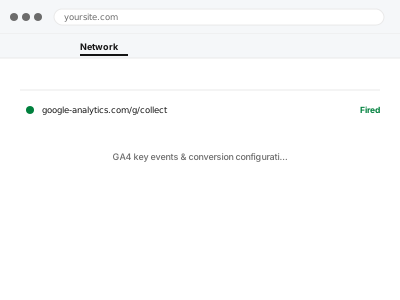
GA4 tracks events by default, but knowing which ones actually matter to your business — a form submission, a specific page reached, a purchase — has to be configured deliberately as a “key event” (what GA4 calls conversions), or your reports show activity without ever telling you which of it actually mattered.
Choosing what counts as a conversion is a business decision, not a technical one
We can configure anything technically, but deciding which events genuinely represent success for your site — a completed purchase, a phone number click, a specific page view — is something only you can define correctly; we’ll ask directly rather than guess.
GA4 key events & conversion configuration
The events that actually matter to your business marked as GA4 key events, not just tracked as generic activity.
- Full backup taken before we start
- If we can’t fix it, you get your money back
- We never ask for your own password
What we need from you
- Which actions on your site actually represent success or value to you
- Whether these already exist as events in GA4, or need to be created
- Access to the GA4 property with sufficient permission to mark key events
This or something else?
| You want specific actions marked and tracked as GA4 key events | This fix covers it |
| GA4 itself isn’t connected yet | GA4 property setup & WordPress connection, needed first |
| You want ecommerce purchases tracked specifically | WooCommerce GA4 ecommerce tracking setup |
| You want Google Ads conversion tracking, not just GA4 | Google Ads conversion tag implementation, related but distinct |
What we do
- Confirm which existing events, if any, already capture the actions you’ve specified
- Set up new event tracking for anything not currently captured
- Mark the appropriate events as key events (conversions) in GA4
- Verify each key event fires correctly using DebugView
- Confirm the events appear correctly in GA4’s own conversion reporting
- Document what’s tracked and why, for future reference
What is included
- Key events configured and firing correctly for the actions you specified
- Verification via DebugView before considering it complete
- Confirmed visibility in GA4’s conversion reports
- A written note on what’s tracked as a key event and why
Not included
- Setting up GA4 itself if it isn’t already connected, a separate fix
- Ecommerce-specific purchase tracking, its own dedicated fix
- Ongoing adjustment as your definition of a conversion changes over time
- Interpreting or analysing your conversion data once it’s flowing
Questions about this fix
How many key events can I set up?
GA4 allows a generous number, more than most sites need — the harder part is usually deciding which few actually matter, not hitting a technical limit.
Can I add more key events myself later?
Yes, once existing events are set up, marking an additional one as a key event is a straightforward GA4 setting we can show you how to do yourself.
What if I'm not sure what actually counts as success for my site?
That's a genuinely common starting point — we can walk through what's typically meaningful for a site like yours and help you decide, rather than needing you to arrive with a fixed list.
Does this connect to Google Ads automatically?
Not automatically — if you want these conversions available for ad bidding or reporting in Google Ads, that's a separate connection we can set up alongside this.
Will old data be reclassified once I mark something as a key event?
Key event status applies from the point you mark it going forward — GA4 doesn't retroactively reclassify historical event data.
Related fixes
If this is the second time this year
A bad update breaking the site is a symptom of updates not being tested first. Care plans run every update on a staging clone before it reaches your live site, which is the actual fix for this happening again.
Your access, your rules
Create a separate admin account for us and delete it when we are done. For anything else, we get in touch and agree a method — never a form field on this site, never by reply to an email.
We back up first, always
Before anything is touched we take a full backup and keep it for 30 days. If a fix goes wrong, we put the site back exactly as it was.
If it is not what you bought
If the problem turns out smaller than what you ordered, we refund the difference. If it is bigger, we stop and send a quote before doing any extra work.
If we cannot fix it
You get back what we received. Diagnosis is on us — you only pay when the problem is actually solved. The payment processor takes its fee before the money reaches us, so we never hold it and it is not ours to return. That is true here as everywhere else.
If it comes back
Reply within seven days of delivery and we put it back on the bench at no cost. The fix is not finished until it holds.
What we are responsible for
If something goes wrong with a fix, our responsibility is limited to what you paid for it. We take a full backup first so mistakes can be undone, and we tell you before doing anything outside what you bought.