
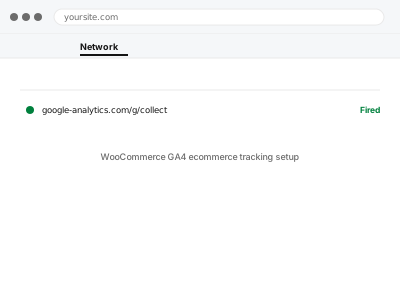
GA4’s ecommerce reports — product views, add-to-carts, checkout steps, purchases — depend on a specific data structure being sent for each of those actions, which doesn’t happen automatically just because GA4 is installed; WooCommerce and GA4 need to be deliberately connected through this specific ecommerce tracking layer.
Why “GA4 is installed” doesn’t mean ecommerce data is tracked
Standard GA4 installation tracks pageviews and basic events, but the specific ecommerce events GA4’s own reports expect — view_item, add_to_cart, purchase, and others, each with the right product data attached — need a deliberate integration between WooCommerce and GA4, which is a distinct, additional piece of setup.
WooCommerce GA4 ecommerce tracking setup
Real WooCommerce ecommerce events — views, carts, purchases — connected to GA4's reports properly.
- Full backup taken before we start
- If we can’t fix it, you get your money back
- We never ask for your own password
What we need from you
- Confirmation that basic GA4 tracking is already working correctly
- Whether you use Google Tag Manager, or want a direct plugin-based integration
- Any specific ecommerce reports or metrics you particularly care about
This or something else?
| Basic GA4 works but WooCommerce ecommerce events aren’t tracking | This fix covers it |
| GA4 itself isn’t connected at all | GA4 property setup & WordPress connection, needed first |
| You want specific custom events tracked, not standard ecommerce ones | Event tracking for forms & CTAs, or key event configuration |
| You want Google Ads to see these conversions, not just GA4 | Google Ads conversion tag implementation, a related fix |
What we do
- Confirm basic GA4 tracking is already functioning correctly as a foundation
- Set up ecommerce event tracking for the standard WooCommerce customer journey
- Configure product data to pass through correctly with each event
- Test each ecommerce event using DebugView with real test actions
- Confirm purchase data appears correctly in GA4’s ecommerce reports
- Verify enhanced ecommerce reports populate as expected
What is included
- Ecommerce events configured across the full purchase journey
- Verified product data passing correctly with each event
- Confirmed purchase tracking working with real test transactions
- A written note on what’s tracked and how
Not included
- Basic GA4 setup, if that isn’t already working — a prerequisite, separate fix
- Custom reporting or dashboard building beyond GA4’s own standard reports
- Google Ads conversion tracking specifically, a related but separate fix
- Ongoing tracking adjustments as your product catalogue structure changes significantly
Questions about this fix
Will this show me which products are actually selling well?
Yes, that's exactly what GA4's ecommerce reports are for once properly connected — product performance, cart abandonment points, and the full purchase funnel.
Does this replace WooCommerce's own built-in reports?
No, they serve different purposes — WooCommerce's reports focus on orders and revenue directly, while GA4 adds visitor behaviour context around those same purchases.
What if I use a page builder for my product pages instead of default WooCommerce templates?
Usually not a problem, since ecommerce tracking generally hooks into WooCommerce's own data rather than the visual template, though we confirm this works correctly for your specific setup.
Can this track subscription products differently from one-time purchases?
GA4's ecommerce tracking captures the purchase event itself; distinguishing subscription-specific behaviour in reporting is possible but is more involved than standard setup.
Will test purchases during setup show up in my real reports and skew them?
We use GA4's debug and testing tools specifically to avoid that, so test actions during setup don't pollute your actual reporting data.
Related fixes
If this is the second time this year
A bad update breaking the site is a symptom of updates not being tested first. Care plans run every update on a staging clone before it reaches your live site, which is the actual fix for this happening again.
Your access, your rules
Create a separate admin account for us and delete it when we are done. For anything else, we get in touch and agree a method — never a form field on this site, never by reply to an email.
We back up first, always
Before anything is touched we take a full backup and keep it for 30 days. If a fix goes wrong, we put the site back exactly as it was.
If it is not what you bought
If the problem turns out smaller than what you ordered, we refund the difference. If it is bigger, we stop and send a quote before doing any extra work.
If we cannot fix it
You get back what we received. Diagnosis is on us — you only pay when the problem is actually solved. The payment processor takes its fee before the money reaches us, so we never hold it and it is not ours to return. That is true here as everywhere else.
If it comes back
Reply within seven days of delivery and we put it back on the bench at no cost. The fix is not finished until it holds.
What we are responsible for
If something goes wrong with a fix, our responsibility is limited to what you paid for it. We take a full backup first so mistakes can be undone, and we tell you before doing anything outside what you bought.