
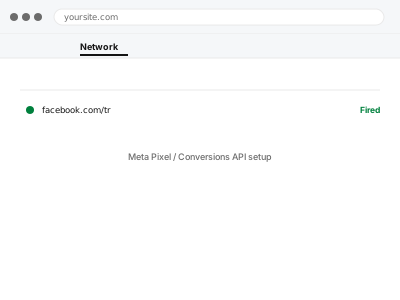
Meta’s browser-based Pixel alone increasingly undercounts real conversions, since ad blockers, browser privacy features, and iOS restrictions all interfere with it — the Conversions API sends the same conversion data directly from your server instead, as a more reliable complement to the Pixel rather than a replacement for it.
Why the Pixel alone isn’t enough anymore
Browser-based tracking has gotten progressively less reliable as privacy features expand across browsers and devices, which is why Meta recommends running the Conversions API alongside the Pixel — sending matching events from your server catches conversions the browser-based Pixel alone would miss.
Meta Pixel / Conversions API setup
Meta Pixel and Conversions API set up together and deduplicated, so conversions aren't lost to browser blocking or double-counted.
- Full backup taken before we start
- If we can’t fix it, you get your money back
- We never ask for your own password
What we need from you
- Access to your Meta Business Manager account
- Confirmation of which conversion events actually matter to you (purchases, leads, sign-ups)
- Whether the Pixel is already installed, or needs setting up from scratch
This or something else?
| You want Meta Pixel and Conversions API set up together, properly matched | This fix covers it |
| You already have the Pixel and just want Conversions API added | This fix covers it; a smaller version of the same task |
| You want Meta commerce catalog sync, not conversion tracking | Meta commerce catalog sync & error fix, a different service |
| You’re setting up tracking for a different platform, like Google Ads | A different, platform-specific fix |
What we do
- Set up or verify the Meta Pixel’s base installation
- Configure the Conversions API to send matching server-side events
- Set up event deduplication so matched events aren’t double-counted
- Configure the specific conversion events you’ve identified as important
- Test using Meta’s Events Manager test tool to confirm both methods report correctly
- Verify deduplication is working, not just that both are firing
What is included
- Pixel and Conversions API both configured and correctly deduplicated
- The conversion events you specified tracked through both methods
- Verification using Meta’s own testing tools
- A written note on what’s tracked and how
Not included
- Setting up or managing your actual ad campaigns
- Meta commerce catalog integration, a separate service
- Ongoing adjustment as your conversion events change
- Fixing an account-level Meta Business Manager access issue
Questions about this fix
Do I still need the Pixel if I have the Conversions API?
Yes, they're meant to work together, not as alternatives — the Conversions API catches what the Pixel misses, but running only the API loses some of the Pixel's own browser-side signal.
How do I know the two aren't double-counting the same conversion?
Deduplication is specifically configured and tested as part of this — Meta matches events from both sources using a shared identifier, so a single conversion counts once.
Will this share more customer data with Meta than before?
The Conversions API can send more reliable data than the Pixel alone, which is worth being deliberate about — we configure it to send what's needed for accurate tracking, and can discuss what that includes for your setup.
Can this work if I use a page builder rather than a standard checkout?
Generally yes, since Conversions API implementation usually hooks into the actual conversion event (a purchase, a form submission) rather than the visual page structure.
Will I see the improvement in reported conversions immediately?
Some difference shows quickly, but the full picture — genuinely more accurate attribution — becomes clearer over a longer reporting window as more data accumulates.
Related fixes
If this is the second time this year
A bad update breaking the site is a symptom of updates not being tested first. Care plans run every update on a staging clone before it reaches your live site, which is the actual fix for this happening again.
Your access, your rules
Create a separate admin account for us and delete it when we are done. For anything else, we get in touch and agree a method — never a form field on this site, never by reply to an email.
We back up first, always
Before anything is touched we take a full backup and keep it for 30 days. If a fix goes wrong, we put the site back exactly as it was.
If it is not what you bought
If the problem turns out smaller than what you ordered, we refund the difference. If it is bigger, we stop and send a quote before doing any extra work.
If we cannot fix it
You get back what we received. Diagnosis is on us — you only pay when the problem is actually solved. The payment processor takes its fee before the money reaches us, so we never hold it and it is not ours to return. That is true here as everywhere else.
If it comes back
Reply within seven days of delivery and we put it back on the bench at no cost. The fix is not finished until it holds.
What we are responsible for
If something goes wrong with a fix, our responsibility is limited to what you paid for it. We take a full backup first so mistakes can be undone, and we tell you before doing anything outside what you bought.