
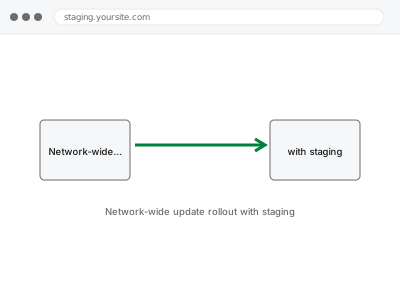
We roll out plugin, theme, and core updates across your entire network, tested on staging first before applying network-wide — since one incompatible update can affect every subsite simultaneously, a network genuinely needs a more careful update process than a single site can get away with skipping.
Network-wide update rollout with staging
Network-wide updates tested on staging first, since one bad update now hits every subsite at once.
- Full backup taken before we start
- If we can’t fix it, you get your money back
- We never ask for your own password
What we need from you
- Access to your network admin dashboard and a staging environment for testing
- Confirmation of which updates are pending and any known compatibility concerns
- Your preferred timing for the network-wide rollout
This or something else?
| You want pending updates rolled out across your network, tested on staging first | This fix covers it |
| You want a staging environment set up for this purpose, if one doesn’t already exist | Automated staging refresh setup, in the Integrations & Automation bucket, or Staging environment creation & sync |
| An update has already been applied network-wide and broken something | Worth describing the specific issue directly — likely a diagnostic fix rather than a fresh rollout |
| You want just one subsite updated, not a network-wide rollout | Worth confirming this smaller scope — a single subsite update doesn’t need this same network-wide process |
What we do
- Confirm which updates are pending across the network
- Apply updates on a staging copy of the network first
- Test thoroughly for compatibility issues across a representative sample of subsites
- Apply verified updates network-wide at your agreed timing
- Monitor immediately after rollout for any issues across subsites
- Provide a written summary of what was updated and the testing performed
What is included
- Updates tested on staging before any network-wide application
- A network-wide rollout at your agreed timing
- Post-rollout monitoring across subsites
- A written summary of the process and results
Not included
- Setting up a staging environment itself, if one doesn’t already exist — a separate, prerequisite fix
- Resolving a compatibility issue found during staging testing that requires a plugin developer’s own fix — we’d flag this rather than promising a resolution outside our control
- Fixing an issue from an update already applied network-wide without this careful process
- Ongoing, scheduled update management as a standing service
Questions about this fix
Why is this more involved than just clicking update in the dashboard?
A single site's update mistake affects just that site; a network-wide update mistake affects every subsite simultaneously, which is exactly why testing on staging first before a broad rollout is a genuinely important precaution rather than unnecessary caution.
What happens if staging testing finds a compatibility problem?
We'd flag it clearly before any network-wide rollout, giving you the choice to hold that specific update, find an alternative, or address the compatibility issue first rather than discovering the problem after it's already affected every subsite.
How long does a network-wide update rollout typically take?
It varies with how many updates are pending and how thoroughly staging testing needs to go, though we'd give you a realistic timeframe once we know the actual scope.
Do all subsites get updated at exactly the same moment?
Typically yes, for network-activated plugins and themes, since that's how multisite update rollout generally works — we'd confirm the specific behaviour for your setup as part of planning.
Is this necessary for every single update, even minor ones?
The level of caution can reasonably scale with the update's significance — a minor, low-risk update might need lighter testing than a major version change, which we'd calibrate based on what's actually being updated.
Related fixes
If this is the second time this year
A bad update breaking the site is a symptom of updates not being tested first. Care plans run every update on a staging clone before it reaches your live site, which is the actual fix for this happening again.
Your access, your rules
Create a separate admin account for us and delete it when we are done. For anything else, we get in touch and agree a method — never a form field on this site, never by reply to an email.
We back up first, always
Before anything is touched we take a full backup and keep it for 30 days. If a fix goes wrong, we put the site back exactly as it was.
If it is not what you bought
If the problem turns out smaller than what you ordered, we refund the difference. If it is bigger, we stop and send a quote before doing any extra work.
If we cannot fix it
You get back what we received. Diagnosis is on us — you only pay when the problem is actually solved. The payment processor takes its fee before the money reaches us, so we never hold it and it is not ours to return. That is true here as everywhere else.
If it comes back
Reply within seven days of delivery and we put it back on the bench at no cost. The fix is not finished until it holds.
What we are responsible for
If something goes wrong with a fix, our responsibility is limited to what you paid for it. We take a full backup first so mistakes can be undone, and we tell you before doing anything outside what you bought.