
A form submission or a button click doesn’t automatically become a trackable event in GA4 just because analytics is installed — each specific action you want measured needs its own event configuration, tied to something concrete enough (a click, a page reached, a form’s own success state) that it fires reliably and only when the action genuinely happened.
Reliable detection matters more than the event’s name
A poorly configured trigger — one based on a CSS class that changes with a design update, or a click listener that fires even on a failed form attempt — produces event data that looks like it’s working while quietly being wrong; getting the trigger condition right is most of the actual work here, not naming the event.
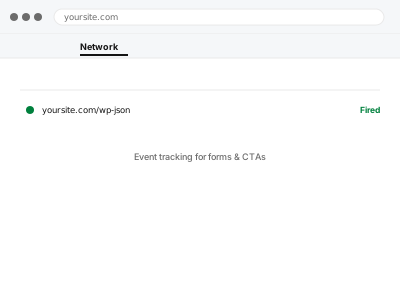
Event tracking for forms & CTAs
Form submissions and CTA clicks tracked on a genuine success signal, not a fragile guess that also fires on failure.
- Full backup taken before we start
- If we can’t fix it, you get your money back
- We never ask for your own password
What we need from you
- Which specific forms and buttons/CTAs you want tracked
- What counts as a genuine “success” for each — a form’s thank-you page, a confirmation message, a specific click
- Whether these are meant to become GA4 key events (conversions), or just visible in standard reporting
This or something else?
| You want specific form submissions or button clicks tracked as events | This fix covers it |
| You want ecommerce actions (add to cart, purchase) tracked specifically | WooCommerce GA4 ecommerce tracking setup |
| Tag Manager isn’t set up at all | Google Tag Manager container setup, needed first |
| You want these marked as conversions, and that’s the whole ask | GA4 key events & conversion configuration, if events already exist |
What we do
- Confirm the specific, reliable success signal for each form or CTA
- Configure triggers in Tag Manager based on that genuine signal, not a fragile proxy
- Set up the corresponding events with clear, consistent naming
- Test each trigger to confirm it fires on genuine success and not on failed attempts
- Mark relevant events as key events in GA4, if requested
- Verify final data using DebugView with real test submissions and clicks
What is included
- Reliable event tracking configured for the specified forms and CTAs
- Triggers based on genuine success signals, tested against failure cases
- Key event marking in GA4, if requested
- A written note on what’s tracked and how each trigger works
Not included
- Tracking beyond the specific forms and CTAs identified at the time of ordering
- Fixing an underlying form that doesn’t reliably show a success state itself
- Ecommerce-specific event tracking, its own dedicated fix
- Ongoing tracking additions as you add new forms or CTAs later
Questions about this fix
What if my form plugin doesn't have an obvious 'success' page or state?
Most do have some detectable success signal, even if subtle — a specific message, a URL change, a class added to the page — we identify the most reliable one available for your specific form.
Will this count someone who clicks a button but the action then fails?
Not if configured correctly, which is exactly why we test against failure cases specifically rather than just confirming the trigger fires on a successful attempt.
Can you track phone number or email link clicks too?
Yes, those are common, straightforward additions to this kind of setup — just let us know which specific links or elements matter to you.
Do I need to know Tag Manager myself to request changes later?
Not necessarily for minor tweaks, though we document what's set up clearly enough that a developer familiar with GTM could extend it without starting from scratch.
Will this slow down my forms or buttons?
No — event tracking listens for the action rather than adding any delay to it, so the form or button itself behaves exactly as it did before.
Related fixes
If this is the second time this year
A bad update breaking the site is a symptom of updates not being tested first. Care plans run every update on a staging clone before it reaches your live site, which is the actual fix for this happening again.
Your access, your rules
Create a separate admin account for us and delete it when we are done. For anything else, we get in touch and agree a method — never a form field on this site, never by reply to an email.
We back up first, always
Before anything is touched we take a full backup and keep it for 30 days. If a fix goes wrong, we put the site back exactly as it was.
If it is not what you bought
If the problem turns out smaller than what you ordered, we refund the difference. If it is bigger, we stop and send a quote before doing any extra work.
If we cannot fix it
You get back what we received. Diagnosis is on us — you only pay when the problem is actually solved. The payment processor takes its fee before the money reaches us, so we never hold it and it is not ours to return. That is true here as everywhere else.
If it comes back
Reply within seven days of delivery and we put it back on the bench at no cost. The fix is not finished until it holds.
What we are responsible for
If something goes wrong with a fix, our responsibility is limited to what you paid for it. We take a full backup first so mistakes can be undone, and we tell you before doing anything outside what you bought.