
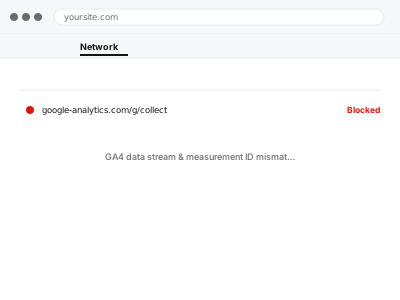
GA4 properties can contain multiple data streams — sometimes left over from testing, sometimes created by accident — and if the measurement ID installed on your site doesn’t match the data stream you’re actually looking at in reports, you can see zero data in one place while it’s actually arriving somewhere else in the same account.
Confirm which data stream your site’s ID actually points to
In GA4, go to Admin → Data Streams and note the measurement ID shown for your web stream. Compare that exactly against the ID installed on your site (in your tracking code or plugin settings) — if they don’t match character for character, you’ve found the mismatch directly.
GA4 data stream & measurement ID mismatch
The measurement ID on your site and the data stream you're reading from, reconciled when they don't match.
- Full backup taken before we start
- If we can’t fix it, you get your money back
- We never ask for your own password
This or something else?
| The measurement ID on the site doesn’t match the data stream you’re viewing | This fix covers it |
| There are multiple data streams and you’re unsure which is correct | This fix covers it; we help identify the right one |
| GA4 shows genuinely no data anywhere, not a mismatch | GA4 not tracking – diagnosis & fix, a different problem |
| You have two different tracking codes both installed | Duplicate / conflicting tracking code removal |
What you are seeing
- Zero or near-zero data in the GA4 reports you’re checking
- A different measurement ID installed on the site than the one in the data stream you expect
- Data possibly arriving in a different, unexpected data stream within the same property
- The mismatch possibly following a GA4 property recreation or a site migration
Common causes
- A new data stream created during troubleshooting, with the site never updated to point to it
- Copying a measurement ID from documentation or a tutorial rather than your own actual property
- A site migration or rebuild reinstalling GA4 with a fresh, different ID
- Multiple team members or agencies each setting up separate properties over time
- A test or staging environment’s ID accidentally left on the live site
What we do
- Identify every data stream that exists in the GA4 property
- Confirm which measurement ID is actually installed on the live site
- Determine which data stream should be the correct, ongoing one
- Correct the mismatch, either by updating the site’s code or consolidating streams
- Verify with DebugView that data now arrives in the correct, expected stream
- Check for any other properties or streams that may cause the same confusion later
What is included
- The mismatch identified and corrected
- Verified data flowing to the correct data stream
- A check for other potentially confusing duplicate streams or properties
- A written note on which stream and ID are now the correct, ongoing ones
Not included
- Recovering data that arrived in the wrong stream during the mismatch — it isn’t lost, but moving it isn’t generally possible
- Setting up GA4 from scratch if this reveals no valid property actually exists
- Auditing every Google account associated with your site beyond this specific issue
- Ongoing management of multiple properties if your organisation genuinely needs them
Questions about this fix
Is the data that went to the wrong stream actually lost?
No, it's still there in that data stream, just not where you were looking — we can point you to where it went, though consolidating it into the correct stream retroactively usually isn't possible.
How would two different measurement IDs even end up in the mix?
Very easily — a previous developer, an agency, or even a tutorial followed at some point can each introduce a different ID, especially across a site with more than one person touching its setup over time.
Should I just delete the extra, unused data stream?
Only once we've confirmed it's genuinely not the one anything relies on — deleting a stream that's actually being used elsewhere would create a new, different tracking gap.
Will this happen again after a future site rebuild?
It's a real risk any time GA4 is reinstalled without checking the existing property first, which is why we document the correct ID clearly for whoever handles the site next.
Can I have more than one legitimate data stream on purpose?
Yes, for genuinely separate properties like a mobile app alongside a website — the problem here is specifically an accidental mismatch, not multiple streams existing by design.
Related fixes
If this is the second time this year
A bad update breaking the site is a symptom of updates not being tested first. Care plans run every update on a staging clone before it reaches your live site, which is the actual fix for this happening again.
Your access, your rules
Create a separate admin account for us and delete it when we are done. For anything else, we get in touch and agree a method — never a form field on this site, never by reply to an email.
We back up first, always
Before anything is touched we take a full backup and keep it for 30 days. If a fix goes wrong, we put the site back exactly as it was.
If it is not what you bought
If the problem turns out smaller than what you ordered, we refund the difference. If it is bigger, we stop and send a quote before doing any extra work.
If we cannot fix it
You get back what we received. Diagnosis is on us — you only pay when the problem is actually solved. The payment processor takes its fee before the money reaches us, so we never hold it and it is not ours to return. That is true here as everywhere else.
If it comes back
Reply within seven days of delivery and we put it back on the bench at no cost. The fix is not finished until it holds.
What we are responsible for
If something goes wrong with a fix, our responsibility is limited to what you paid for it. We take a full backup first so mistakes can be undone, and we tell you before doing anything outside what you bought.