
Every page load runs a number of database queries to assemble itself, and every one of those queries costs time, however small individually. A page firing 150 queries where 40 would do isn’t broken in the way an error is broken — it just quietly costs more than it should, on every single visit, whether or not anyone notices.
Before you buy, one quick look
Read-only, if you have Query Monitor installed (a free plugin). It shows the total query count for the current page directly in the admin toolbar.
Above roughly 100 queries for a typical page is worth investigating. If you don’t have it installed, we can check this directly instead — it’s not something wp-admin surfaces on its own without a diagnostic tool.
Worth noting which pages you checked, since query count varies a lot by page type — a simple page and a filtered shop archive are not directly comparable, and a single number from one page doesn’t tell the whole story.
It’s also worth checking the same page twice, since caching can mask the real count on a second load. The first, uncached visit is usually the more honest number, and the one worth reporting when you order.
A high count on its own doesn’t tell you which queries are actually expensive — a page can run two hundred trivial queries faster than another runs twenty heavy ones. Count is a useful early signal, not the final word, which is why we look at cost as well as quantity once we start.
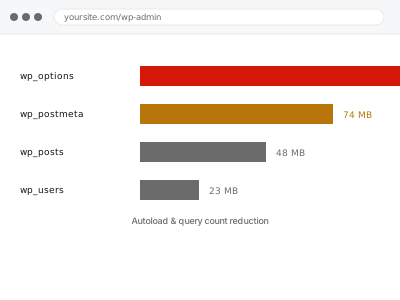
Autoload & query count reduction
Your pages are running far more database queries than they need to, adding up on every visit. We find what's firing repeatedly and cut the count.
- Full backup taken before we start
- If we can’t fix it, you get your money back
- We never ask for your own password
This or something else?
| A high query count confirmed via Query Monitor or a similar tool | This fix covers it |
| Autoloaded options specifically flagged as large | wp_options autoload bloat reduction |
| Specific queries identified as slow, not just numerous | Database index optimization for slow queries |
| General site slowness with the cause unclear | Slow site diagnostic report |
| Admin specifically slow, front end fine | Slow admin dashboard fix |
What you are seeing
- A high query count reported by a diagnostic plugin, if one is installed
- General slowness with no single obvious cause
- The count scaling with the number of active plugins rather than page content
- The same page loading noticeably faster or slower depending on which plugins are active
- No single query dominating, just many small ones adding up
Common causes
- Multiple plugins each running their own independent queries for overlapping data
- A theme or plugin querying the same data repeatedly instead of once and reusing it
- Widgets or blocks each firing their own query rather than sharing one combined result
- Autoloaded data being fetched and processed on every request regardless of relevance
- No object caching in place, so identical queries repeat rather than being served from cache
What we do
- Measure the actual query count and identify which plugins or components contribute most
- Identify queries that repeat unnecessarily across the same page load
- Consolidate or eliminate duplicate queries where safe to do so
- Check whether object caching would meaningfully reduce repeated identical queries
- Apply fixes and re-measure the same pages to confirm a real reduction
- Confirm every feature that relied on the original queries still works correctly
What is included
- Query count measured and reduced on the affected templates
- Duplicate or redundant queries identified and consolidated
- Object caching considered and configured if it would help
- The pre-fix backup, kept for 30 days
Not included
- Rewriting a specific plugin’s own inefficient code beyond what’s needed here
- Index-level query optimisation, which is a separate, related fix
- Ongoing monitoring of query count as plugins are added
- Removing plugins, without your agreement
Questions about this fix
Is a high query count always a problem?
Not automatically — a content-rich page legitimately needs more queries than a simple one. What matters is whether the count is proportionate to what the page actually does, which is what we assess rather than judging by a number alone.
Will removing plugins fix this faster than a code-level fix?
Sometimes, if a plugin is genuinely unnecessary, but most of the value here comes from plugins doing the same job more efficiently, not from removing functionality you actually use.
Does object caching fix this on its own?
It helps with repeated identical queries specifically, but it doesn't fix genuinely unnecessary or duplicated queries in the first place — the two are complementary rather than substitutes for each other.
Can I see this myself without installing anything?
Not easily — query count isn't something wp-admin shows natively. Query Monitor is the simplest free way, or we can measure it directly as part of the diagnosis.
Will this conflict with the autoload bloat fix?
No, they're complementary — autoload bloat is about how much data loads on every request regardless of query count, while this is specifically about how many separate queries run. A site can benefit from either, or both.
Related fixes
If this is the second time this year
A bad update breaking the site is a symptom of updates not being tested first. Care plans run every update on a staging clone before it reaches your live site, which is the actual fix for this happening again.
Your access, your rules
Create a separate admin account for us and delete it when we are done. For anything else, we get in touch and agree a method — never a form field on this site, never by reply to an email.
We back up first, always
Before anything is touched we take a full backup and keep it for 30 days. If a fix goes wrong, we put the site back exactly as it was.
If it is not what you bought
If the problem turns out smaller than what you ordered, we refund the difference. If it is bigger, we stop and send a quote before doing any extra work.
If we cannot fix it
You get back what we received. Diagnosis is on us — you only pay when the problem is actually solved. The payment processor takes its fee before the money reaches us, so we never hold it and it is not ours to return. That is true here as everywhere else.
If it comes back
Reply within seven days of delivery and we put it back on the bench at no cost. The fix is not finished until it holds.
What we are responsible for
If something goes wrong with a fix, our responsibility is limited to what you paid for it. We take a full backup first so mistakes can be undone, and we tell you before doing anything outside what you bought.