
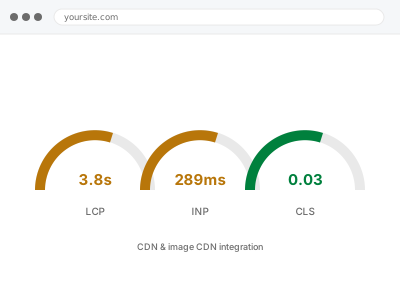
A CDN serves your static files — images, CSS, JavaScript — from a server physically closer to each visitor, instead of every request travelling back to your one hosting location regardless of where in the world someone is. For a site with visitors spread across different regions, this alone can meaningfully cut load time before touching anything else.
If you already use a CDN
Tell us which one. Some CDNs are already active by default through certain hosting providers, and adding a second, separate CDN on top can create conflicts — cache headers disagreeing, images being processed twice — rather than layering the benefit.
It’s also worth knowing a CDN mainly helps visitors far from your server’s physical location. If your entire audience is in one country close to your hosting, the gain is smaller and more about caching offload than distance, which changes whether the full setup is worth prioritising right now.
Image-specific CDNs go a step further than a general one, resizing and reformatting images on the fly for each visitor’s device rather than just relocating the same file closer to them — a meaningful difference if your image weight is a large part of the problem, since it means one original file can serve every device correctly instead of you maintaining several manually-resized versions of the same image, each of which needs updating separately whenever the source photo changes.
A CDN also adds a small amount of ongoing complexity worth knowing about upfront — purging the cache correctly after a design change, for instance, so visitors aren’t served an old stylesheet from a location that hasn’t refreshed yet. We set purge rules up correctly from the start so this isn’t something you have to remember to manage yourself after every future change.
CDN & image CDN integration
You want static assets and images served from a CDN closer to your visitors instead of all traffic hitting your one server. We set it up and confirm it's actually working.
- Full backup taken before we start
- If we can’t fix it, you get your money back
- We never ask for your own password
What we need from you
- Whether you already use a CDN, through your host or a separate service
- Where most of your traffic or customers are located geographically, if you know
- Whether you want a general CDN, an image-specific CDN, or both
- DNS access, since CDN setup typically requires a DNS change
This or something else?
| Setting up a CDN for the first time | This fix covers it |
| A CDN already active but not correctly configured | This fix covers it |
| Images specifically the priority over general assets | This fix covers it |
| Images not optimised to begin with | Bulk image optimization & WebP conversion |
| Server response time itself the bottleneck, not asset delivery | TTFB reduction & server response tuning |
What we do
- Confirm whether a CDN is already active and how it’s currently configured
- Choose a CDN suited to your traffic pattern and hosting setup
- Configure DNS and cache rules for static assets
- Set up image-specific CDN handling if that’s part of the scope
- Test asset delivery from multiple regions to confirm the CDN is actually being used
- Confirm dynamic, non-cacheable content is correctly excluded from the CDN
What is included
- CDN configured and verified as actually serving assets, not just switched on
- DNS and cache rules set correctly for your setup
- Image-specific CDN handling, if included in scope
- The pre-change backup, kept for 30 days
Not included
- Image optimisation itself, which is a separate, complementary fix
- Ongoing CDN plan costs, which are billed by the CDN provider directly
- Migrating to a different hosting provider
- Fixing content that’s slow to generate even before it reaches the CDN
Questions about this fix
Will a CDN fix a slow server response?
No — a CDN speeds up delivery of static files that are already generated; it doesn't make your server generate a dynamic page faster in the first place, which is a separate, server-side problem.
Is a CDN worth it if most of my customers are local?
Less dramatically, but often still worth it for the caching and offload benefits alone, even without the geographic distance advantage being the main draw.
Will switching to a CDN break any existing image links?
Not if configured correctly — the CDN serves the same files from a different location, and we verify existing pages and images still resolve correctly rather than assuming the migration is seamless.
Do I need to pay for the CDN separately?
Usually yes, as an ongoing service from the CDN provider, separate from this one-time setup. Some tiers are free for smaller sites; we'll tell you which applies to yours.
How do I know the CDN is actually working after setup?
We test asset delivery and confirm the response headers show the CDN handling the request rather than your own server, from more than one location if possible.
Related fixes
If this is the second time this year
A bad update breaking the site is a symptom of updates not being tested first. Care plans run every update on a staging clone before it reaches your live site, which is the actual fix for this happening again.
Your access, your rules
Create a separate admin account for us and delete it when we are done. For anything else, we get in touch and agree a method — never a form field on this site, never by reply to an email.
We back up first, always
Before anything is touched we take a full backup and keep it for 30 days. If a fix goes wrong, we put the site back exactly as it was.
If it is not what you bought
If the problem turns out smaller than what you ordered, we refund the difference. If it is bigger, we stop and send a quote before doing any extra work.
If we cannot fix it
You get back what we received. Diagnosis is on us — you only pay when the problem is actually solved. The payment processor takes its fee before the money reaches us, so we never hold it and it is not ours to return. That is true here as everywhere else.
If it comes back
Reply within seven days of delivery and we put it back on the bench at no cost. The fix is not finished until it holds.
What we are responsible for
If something goes wrong with a fix, our responsibility is limited to what you paid for it. We take a full backup first so mistakes can be undone, and we tell you before doing anything outside what you bought.