
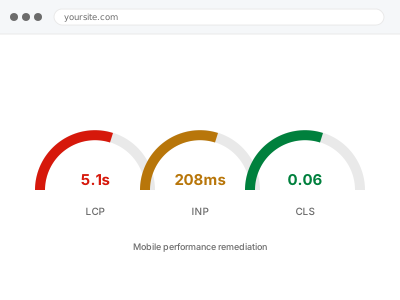
Mobile performance problems often don’t show up in a desktop test at all, because mobile testing tools simulate a slower connection and a weaker processor rather than reproducing one — the gap between simulated and real mobile conditions is exactly where a site can pass every automated check and still feel slow in someone’s hand.
Before you buy, one quick test
Load your site on an actual phone over real cellular data — not WiFi, not a desktop browser’s mobile emulator. Note specifically what feels slow: the initial load, images filling in late, or something lagging when you tap it.
Desktop tools including PageSpeed itself throttle a fast machine to approximate mobile, but a real device on a real network reveals things a simulation can miss entirely, including how a weak signal affects loading rather than just a slower but stable connection.
If you can, test in a few different real-world spots — at home on WiFi, out and about on cellular, somewhere with a weaker signal if you have one nearby. The gap between those results is often the clearest evidence of what’s actually going wrong for a meaningful share of your visitors.
It’s worth remembering that mobile now makes up the majority of traffic for most stores, so a problem that only shows up on phones isn’t a minority-case issue to deprioritise — it’s likely affecting more visitors than the desktop experience that usually gets tested first.
Mobile performance remediation
Your site tests fine on a desktop tool but feels slow on an actual phone. We test real mobile conditions and fix what's specifically costing time there.
- Full backup taken before we start
- If we can’t fix it, you get your money back
- We never ask for your own password
This or something else?
| Site feels slow specifically on real phones, not in desktop tools | This fix covers it |
| Both mobile and desktop failing Core Web Vitals | Core Web Vitals remediation |
| Interactions — taps, filters — specifically laggy | INP remediation |
| Images the main suspect | Bulk image optimization & WebP conversion |
| Site slow everywhere with no mobile-specific pattern | Slow site diagnostic report |
What you are seeing
- The site feeling noticeably slower on a phone than it tests on a desktop tool
- Real customers, or your own mobile testing, showing a worse experience than lab scores suggest
- Images, fonts or scripts sized for desktop screens loading unnecessarily on mobile
- A layout that works but feels heavy to scroll or interact with on a phone
- Mobile-specific traffic or conversion data looking worse than the equivalent desktop figures
Common causes
- Desktop-sized images served to mobile visitors instead of a smaller, appropriately-sized version
- JavaScript written and tested almost entirely against desktop-class processing power
- A responsive design that hides content with CSS rather than not loading it at all on mobile
- Third-party scripts with no regard for mobile connection speed or device capability
- Testing and development happening almost entirely on fast office WiFi and desktop machines
What we do
- Test the site on real mobile devices over a representative connection speed
- Identify what’s specifically different about the mobile experience versus desktop
- Check whether mobile visitors are downloading desktop-sized assets unnecessarily
- Address JavaScript or rendering work that’s disproportionately costly on mobile-class devices
- Re-test on a real device, not just a desktop emulator, to confirm a genuine improvement
- Compare before-and-after mobile field data where it’s available
What is included
- Testing and remediation based on real mobile conditions, not simulation alone
- Mobile-specific asset loading corrected where it was serving desktop-sized content
- A before-and-after comparison on an actual device
- The pre-fix backup, kept for 30 days
Not included
- A full separate mobile site or app
- Redesigning the mobile layout
- Desktop-specific performance work, which is diagnosed separately
- Ongoing device-specific testing as new phones are released
Questions about this fix
My PageSpeed mobile score is already decent. Could there still be a problem?
Yes — PageSpeed's mobile test throttles a desktop machine to approximate a mobile device, which is a reasonable simulation but not the same as a real phone on a real, possibly weaker, cellular connection.
Which phones and networks do you test on?
A representative mix rather than only the newest flagship phone on fast WiFi, since that's the least representative case for spotting a genuine mobile problem.
Is this different from responsive design?
Yes — responsive design is about layout adapting to screen size. This is about performance: what actually loads and runs on a mobile device, regardless of whether the layout looks correct.
Will fixing this also help my desktop scores?
Sometimes, if the cause is something like oversized images that affect everyone, but the fixes here are specifically prioritised for mobile conditions, so a desktop-only issue wouldn't be addressed by this fix.
How do you measure "better" on mobile?
Real device testing before and after, and field data from Search Console specifically filtered to mobile where available, rather than a single improved lab score from one test run.
Related fixes
If this is the second time this year
A bad update breaking the site is a symptom of updates not being tested first. Care plans run every update on a staging clone before it reaches your live site, which is the actual fix for this happening again.
Your access, your rules
Create a separate admin account for us and delete it when we are done. For anything else, we get in touch and agree a method — never a form field on this site, never by reply to an email.
We back up first, always
Before anything is touched we take a full backup and keep it for 30 days. If a fix goes wrong, we put the site back exactly as it was.
If it is not what you bought
If the problem turns out smaller than what you ordered, we refund the difference. If it is bigger, we stop and send a quote before doing any extra work.
If we cannot fix it
You get back what we received. Diagnosis is on us — you only pay when the problem is actually solved. The payment processor takes its fee before the money reaches us, so we never hold it and it is not ours to return. That is true here as everywhere else.
If it comes back
Reply within seven days of delivery and we put it back on the bench at no cost. The fix is not finished until it holds.
What we are responsible for
If something goes wrong with a fix, our responsibility is limited to what you paid for it. We take a full backup first so mistakes can be undone, and we tell you before doing anything outside what you bought.