
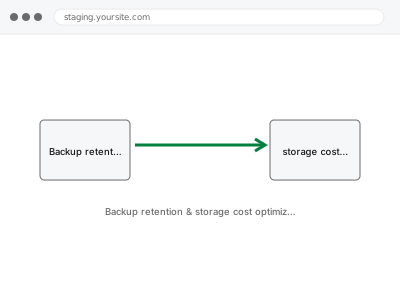
Keeping every backup forever costs money indefinitely for protection you almost never actually need that far back, while keeping too few risks needing a restore point that’s already been deleted. The right retention period balances genuine recovery needs against what you’re paying to store backups you’ll likely never open.
Backup retention & storage cost optimization
Backup retention balanced between genuine recovery need and what you're paying to store copies you'll never open.
- Full backup taken before we start
- If we can’t fix it, you get your money back
- We never ask for your own password
What we need from you
- Access to your current backup system and its storage destination
- Confirmation of how far back you’ve ever actually needed to restore from, if at all
- Your current storage costs, if known, so we can quantify any savings
This or something else?
| You want your backup retention period reviewed and optimised for cost versus safety | This fix covers it |
| You want the backup system itself set up or its schedule changed, not just retention length | Backup system setup & schedule configuration |
| You want backups moved to a cheaper or different storage destination entirely | Offsite backup destination configuration |
| You’re not sure your backups even work, retention length aside | Backup restore test & verification report |
What we do
- Review your current retention settings and actual storage costs
- Assess realistically how far back a restore point has ever genuinely been needed
- Recommend a retention period balancing safety against ongoing storage cost
- Implement the adjusted retention policy
- Confirm older backups beyond the new retention window are cleanly removed
- Document the new policy and its expected cost impact
What is included
- A reviewed and adjusted retention policy
- Implementation of the new setting in your backup system
- An estimate of storage cost impact, before and after
- A written note on the policy and reasoning
Not included
- Setting up the backup system itself, if not already in place
- Changing your backup schedule or destination, separate, related fixes
- Recovering a backup already deleted under a previous, shorter retention setting
- Ongoing review as your storage needs change over time
Questions about this fix
What's a reasonable retention period for most sites?
It varies by how quickly you'd notice and need to fix an issue, but many sites find a rolling 30 to 90 day window strikes a reasonable balance, adjusted for anything unusual about your specific update or order patterns.
Will shortening retention put me at more risk?
Only if you'd realistically have needed a restore point older than the new window, which is exactly what we assess honestly with you before recommending a specific length, rather than defaulting to the shortest option to save cost.
How much could this actually save me?
That depends entirely on your current backup size and storage pricing — we calculate an estimate specific to your setup rather than quoting a generic figure.
Can I change my mind about retention length later?
Yes, retention policy isn't a one-time, permanent decision — it's a setting that can be revisited if your needs or storage costs change.
Does a longer retention period mean my backups are automatically safer?
Not necessarily — a longer retention window with an untested or unreliable backup process gives you more old copies of something that might not restore anyway, which is why retention and reliability are worth addressing together.
Related fixes
If this is the second time this year
A bad update breaking the site is a symptom of updates not being tested first. Care plans run every update on a staging clone before it reaches your live site, which is the actual fix for this happening again.
Your access, your rules
Create a separate admin account for us and delete it when we are done. For anything else, we get in touch and agree a method — never a form field on this site, never by reply to an email.
We back up first, always
Before anything is touched we take a full backup and keep it for 30 days. If a fix goes wrong, we put the site back exactly as it was.
If it is not what you bought
If the problem turns out smaller than what you ordered, we refund the difference. If it is bigger, we stop and send a quote before doing any extra work.
If we cannot fix it
You get back what we received. Diagnosis is on us — you only pay when the problem is actually solved. The payment processor takes its fee before the money reaches us, so we never hold it and it is not ours to return. That is true here as everywhere else.
If it comes back
Reply within seven days of delivery and we put it back on the bench at no cost. The fix is not finished until it holds.
What we are responsible for
If something goes wrong with a fix, our responsibility is limited to what you paid for it. We take a full backup first so mistakes can be undone, and we tell you before doing anything outside what you bought.