
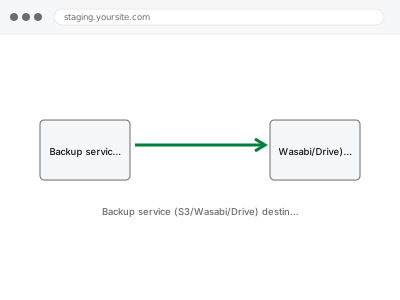
We configure a genuinely offsite backup destination — Amazon S3, Wasabi, Google Drive — connected to your existing backup system, through API credentials or delegated access rather than your personal account password, since the storage account itself remains yours to manage and pay for directly.
Backup service (S3/Wasabi/Drive) destination setup
A genuine offsite backup destination connected through scoped credentials — the account stays yours.
- Full backup taken before we start
- If we can’t fix it, you get your money back
- We never ask for your own password
What we need from you
- An account with your chosen storage destination (S3, Wasabi, Google Drive, or similar)
- API credentials or access scoped for backup storage, rather than full account access
- Confirmation of your existing backup system that needs to connect to this destination
This or something else?
| You have a storage account ready and want it connected as your backup destination | This fix covers it |
| You don’t have a backup system set up yet at all | Backup system setup & schedule configuration, in the Backups, Staging & Migration Ops category, the prerequisite step |
| You want to verify your existing backup actually restores correctly, not just where it’s stored | Backup restore test & verification report |
| You’re not sure which storage destination to choose | We can recommend based on your budget and technical comfort, though the account and its ongoing cost remain yours |
What we do
- Confirm your chosen storage destination and account
- Generate appropriately scoped API credentials for backup access, rather than using full account access
- Connect your existing backup system to send copies to the new destination
- Run a test backup to confirm it successfully reaches the destination
- Verify the offsite copy is complete and accessible
- Document the configuration for future reference
What is included
- Offsite backup destination configured and connected with appropriately scoped access
- A confirmed, successful test backup reaching the destination
- Verification the offsite copy is complete
- A written note on the configuration
Not included
- Setting up the backup system itself, if not already in place — a separate, prerequisite fix
- Paying for or managing the storage account itself, which remains yours directly with the provider
- Testing that a stored backup can be successfully restored, a separate, related check
- Ongoing monitoring of the offsite connection remaining active
Questions about this fix
Do you need my full account credentials for the storage service?
No — we use appropriately scoped API credentials specific to backup access wherever the provider supports this, rather than needing full account access.
Who pays for the storage costs?
The storage account remains yours directly with the provider, so any usage-based costs are billed to you, not to us — we configure the connection, the account itself stays under your ownership and control.
What if I want to switch storage providers later?
That's a straightforward reconfiguration — connecting your backup system to a new destination follows the same process, whichever provider you choose to switch to.
Is Google Drive a good choice for this, or should I use something more specialised?
Google Drive can work for smaller needs, though a dedicated backup storage service like S3 or Wasabi is often more cost-effective and better suited at larger scale — we can advise based on your specific volume and budget.
Will you keep a copy of the API credentials after this is set up?
We use them only to configure the connection during setup and wouldn't retain a copy afterward — the credentials and the account they belong to remain solely under your control going forward.
Related fixes
If this is the second time this year
A bad update breaking the site is a symptom of updates not being tested first. Care plans run every update on a staging clone before it reaches your live site, which is the actual fix for this happening again.
Your access, your rules
Create a separate admin account for us and delete it when we are done. For anything else, we get in touch and agree a method — never a form field on this site, never by reply to an email.
We back up first, always
Before anything is touched we take a full backup and keep it for 30 days. If a fix goes wrong, we put the site back exactly as it was.
If it is not what you bought
If the problem turns out smaller than what you ordered, we refund the difference. If it is bigger, we stop and send a quote before doing any extra work.
If we cannot fix it
You get back what we received. Diagnosis is on us — you only pay when the problem is actually solved. The payment processor takes its fee before the money reaches us, so we never hold it and it is not ours to return. That is true here as everywhere else.
If it comes back
Reply within seven days of delivery and we put it back on the bench at no cost. The fix is not finished until it holds.
What we are responsible for
If something goes wrong with a fix, our responsibility is limited to what you paid for it. We take a full backup first so mistakes can be undone, and we tell you before doing anything outside what you bought.